No Result
View All Result
Global Finances Daily
  • Alternative Investments
  • Crypto
  • Financial Markets
  • Investments
  • Lifestyle
  • Protection
  • Retirement
  • Savings
  • Work & Careers
No Result
View All Result
  • Alternative Investments
  • Crypto
  • Financial Markets
  • Investments
  • Lifestyle
  • Protection
  • Retirement
  • Savings
  • Work & Careers
  • Login
Global Finances Daily
No Result
View All Result
Home Protection

You Can Now Use iMessage on Windows (With Some Serious Limitations)

June 5, 2026
in Protection
0
You Can Now Use iMessage on Windows (With Some Serious Limitations)


If you’re entirely within either the Apple or Windows/Android ecosystem, it’s pretty easy to sync your mobile and desktop experiences so you can get notifications, send messages, and access other content across devices. iOS and MacOS work seamlessly together, and Microsoft’s Phone Link pairs Android with Windows.

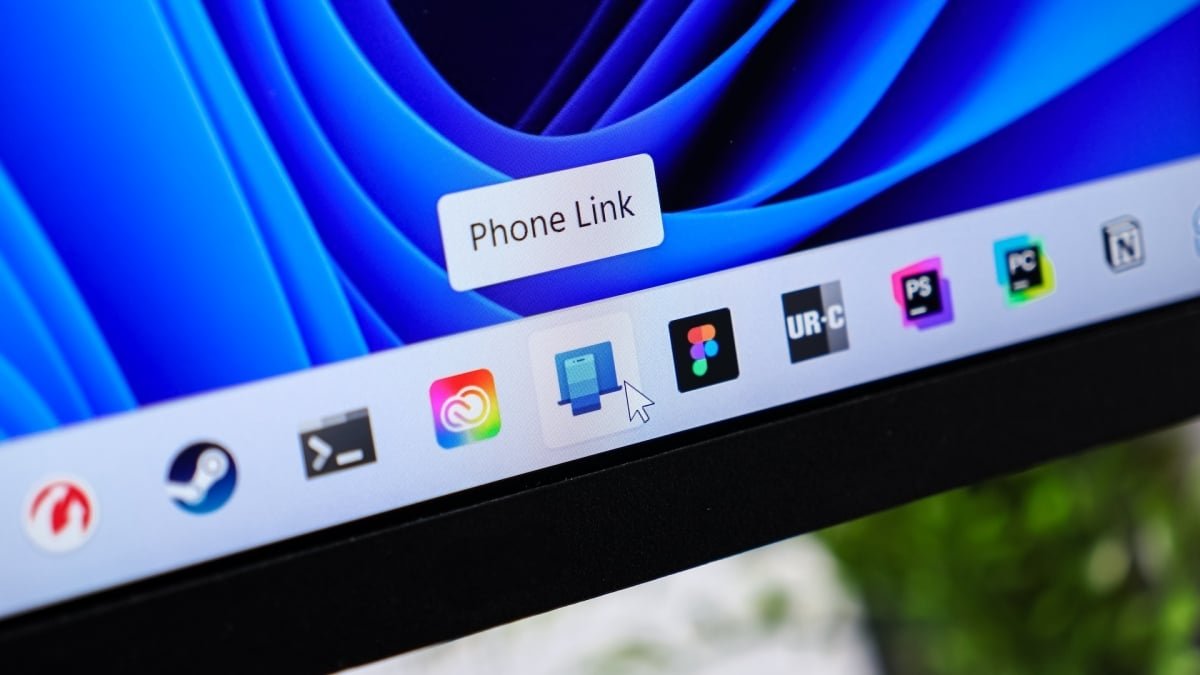
Phone Link also works across platforms, so you can receive and send Apple Messages on your PC. There are some significant limitations—for example, you’ll still need your iPhone handy to send group texts and share images. But Phone Link allows you to keep track of messages on your desktop while you’re working without needing to constantly check your phone.

How to link your iPhone to your PC

Setting up Messages on your PC requires a few steps. First, you’ll need three things to connect your Apple device to your Windows computer: a Microsoft account, the Phone Link app on your PC, and the Link to Windows app on your iPhone running iOS 16 or higher. (Phone Link comes preinstalled on Windows 11, or you can download it from the Microsoft Store.)

To get started, type Phone Link into the taskbar search and select the app to open it. Choose iPhone as your device. Scan the QR code on the next screen with your iPhone camera and tap Pair your devices. On the pop-up, tap Open > Continue > Allow followed by Pair to grant Windows necessary permissions and complete Bluetooth pairing. You may be asked to allow additional permissions, including notification and file sharing. Then, follow the prompts to link your iPhone to your Microsoft account.

You should also confirm a few things in your iPhone Settings > Bluetooth. Select your computer’s name from the list of connected devices and toggle on Show Message Notifications. You can also enable Sync Contacts and Share System Notifications. When you open Phone Link on your PC, you can opt to have the app open when you sign into Windows. Then hit Get Started.


What do you think so far?

The limitations of using Apple Messages on your PC

The Messages window within Phone Link will show you a handful of recent conversations—which you can reply to—and suggested contacts, but you will not see your full inbox. You also can’t start or reply to group chats or send attachments, photos, or GIFs (only emojis are supported). To start a new conversation, tap the New Message icon, enter your contact’s name or phone number, compose the text, and hit Send.

Anything sent or received will also appear on your iPhone, so you can switch between devices at any point during the conversation. Note that because Phone Link uses Bluetooth, it does not break Apple Messages’ end-to-end encryption.




Editorial Team

Editorial Team

Related Posts

Hasbro Just Announced a New Brainrot Monopoly Game
Protection

Hasbro Just Announced a New Brainrot Monopoly Game

June 5, 2026
This Blink 2K Outdoor Camera System Is 55% Off Right Now
Protection

This Blink 2K Outdoor Camera System Is 55% Off Right Now

June 5, 2026
This Is Your Chance to Get the AirPods Pro 3 for $200
Protection

This Is Your Chance to Get the AirPods Pro 3 for $200

June 5, 2026
Check Your Spam Folder for This Google Settlement Notice
Protection

Check Your Spam Folder for This Google Settlement Notice

June 4, 2026
How to Decide If You Should Upgrade From the Garmin Forerunner 165 to the 170
Protection

How to Decide If You Should Upgrade From the Garmin Forerunner 165 to the 170

June 4, 2026
Apple May Have Just Killed the Vision Pro
Protection

Apple May Have Just Killed the Vision Pro

June 4, 2026
Load More
Next Post
Headline measures of stress in private credit portfolios may be overstating the extent of credit deterioration across business development companies (BDCs)

Moody's: BDC loan marks may exaggerate signs of private credit stress

Popular News

  • Citi taps Blackstone and KKR for new private wealth push

    Citi taps Blackstone and KKR in private wealth push

    0 shares
    Share 0 Tweet 0
  • ¿Debiera usted ayudar económicamente a sus hijos adultos?

    0 shares
    Share 0 Tweet 0
  • UK RE lending rises 33pc in H1 as sentiment turns “bullish”

    0 shares
    Share 0 Tweet 0
  • The Newest Echo Show Is $50 Off Right Now

    0 shares
    Share 0 Tweet 0
  • Jerome Powell says he will continue to serve as a Fed governor, calls Trump criticism ‘unprecedented’

    0 shares
    Share 0 Tweet 0

Latest News

Career and Academic Advisor, First Year Experience

Career and Academic Advisor, First Year Experience

June 5, 2026
0

JOB PURPOSE: As a key contributor to student success, provides academic advisement for prospective, current, and former...

Drone explodes in Romanian port as Ukraine blames Russia for jamming it

Drone explodes in Romanian port as Ukraine blames Russia for jamming it

June 5, 2026
0

Drone explodes in Romanian port as Ukraine blames Russia for jamming it

Headline measures of stress in private credit portfolios may be overstating the extent of credit deterioration across business development companies (BDCs)

Moody’s: BDC loan marks may exaggerate signs of private credit stress

June 5, 2026
0

Headline measures of stress in private credit portfolios may be overstating the extent of credit deterioration across business development companies...

You Can Now Use iMessage on Windows (With Some Serious Limitations)

You Can Now Use iMessage on Windows (With Some Serious Limitations)

June 5, 2026
0

If you're entirely within either the Apple or Windows/Android ecosystem, it's pretty easy to sync your mobile and desktop experiences...

Global Finances Daily

Welcome to Global Finances Daily, your go-to source for all things finance. Our mission is to provide our readers with valuable information and insights to help them achieve their financial goals and secure their financial future.

Subscribe

  • About Us
  • Contact
  • Privacy Policy
  • Terms of Use
  • Editorial Process

© 2025 All Rights Reserved - Global Finances Daily.

No Result
View All Result
  • Alternative Investments
  • Crypto
  • Financial Markets
  • Investments
  • Lifestyle
  • Protection
  • Retirement
  • Savings
  • Work & Careers

© 2025 All Rights Reserved - Global Finances Daily.

Welcome Back!

Login to your account below

Forgotten Password?

Retrieve your password

Please enter your username or email address to reset your password.

Log In
This website uses cookies. By continuing to use this website you are giving consent to cookies being used. Visit our Privacy and Cookie Policy.