No Result
View All Result
Global Finances Daily
  • Alternative Investments
  • Crypto
  • Financial Markets
  • Investments
  • Lifestyle
  • Protection
  • Retirement
  • Savings
  • Work & Careers
No Result
View All Result
  • Alternative Investments
  • Crypto
  • Financial Markets
  • Investments
  • Lifestyle
  • Protection
  • Retirement
  • Savings
  • Work & Careers
  • Login
Global Finances Daily
No Result
View All Result
Home Protection

How to Join the Waitlist to Try the New Siri AI

July 14, 2026
in Protection
0
How to Join the Waitlist to Try the New Siri AI


We may earn a commission from links on this page.


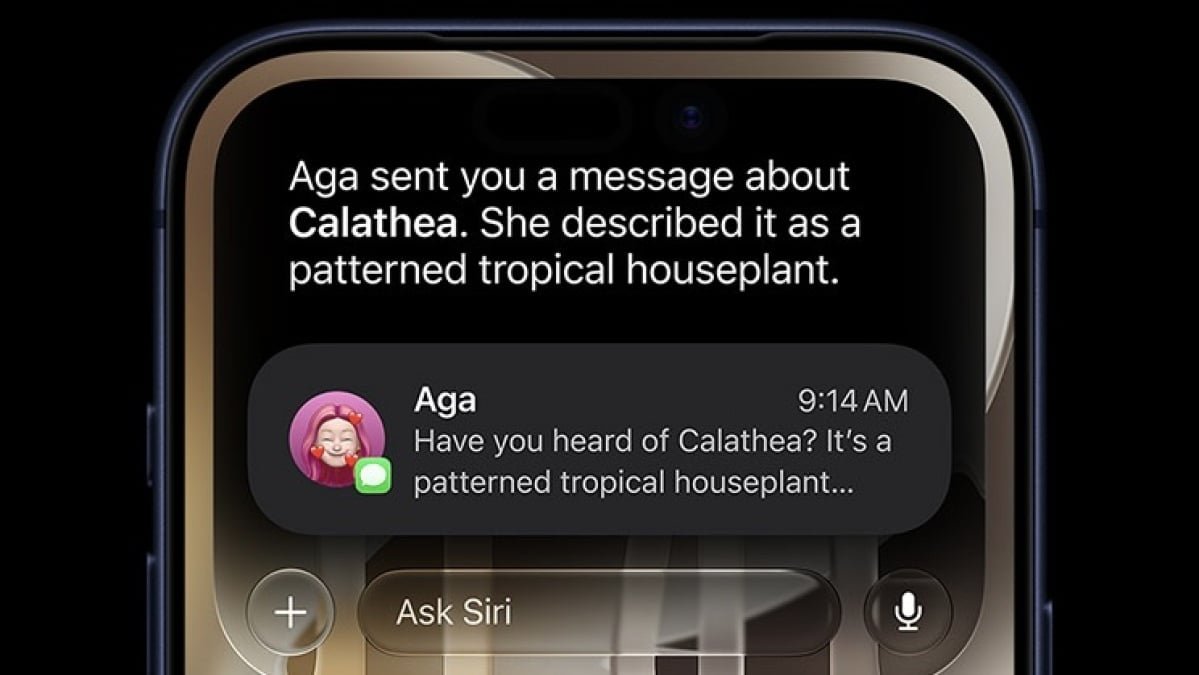
Apple’s biggest Siri upgrade ever is nearly here. In roughly two months, Apple will release iOS 27 and macOS 27, which, among other new features and changes, will ship with “Siri AI.” The new AI-powered Siri is much more in line with other generative AI assistants like ChatGPT, promising to improve upon the traditional Siri experience in innumerable ways. I, for one, am excited to have an iPhone assistant that can do more than set a timer (sometimes)

While most of us will have to wait until the fall to try it out, you don’t actually need to wait that long: Siri AI is available to try right now as part of Apple’s iOS and macOS betas—at least, following a small waiting period. If you install the iOS 27 beta or the macOS 27 beta on your compatible iPhone or Mac, respectively, you can give the new AI-powered Siri a try months in advance. Here’s how to join the waitlist.

Which Apple devices can run Siri AI?

While there a lot of Apple devices compatible with Apple’s upcoming slate of updates, not all of them can run Siri AI. You need a device that can run Apple Intelligence to try out Siri AI. All of the Macs that are compatible with macOS 27 (Apple’s M-series Macs plus the MacBook Neo) can run Siri AI, but only iPhone 15 Pro and newer can run the new assistant. Here’s the official list of all devices that can run Siri AI, per Apple:

  • iPhone 17 Pro Max (A19 Pro)

  • iPhone 17 Pro (A19 Pro)

  • iPhone Air (A19 Pro)

  • iPhone 17 (A19)

  • iPhone 17e (A19)

  • iPhone 16 Pro Max (A18 Pro)

  • iPhone 16 Pro (A18 Pro)

  • iPhone 16 Plus (A18)

  • iPhone 16 (A18)

  • iPhone 16e (A18)

  • iPhone 15 Pro Max (A17 Pro)

  • iPhone 15 Pro (A17 Pro)

  • iPad Pro (M1 and later)

  • iPad Air (M1 and later)

  • iPad mini (A17 Pro)

  • Apple Vision Pro (M2 and later)

  • MacBook Neo (A18 Pro)

  • MacBook Air (M1 and later)

  • MacBook Pro (M1 and later)

  • iMac (M1 and later)

  • Mac mini (M1 and later)

  • Mac Studio (M1 Max and later)

  • Mac Pro (M2 Ultra)

Some Siri AI features, such as the ability to control the assistant’s voice, are only available on some of the above models. That includes the iPhone 17 series and iPhone Air; iPads with the M4 chip and at least 12GB of RAM; Macs with the M3 chip and at least 12GB of RAM, and the M5 Vision Pro.

Apple 2026 MacBook Neo 13-inch Laptop with A18 Pro chip: Built for AI and Apple Intelligence, Liquid Retina Display, 8GB Unified Memory, 256GB SSD Storage, 1080p FaceTime HD Camera; Indigo

How to get on the Siri AI waitlist

First things first: You need to be running iOS 27, iPadOS 27, or macOS 27 to try out Siri AI. At the moment, these OSes are in beta testing, so you’ll need to install the betas to proceed. For more information, check out my explainers on installing the iOS 27 beta (which also applies to iPadOS 27) and the macOS 27 beta. Please note that there are risks in running beta software on your personal devices, so if you do decide to try them, make secure backups of all important data beforehand.


What do you think so far?

Unfortunately, even if your iPhone, iPad, or Mac is now running the latest Apple betas, you’ll still have to wait a bit longer to try out Siri AI. To continue testing the assistant incrementally, Apple has placed Siri AI behind a waitlist. After installing the latest beta on your iPhone, iPad, or Mac, you’ll have to manually get on the waitlist if you want your chance to try it out.

To do so, open Settings (System Settings on macOS) > Apple Intelligence & Siri. Here, choose “Try the new Siri (Beta).” That’s it! You’re officially on the waitlist, and all that’s left to do is wait for Apple to grant you access. Unfortunately, there’s really no telling how long that will take. One user on this Reddit thread claims they only had to wait for five minutes, while other reports suggest it could take days. Mashable says it can take anywhere from five to 10 days, though it suggests you can potentially speed up your wait time if you enroll your Apple Account in the Apple Developer Program. (Just make sure you choose the free option, rather than the $99 membership.)

If you’re on macOS, you might have luck with this hack: Back at the beginning of the beta cycle, some users were able to paste a command into Terminal to skip the waitlist entirely. I cannot confirm whether it still works, but it can’t hurt to try.



Editorial Team

Editorial Team

Related Posts

Disable These Gboard Settings to Protect Your Privacy
Protection

Disable These Gboard Settings to Protect Your Privacy

July 14, 2026
10 Shows Like 'I Will Find You' You Should Watch Next
Protection

10 Shows Like ‘I Will Find You’ You Should Watch Next

July 14, 2026
Google Images Is Celebrating Turning 25 With Two New Features, and One of Them Is Actually Pretty Useful
Protection

Google Images Is Celebrating Turning 25 With Two New Features, and One of Them Is Actually Pretty Useful

July 14, 2026
Microsoft Is Finally Fixing Windows Search
Protection

Microsoft Is Finally Fixing Windows Search

July 14, 2026
'Claude Reflect' Is Like Spotify Wrapped for Your AI Chat History
Protection

‘Claude Reflect’ Is Like Spotify Wrapped for Your AI Chat History

July 14, 2026
Current Trends Explained: Why Ditto AI Might Be the New Tinder
Protection

Current Trends Explained: Why Ditto AI Might Be the New Tinder

July 14, 2026
Load More

Popular News

  • CLARITY Act window slams shut after May 21 - 1

    What the CLARITY Act actually says: A reader’s guide

    0 shares
    Share 0 Tweet 0
  • Where to get high yield on stablecoins in 2025: Top 5 projects

    0 shares
    Share 0 Tweet 0
  • The 10 best banks for college students in 2025

    0 shares
    Share 0 Tweet 0
  • CVC Credit prices reset of Cordatus Loan Fund XIX

    0 shares
    Share 0 Tweet 0
  • Crypto Criminals In Crosshairs As Chainalysis Partners With South Korean Police

    0 shares
    Share 0 Tweet 0

Latest News

How to Join the Waitlist to Try the New Siri AI

How to Join the Waitlist to Try the New Siri AI

July 14, 2026
0

We may earn a commission from links on this page. Apple's biggest Siri upgrade ever is nearly here. In roughly...

Brace for $4 gas again: How U.S.-Iran tensions are threatening to end the price break at the pump

Brace for $4 gas again: How U.S.-Iran tensions are threatening to end the price break at the pump

July 14, 2026
0

Americans got some relief at the gas pump in recent weeks, enough to slow down inflation. That might not last...

Oil prices rise 2% to one-month high as US-Iran attacks deepen supply disruption

Oil prices rise 2% to one-month high as US-Iran attacks deepen supply disruption

July 14, 2026
0

Oil prices rise 2% to one-month high as US-Iran attacks deepen supply disruption

Cointelegraph

UK Government Defers Capital Gains on Certain Crypto with ‘No Gain, No Loss’ Approach

July 14, 2026
0

The UK’s tax authority plans to treat “certain disposals” related to cryptocurrency lending and liquidity pools as transactions that would...

Global Finances Daily

Welcome to Global Finances Daily, your go-to source for all things finance. Our mission is to provide our readers with valuable information and insights to help them achieve their financial goals and secure their financial future.

Subscribe

  • About Us
  • Contact
  • Privacy Policy
  • Terms of Use
  • Editorial Process

© 2025 All Rights Reserved - Global Finances Daily.

No Result
View All Result
  • Alternative Investments
  • Crypto
  • Financial Markets
  • Investments
  • Lifestyle
  • Protection
  • Retirement
  • Savings
  • Work & Careers

© 2025 All Rights Reserved - Global Finances Daily.

Welcome Back!

Login to your account below

Forgotten Password?

Retrieve your password

Please enter your username or email address to reset your password.

Log In
This website uses cookies. By continuing to use this website you are giving consent to cookies being used. Visit our Privacy and Cookie Policy.