We may earn a commission from links on this page.
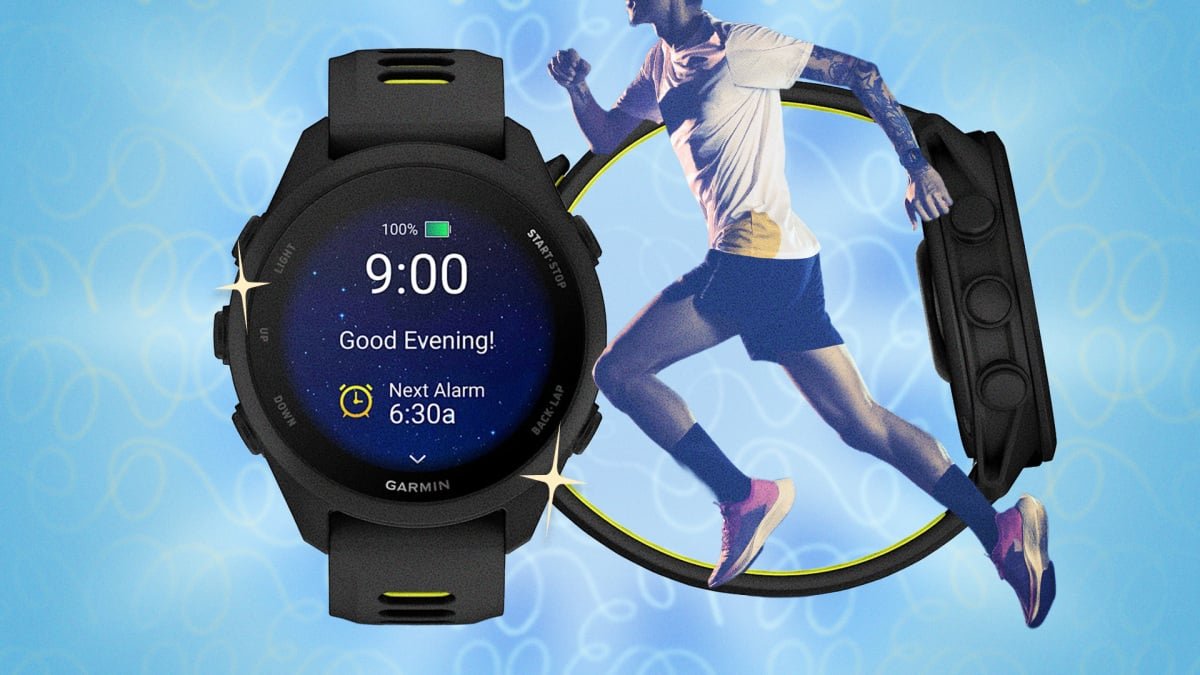
The Garmin Forerunner 170 arrived earlier this summer as the successor to the Forerunner 165, slotting in above the (also new) entry-level Forerunner 70 and below the 265/570. At first glance, it’s easy to write off as a lateral move from the older device: same GPS chipset, same heart rate sensor, and actually a day less battery life than its predecessor. That makes the $299.99 price tag a little confusing next to a 165 that regularly goes on sale for under $200.
But after spending some time with the 170 on my wrist, I came away impressed with how Garmin has packed it with features and tools previously reserved for watches costing $449 or more. Despite being described as “mid-tier” in Garmin’s lineup, it really does have the training software that used to be reserved for higher-end models, including full Training Status, Training Readiness, wrist-based running power, running dynamics, and even cycling power-meter support. Whether you’re upgrading from a 165 or just want to make sure you’re actually using what you paid for, here are my five favorite hacks to get the most out of your Forerunner 170.
Reprogram the buttons on your Forerunner 170 so you can instantly lock the screen in bad weather
Like Garmin’s higher-end watches, the 170’s buttons are fully customizable. And if you ask me, the defaults aren’t the best setup for how a lot runners actually train.
A few of my favorite reassignments: I run in the rain a lot (it’s romantic!), so I set “Hold Start + Up” to Touch Screen Toggle, which is a shortcut to lock the screen instantly in bad weather. I also moved Do Not Disturb to the Down button, since the default path (hold LIGHT, open Controls, tap the icon) is a few too many steps when I’m already annoyed by a notification received mid-run.
If you’re a regular interval runner, you might try assigning your lap button to trigger auto-pause. This makes it a little easier to manually stop and restart the clock when you’re getting your heart rate down.
Other combinations worth trying:
-
Start + Down to broadcast your heart rate, which is popular in some group exercise settings.
-
Start + Up to pull up Garmin Pay for a post-run coffee.
-
Back + Down to lock the touchscreen, to save you from accidental pauses.
To set any of these reassignments up, hold the Up (Menu) button and go to Watch Settings > System > Shortcuts. (While you’re customizing your watch, it’s worth stripping down your data screens too. I demonstrate how to do this on a Garmin watch here.)
Use your Forerunner 170’s “Record Only” mode as a breadcrumb trail on unfamiliar routes
The 170 doesn’t have full onboard color mapping like Garmin’s higher-end watches, but Record Only mode lays down a “breadcrumb trail” of everywhere you’ve been without the battery cost of turn-by-turn navigation. If you get turned around, you can use those “breadcrumbs” to retrace your own path.
Two more navigation features you should set up in advance:
What do you think so far?
-
Turn Around alerts are a big favorite on this watch. This tool lets you skip planning an out-and-back route entirely. Set one by time or distance before you start, and the watch buzzes at the halfway point, so you’ll land back exactly where you began.
-
Find My Phone, which I find to be weirdly buried in the controls menu (hold the menu button, look for the phone-with-question-mark icon), pings your connected phone with sound and vibration even if it’s on silent. Press back on your watch once you’ve found it to stop the alert.
Let your Forerunner 170’s “Quick Workouts” do the thinking for you
Instead of manually plugging in a pace and distance, the 170 can build a workout on the fly from just a time range and an intensity level (easy, moderate, hard, or very hard). In theory, this generated workout factors in your current Training Readiness score, so “45 minutes, moderate” might look completely different two days in a row depending on how recovered you actually are. It’s a fast way to get a workout that matches where your body actually is that day, as opposed where you assumed it should be.
A few tools on the 170 get ignored simply because they’re new to this price tier and Garmin doesn’t call much attention to them during setup—and some of them can be really useful, even if they don’t initially seem like they jibe with your workout routine:
-
Lifestyle Logging is a useful way to track more than just workouts. Meditation, reading, and other manually logged activities all feed into your overall wellness picture instead of leaving your health data purely exercise-based. It’s also just nice perspective to have.
-
Cycling Coach doesn’t have to be reserved just for dedicated cyclists. Consider giving it a spin during cross-training, since it gives you a structured, adaptive plan based on how well the watch already knows you.
-
Running Power doesn’t require a chest strap on the 170. Instead, it’s estimated from the wrist using motion and elevation data. It may not be a precise metric, but as a real-time effort gauge on hilly routes where pace alone is misleading, it’s a nice way to complement your other data points.
Don’t let easy workouts drain your Garmin’s battery
If you’re on a familiar route, running a familiar workout, turn off Always-On GPS. Your battery health holds up longer, and you’re not left scrambling to charge the morning of a big race.
In general, I recommend caring for your watch’s battery the same way you treat your muscles during a training block. Full charge cycles accelerate battery degradation, so during normal weeks, cap charging around 80% instead of topping off to 100% every time.
A few bonus tips
-
Keep an eye on Garmin Connect update notes. It’s worth checking in periodically rather than assuming you have everything already.
-
And if you have the 170 Music edition, download your playlists the night before a long run, not during your warm-up. Syncing eats battery and needs a solid wifi or Bluetooth connection. Start it early, or you’ll be stuck jogging in place, waiting on a progress bar.
-
Finally, this one works across most Garmin touchscreen watches, including the 170: Place your palm flat over the entire watch face, and it instantly returns to the main watch face and dims or turns off the backlight, depending on your display settings. It won’t work mid-activity while you’re recording, but for killing your screen quickly at your desk after checking a notification, it’s neat to know.