We may earn a commission from links on this page.
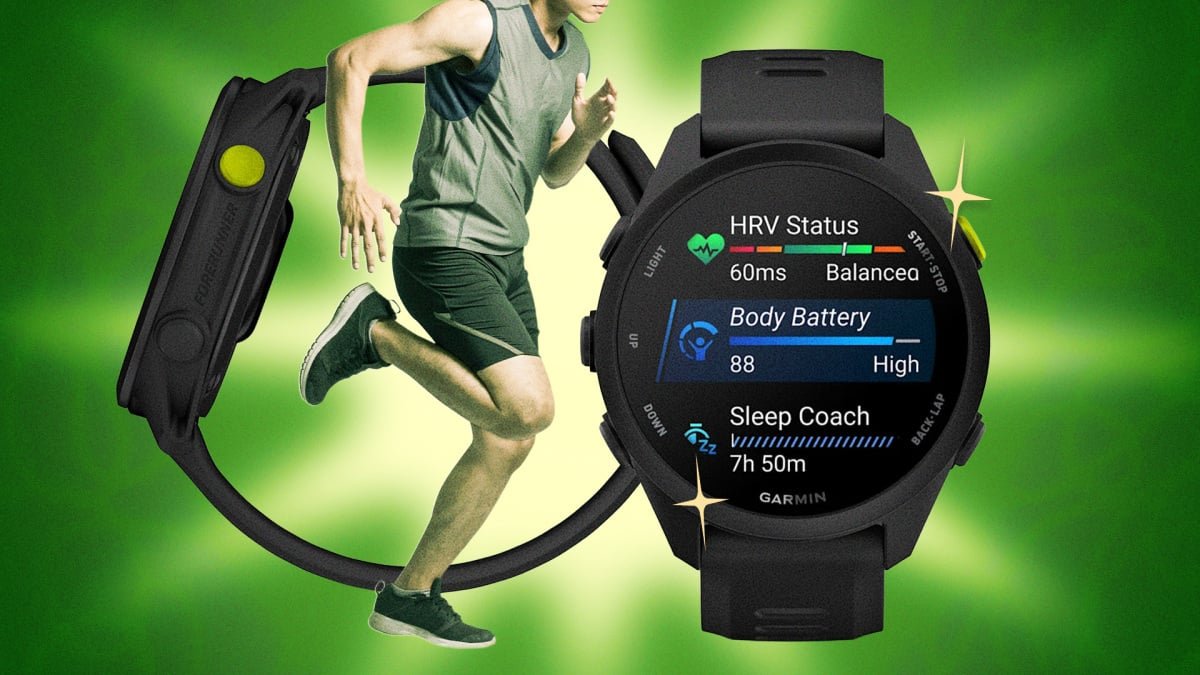
The Forerunner 70 launched alongside the 170 earlier this summer as the successor to the long-running, hugely popular Forerunner 55. Alongside the 570 and 970, with these watches Garmin offers a full slate of modern, AMOLED-screen devices with an impressive array of software features, from lifestyle logging to a calculator.
The 70 is now Garmin’s official budget option, and while it may not be the best watch at this price, it still includes a bunch of advanced software features you’d normally only find on a pricier device. If you’re expecting it to simply be a repackaged Forerunner 55, you’ll be pleasantly surprised with just how different it is. Whether you’re upgrading from a 55 or just want to make sure you’re actually getting everything you paid for, here are my five favorite hacks for the Forerunner 70.
Use shortcuts to mimic the hotkey support of pricier Forerunners
Your Forerunner 70’s button shortcuts can be reassigned, even without full hotkey support. The device may not have the customizable quick-press hotkeys of pricier Forerunners, but you can still remap what happens when you hold certain buttons. To do this, hold down on the Up button, select Watch Settings > System > Shortcuts, and then assign new functions to different buttons (or combination of buttons) from their existing list.
My go-to recommendation here is to assign Do Not Disturb (or Silent Mode) to the Down button. For me, the default path (hold LIGHT, open Controls, tap the icon) is a few too many steps when I’m already annoyed by a notification received mid-run.
Credit: Meredith Dietz
While you’re customizing your watch, it’s worth stripping down your data screens too. I demonstrate how to do this in the Garmin Connect app here.
Let your Forerunner 70’s “Quick Workouts” do the thinking for you
Instead of building a workout from scratch, you pick a time and an intensity, and the watch generates the session using your current fitness data. The workout factors in your current Training Readiness score, so your “45 minutes, moderate intensity” might look different two days in a row, depending on how recovered you actually are. It’s a fast way to get a workout that matches where your body actually is that day, as opposed to where you assumed it should be. (I especially like this watch’s run/walk formats aimed at beginners or people returning from a break.)
After selecting “Run” as your activity, follow these steps to create a Quick Workout:
-
Scroll down and select Training.
-
Select Quick Workout.
-
Select an intensity level (easy, moderate, hard, very hard).
-
Select a workout duration (30, 45, or 60 minutes).
-
Press the upper-right button to select a workout option.
You might know that the 70 includes the ability to upload your own routes, something the Forerunner 55 lacked. What you probably haven’t seen yet is the fact that Garmin included a bunch of features typically reserved for ultra trail runners, like course time cutoffs. Another is the “Up Ahead” feature, which shows upcoming aid stations or various waypoints along your route. The 70 doesn’t show detailed maps, but it will track waypoints along a loaded course and tell you the real route distance remaining to the next one.
What do you think so far?
While you may not need all those waypoint-related tools, I recommend at least exploring the rest timer. You don’t need to be competing in a trail race to want to track your rests. This is especially great for anyone who is training for a race for the first time and wants to practice how long they’ll linger with fueling or water stations. I’ll personally be using this as both a motivational and disciplinary tool, to make sure I actually stick to my hydration strategy during long runs this summer.
To access these tools, you’ll need to add “Ultra Run” to your list of activities (something I’d never thought I’d use on any watch). Press the START button on an Ultra Run, and then select Ultra Run Settings. Scroll down to Lap Key, and then select which setting you’d like:
-
Lap: Records a lap and displays lap details when the Lap Key is pressed.
-
Rest Only: Starts a rest timer when the Lap Key is pressed. Press the Lap Key again to end the rest period.
-
Lap + Rest: Records a lap, displays lap details, and starts a rest timer when the Lap Key is pressed. Press the Lap Key again to end the rest period and record another lap.
Use your Forerunner 70’s “Record Only” mode as a breadcrumb trail on unfamiliar routes
The 70 doesn’t have full onboard color mapping like Garmin’s higher-end watches, but Record Only mode lays down a “breadcrumb trail” of everywhere you’ve been without the battery cost of turn-by-turn navigation. If you get turned around, you can use those “breadcrumbs” to retrace your own path.
And while it’s not a hack, here’s another navigation-related setting to be aware of: I recommend turning on Find My Phone before you head out on an unfamiliar route. It’s such a handy feature, but weirdly buried in the controls menu—you have to hold the LIGHT button, scroll to the phone-with-question-mark icon, make sure your phone is connected, and your watch will be able to ping your connected phone with sound and vibration (even if it’s on silent). I find this gives me extra peace of mind that I’ll be able to locate my phone if it slips out of my belt while I’m on a trail run.
Don’t let easy workouts drain your Garmin’s battery
On the flip side, if you are on a familiar route, it might be wise to turn off Always-On GPS. This is my hack to help battery health hold up longer. In general, I recommend caring for your watch’s battery the same way you treat your muscles during a training block. Full charge cycles accelerate battery degradation, so during normal weeks, cap charging around 80% instead of topping off to 100% every time.