We may earn a commission from links on this page.
Garmin watches have never required a subscription to access any of their core features, and that hasn’t changed. But as of 2025, Garmin now offers a $6.99/month subscription called Connect+ that provides “premium features,” including AI, on top of what you already get for free with the Garmin Connect app.
So far, no preexisting features have gone behind the paywall, despite some Garmin users’ fears. But what does Connect+ give you, and is it worth it? I signed up for a subscription to find out.
How a Connect+ subscription works
A Connect+ subscription costs $6.99/month or $69.99/year. Again, it only adds features on top of what you already get with the Garmin Connect app; after nearly a year, no preexisting features free have been paywalled.
Garmin did previously tease that “premium enhancements may be made to existing features,” leading users to speculate that any new features that come down the pike may be limited to paid members. Garmin is in the habit of adding new features frequently, and often enables them even on older watches. In the past year alone, we’ve gotten strength coaching, a new type of run coaching, and the ability to detect your lactate threshold heart rate without a chest strap—all things that just appeared on my watch or in my app one day. I wouldn’t expect watch firmware updates to be affected—this is a premium subscription for the phone app—but I have to wonder if there will be fewer of those new app feature rollouts for free users as Connect+ grows its subscriber numbers.
Connect+ is not Garmin’s first subscription service. They have long offered a slate of services for various special purposes, including hiking and hunting maps, marine charts, search and rescue insurance, dog tracking, kids’ smartwatch tracking, and more. But this is definitely Garmin’s first foray into a premium subscription for health and fitness features, in the same vein as, say, Fitbit.
What Connect+ includes
Here’s what you get for that $6.99/month:
-
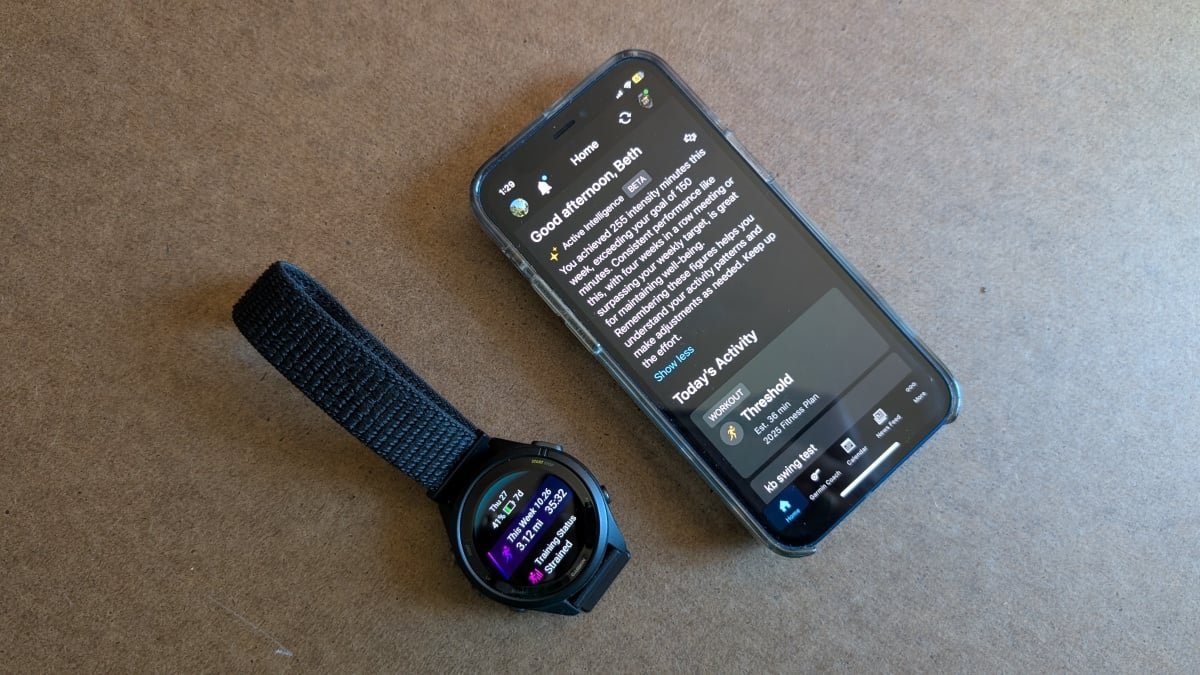
Active Intelligence (an AI analysis of your activities; this requires opt-in). It seems pretty lackluster.
-
Enhanced LiveTrack (also available with an Outdoor Maps+ subscription), allowing you to text contacts when you start an activity, or set up a public tracking page
-
Live Activity, which lets you follow a workout from your phone and not just your watch
-
A Performance Dashboard on the web with new charts and comparison features
-
Social features, including double points on badges and the ability to earn badges from anywhere in the world (some badges are only available in certain locations). Immediately upon signing up for Connect+, I noticed a little yellow star on the corner of my profile pic on the app.
-
Extra training guidance if you’re following a Garmin Coach program (mainly in the form of extra videos)
-
Garmin Trails, a feature that looks like it’s supposed to rival AllTrails but doesn’t seem to have enough data to do so (yet?)
-
3D maps for activities, courses, and trails
-
The end-of-year Garmin Connect Rundown that collects all your stats for shareable viewing
Of all these features, Live Activity and the Performance Dashboard seem the most useful, so I’ll go a bit deeper on those.
What you get with Live Activity
Screenshots of a live activity on the home screen, editing sets and reps, and what you see when you do a treadmill workout.
Credit: Beth Skwarecki
Until now, a workout you do on your Garmin watch stays on your Garmin watch, at least until you finish the activity. At that point, it syncs to your phone, where you can view and edit the details.
But with Live Activity, you can now use the Garmin Connect app while you’re doing an activity on your watch. That’s especially useful for strength workouts, which previously required you to edit weights and reps through an awkward interface on the watch after each set.
To test this out, I did a few quick workouts on my Garmin Forerunner 265S. One was a mini workout of kettlebell swings and sit-ups that I created on the app, and sent to the watch.
I started the workout on my watch. Nothing happened on the phone—I might have expected a notification—but when I opened the Garmin Connect app on my phone, there was a tile on the home screen for a Live Activity. I tapped it, and there was the same workout I was doing on the watch. I could see my heart rate, the time elapsed, and which exercise I was supposed to be doing.
I didn’t see the promised exercise videos right away, but it turns out you need to swipe left on the heart rate graph. There you can see an exercise video (or a rest timer, if appropriate). Swipe again, and you’ll see your heart rate zone. The bottom half of the screen shows your stats in progress, including your reps, sets, heart rate, and a timer.
Importantly, if you’ve turned off rep counting or weight editing on your phone (because they’re so annoying in normal use), you’ll want to turn them back on for this. The watch counted my kettlebell swings, and at the end of each set prompted me to edit my reps and weight. This editing screen came up on both the watch and my phone, and of course it was easier to edit that information from the phone.
With Live Activity, you can do the following from the watch or phone:
-
Pause or unpause the workout
-
Edit reps or weight in a strength workout
-
Advance to the next set (strength), or start a new lap (in activities like running)
-
View stats like your heart rate, time elapsed, reps, pace, and so on
But only the watch can do the following:
Live Activity definitely improves the usability of the watch for strength workouts. I don’t entirely see the point for running workouts, but maybe there’s a use case I haven’t thought of yet.
What’s in the Performance Dashboard

Four of the charts I can view in my Performance Dashboard
Credit: Beth Skwarecki/Garmin
One of Garmin’s better-kept secrets is its web dashboard. You can log in here and view all your activities and data—essentially a web view of everything that’s in the app.
What do you think so far?
The Performance Dashboard is a new item in the sidebar of the web dashboard. To set it up:
-
Mouse over the black sidebar at the left side of the screen.
-
Select Performance Dashboard, which I see as the last blue item, just under Reports.
-
Click Add dashboard, and choose whether you want a running, cycling, multisport, or custom dashboard. (You can have more than one.)
Some of the charts on the performance dashboard are also available from the free Reports tool, although Reports will only show you one chart at a time. The Performance Dashboard is definitely a better tool if you’re looking to really nerd out about your data.
For example, I can get a simple report from the Reports tool that shows my running mileage over the past six months. It gives me a bar chart with one bar per month. The Performance Dashboard, on the other hand, can give me a bar for each week, and I can select a custom timeframe instead of just selecting one of a few options. There are also more options for types of data you can view. Do you know how your watch will ask you at the end of each run how hard it felt? You can now see that on a graph called “perceived effort over time.”
What you get with Active Intelligence
There’s good news here for people who want AI in everything, and for those of us whose reaction is “oh god, not here too” (this meme sums up my personal stance). The AI (“active intelligence”) is the one feature of Connect+ that requires you to opt in, even after you have subscribed to the whole package.
But I did it, dear readers. I opted in for you, so I could let you know what the AI can actually tell you about your training—and whether it’s any better than Strava’s notoriously clueless AI.
Unfortunately, there’s not much to say at the moment. When I first tried it, my home screen “insight” (which you can turn off, by the way, even with AI enabled) at first just told me to check back later. My recent runs didn’t have any AI commentary attached. Garmin says that “As customers use Garmin Connect+ more, the insights will become more tailored to them and their goals.”
I wrote a bit more about the AI feature here. As you might expect, it summarizes, sometimes hallucinates, and tends to repeat information that’s available in more readable form elsewhere in the app. I’m not impressed.
The AI feature is labeled as a “beta,” with a thumbs up/thumbs down icon that lets me rate the insight I just read. I can say that it’s interesting, not interesting, or “report a concern” if it’s inaccurate, discouraging, or poorly written. (You can also give a custom response.) I’ll keep an eye on these notes and report back as the AI gets to know me better.
At least Garmin asks your permission to train its AI on your data
To turn on the AI features, you need to click through an agreement where you allow the AI to access your training and health data (so that it can run its analyses). This also allows your data to be used as training data for the AI.
I asked Garmin if this means that the AI is only trained on people who opt-in. A spokesperson confirmed: “We only train with data from users who have consented.” The existing model was trained on users who previously granted permission for their data to be used for product improvements. Garmin has a brief AI transparency policy here.
You can revoke permission at any time in your Connect+ settings, which will also turn off your access to AI features.