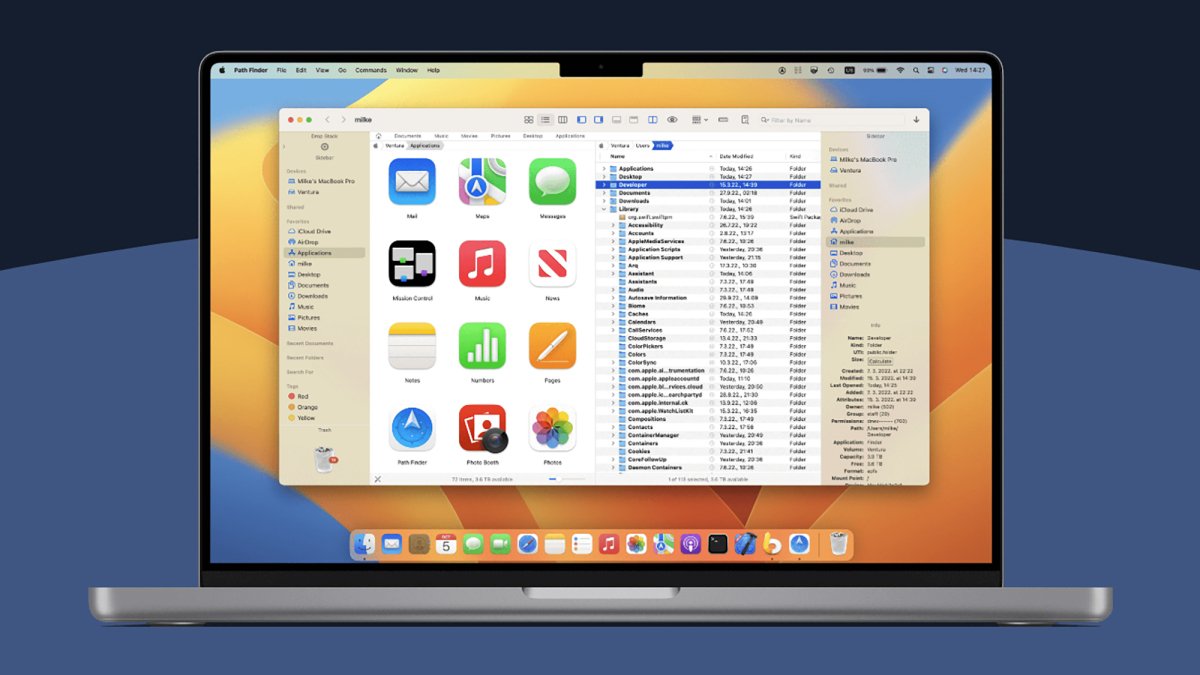
You can customize more on your Mac than you might have realized, and that extends to the file management software you use to browse around your system. Take, for example, Finder: There are a good number of alternatives around that bring with them extra features and different layouts.
I’ve been testing out three of the most well-known and highly rated alternatives to Finder to see what I might be missing. Each one has its own appeal, but the third in the list here is so good that I might switch to it permanently for all my file and folder needs on macOS.
Commander One
Credit: Lifehacker
As soon as you load up Commander One, you’ll notice it has a busier interface than Finder, which may or may not suit you, depending on your attitude toward minimalism. Its layout is based around a dual-pane interface, and you can customize it in a variety of ways—even down to the fonts and colors used, if you want something bespoke.
The software starts to show its potential when you move from just looking at your files and folders to actually doing something with them. You’re able to rename files when copying and moving them; you get a dedicated file operations queue; and you can run complex searches through your system using regular expressions, too.
I like the quick toggle switches for seeing hidden files and for previewing files without any additional apps, and connecting up to network locations and cloud storage is straightforward. There’s even an integrated Terminal for you to make use of. It’s handy having shortcut keys on show in the interface as well, and you can customize these as needed if you don’t like the defaults.
There’s certainly a lot going on, and while the interface takes a little bit of getting used to, that’s to be expected—and it doesn’t take long to learn what’s what. The Pro version of the software comes with extra features, including layout themes, and integrations for FTP, Google Drive, and Dropbox: That’s yours for a one-off fee of $29.99.
QSpace Pro

Credit: Lifehacker
QSpace Pro is the best Finder alternative I tested in terms of the interface customizations you get access to: You can tailor to a fine level of detail, though the default look isn’t all that different from Finder. You can have up to four different system locations on view at once, with the panels arranged in a variety of different ways, and jumping between these layouts is easily done.
After a short while using QSpace Pro I definitely felt I was better able to get around my Mac more efficiently, and when you’ve got a lot to do on your system, that really helps. Copying, moving, searching, deleting, tagging, and previewing is all intuitively and simply done, and you can easily hide parts of the interface if you know you won’t need them.
The wealth of settings available in QSpace Pro is a testament to how much you can do with this: Keyboard shortcuts, the context menu, new file creation, batch operations, folder syncing, iCloud links, and app launching can all be customized, and those are just some of the options available. It’s like Finder, but with a lot more going on.
QSpace Pro isn’t free, however: Its features cost a one-off fee of $27.99 via the Mac App Store (or $29.99 via a direct download), though at the time of writing, those prices are down to $12.99 and $13.99, respectively. If you go through the QSpace Pro website, you can test the software out for 30 days for free before buying.
What do you think so far?
Path Finder

Credit: Lifehacker
Path Finder is one of the Finder alternatives that’s been around the longest, and I think it’s the one I’m actually going to switch to permanently. It’s absolutely packed with features and options to play around with, and if you spend a little time getting it set up the way you want it, it should seriously speed up all your file operations.
There are a choice of different layouts to pick from, including a dual-pane layout that makes moving and copying more straightforward, and I very much appreciate the “stacking” approach that lets you pile up several files and folders in a temporary holding pane first, before you do anything with them.
Batch file operations are supported, as are synced folders, so you can merge and compare two folders on your system as required. There’s also extensive use of bookmarks and tab presets, so that you can quickly jump to the places on your Mac system that you need to visit the most—something that isn’t always simple to do in Finder.
The visual representations of how much space files and folders are taking up on disk is very handy, and so is the Dropbox integration (with Dropbox being my go-to cloud storage option). Admittedly it’s not the most visually appealing of the software packages listed here, but that’s not necessarily the most important thing in a file manager, and it adds all the features I didn’t know I’d been missing from Finder.
Path Finder is $29.99 for the year, but there’s a 30-day trial available.