No Result
View All Result
Global Finances Daily
  • Alternative Investments
  • Crypto
  • Financial Markets
  • Investments
  • Lifestyle
  • Protection
  • Retirement
  • Savings
  • Work & Careers
No Result
View All Result
  • Alternative Investments
  • Crypto
  • Financial Markets
  • Investments
  • Lifestyle
  • Protection
  • Retirement
  • Savings
  • Work & Careers
  • Login
Global Finances Daily
No Result
View All Result
Home Protection

Google Made an iPhone Camera App That Might Be Even Better Than Apple’s

February 20, 2026
in Protection
0
Google Made an iPhone Camera App That Might Be Even Better Than Apple’s


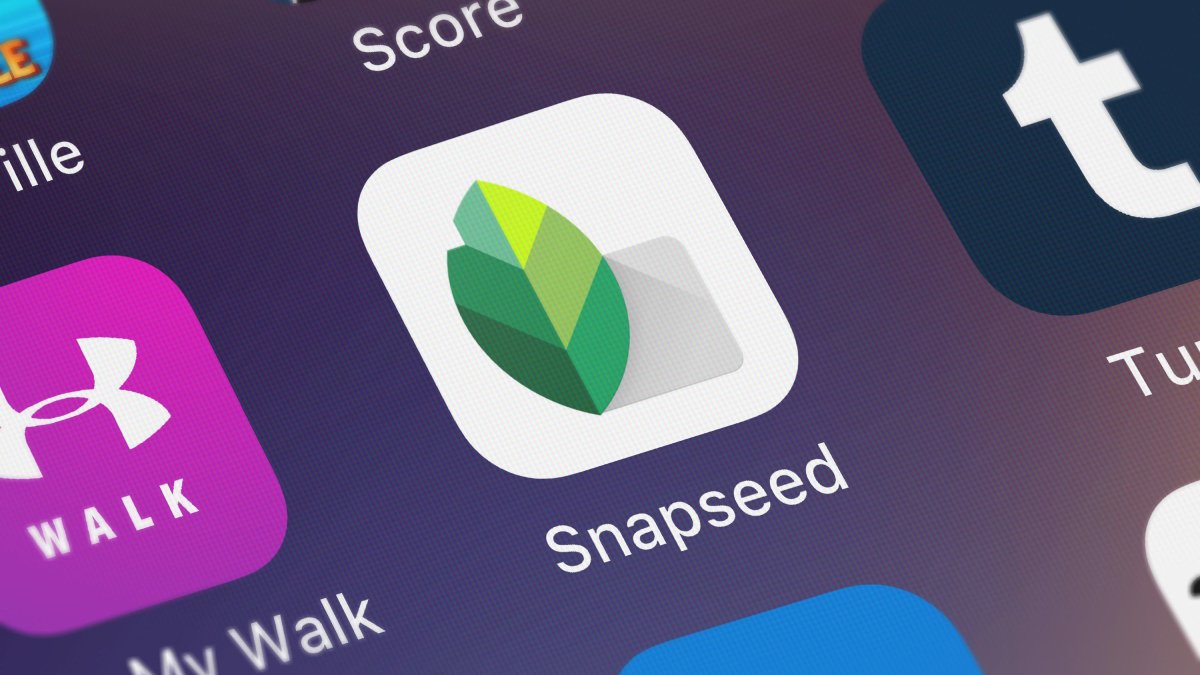
Google acquired the excellent photo editor Snapseed back in 2012—not long after Apple had crowned it one of its apps of the year—and despite having plenty to offer and being completely free to use, it remains one of Google’s lesser-known apps. That might be about to change. Snapseed’s latest update for iOS, version 3.15.0, comes with a full camera app inside—and there’s a case to be made that it’s better than Apple’s default Camera app. It certainly offers more in the way of manual shooting controls, with the added benefit of an entire integrated suite of editing features.

Using Snapseed’s built-in camera on iPhone

Once you’ve installed or updated Snapseed to the latest version, you’ll see the new camera icon up in the top right corner. While you can start your session by opening up an existing image as always, you can also opt to capture a new one by tapping here:

Look out for the new camera button in Snapseed.
Credit: Lifehacker

If you want an easier way to launch the camera, you can add it to the Lock Screen: Press and hold on your iPhone’s display when it’s locked, tap “Customize,” then pick a shortcut spot and choose “Camera” under “Snapseed.” There’s also a Control Center shortcut you can make use of, if you prefer.

Once you’ve swiped through the introductory spiel and given Snapseed access to your iPhone’s camera, you’ll need to pick one of the classic camera film presets to get started, though you can adjust the look of your shots afterwards. There are 11 different film simulations available—emulating film from Kodak, Fuji, Agfa, Polaroid, and Technicolor—and each one gives you slightly different variations in terms of color, contrast, texture, and tone. You can tap the film selector at the bottom of the camera interface (designed to look like a rewind button) to change at any time.

Snapseed iOS

You’ve got some classic film styles to choose from.
Credit: Lifehacker

Your saved looks and edits are also included in the film selector, and can be used as preset filters for the images you’re capturing. In the main image editor, after you’ve applied whatever adjustments you want to a photo, you can tap Looks > Add look to save it and access it through the camera.

Up in the top left corner of the camera interface, you’ll find a Pro toggle switch, which gives you some controls the default iPhone camera does not. You get three new settings on screen, for ISO, shutter speed, and focus, and you can change any of them by selecting a setting and using the dial underneath. You’ve also got controls for flash (left) and zoom (right). Besides the big shutter button, you have a camera swap button (lower right), a button for going back to your photo library (lower left), and a camera capture screen theme button (upper right). Tap on this to pick a different color scheme for the screen.


What do you think so far?

Snapseed iOS

Pro controls can be called up in a couple of taps.
Credit: Lifehacker

You’re not stuck with the look of any of the photos you shoot through Snapseed: All of the changes applied by your film preset, from exposure to curves, can be changed later on. Select your picture from the main library screen, then use the Faves and Tools tabs to make changes.

Most filters and effects are applied by adjusting a slider underneath your image. The layers button (two squares) at the top gives you access to the current editing stack, and there’s also an undo button to the left. When you’re happy with what you’ve made, you’re able to save over your existing image or make a copy.

It’s an interesting new addition to the selection of superb third-party camera apps available for the iPhone, and yet another alternative to the Apple default. Meanwhile, Android users are within their rights to feel left out by all this: Snapseed for Android hasn’t been updated since May 2024, and lacks both the camera feature and the most recent editing interface revamp that are now available on iPhones.


Editorial Team

Editorial Team

Related Posts

Now That Trump's Tariffs Have Been Ruled Illegal, Will Tech Prices Lower?
Protection

Now That Trump’s Tariffs Have Been Ruled Illegal, Will Tech Prices Lower?

February 20, 2026
WhatsApp Now Lets You Share Group Message History With New Members
Protection

WhatsApp Now Lets You Share Group Message History With New Members

February 20, 2026
The Arlo Pro 5S 2K Four-Camera Kit Is $70 Off Right Now
Protection

The Arlo Pro 5S 2K Four-Camera Kit Is $70 Off Right Now

February 20, 2026
Why Cardio and Strength Training Are Both Important
Protection

Why Cardio and Strength Training Are Both Important

February 20, 2026
The OnePlus Buds Pro 3 Are Cheaper Than Ever Right Now
Protection

The OnePlus Buds Pro 3 Are Cheaper Than Ever Right Now

February 20, 2026
Some Samsung Users Are Already Reporting Dead Screens on Their $2,900 Galaxy Z TriFold Phones
Protection

Some Samsung Users Are Already Reporting Dead Screens on Their $2,900 Galaxy Z TriFold Phones

February 20, 2026
Load More
Next Post
Fed’s favorite inflation gauge shows there is more work to do to tame price increases

Fed’s favorite inflation gauge shows there is more work to do to tame price increases

Popular News

  • Josh Garber

    How to Contact Hilton Customer Service

    0 shares
    Share 0 Tweet 0
  • The 10 best banks for college students in 2025

    0 shares
    Share 0 Tweet 0
  • TAP Air Portugal Launches U.S. Credit Card

    0 shares
    Share 0 Tweet 0
  • Cash Sweep Accounts vs. Money Market Funds, HYSAs & CDs

    0 shares
    Share 0 Tweet 0
  • I Used Monarch Money for 30 Days: Here’s What Happened

    0 shares
    Share 0 Tweet 0

Latest News

FCC asks networks to air ’pro-America content’ to mark nation’s 250th birthday

FCC asks networks to air ’pro-America content’ to mark nation’s 250th birthday

February 20, 2026
0

FCC asks networks to air ’pro-America content’ to mark nation’s 250th birthday

Now That Trump's Tariffs Have Been Ruled Illegal, Will Tech Prices Lower?

Now That Trump’s Tariffs Have Been Ruled Illegal, Will Tech Prices Lower?

February 20, 2026
0

It's official: Most of President Trump's tariffs are illegal. The Supreme Court struck down the president's signature economic orders on...

here’s why Pepe Coin, Zcash, Morpho, and Dogecoin are rising

Crypto market rises as SCOTUS strikes down Donald Trump’s tariffs

February 20, 2026
0

The crypto market staged a cautious recovery on Friday after the US Supreme Court ruled against Donald Trump’s tariffs. Summary...

What Supreme Court ruling against Trump tariffs means for your money

What Supreme Court ruling against Trump tariffs means for your money

February 20, 2026
0

Members of the public walk outside the U.S. Supreme Court to attend oral arguments on U.S. President Donald Trump's bid...

Global Finances Daily

Welcome to Global Finances Daily, your go-to source for all things finance. Our mission is to provide our readers with valuable information and insights to help them achieve their financial goals and secure their financial future.

Subscribe

  • About Us
  • Contact
  • Privacy Policy
  • Terms of Use
  • Editorial Process

© 2025 All Rights Reserved - Global Finances Daily.

No Result
View All Result
  • Alternative Investments
  • Crypto
  • Financial Markets
  • Investments
  • Lifestyle
  • Protection
  • Retirement
  • Savings
  • Work & Careers

© 2025 All Rights Reserved - Global Finances Daily.

Welcome Back!

Login to your account below

Forgotten Password?

Retrieve your password

Please enter your username or email address to reset your password.

Log In
This website uses cookies. By continuing to use this website you are giving consent to cookies being used. Visit our Privacy and Cookie Policy.