No Result
View All Result
Global Finances Daily
  • Alternative Investments
  • Crypto
  • Financial Markets
  • Investments
  • Lifestyle
  • Protection
  • Retirement
  • Savings
  • Work & Careers
No Result
View All Result
  • Alternative Investments
  • Crypto
  • Financial Markets
  • Investments
  • Lifestyle
  • Protection
  • Retirement
  • Savings
  • Work & Careers
  • Login
Global Finances Daily
No Result
View All Result
Home Protection

How to Customize Notifications on Android Auto

February 23, 2026
in Protection
0
How to Customize Notifications on Android Auto


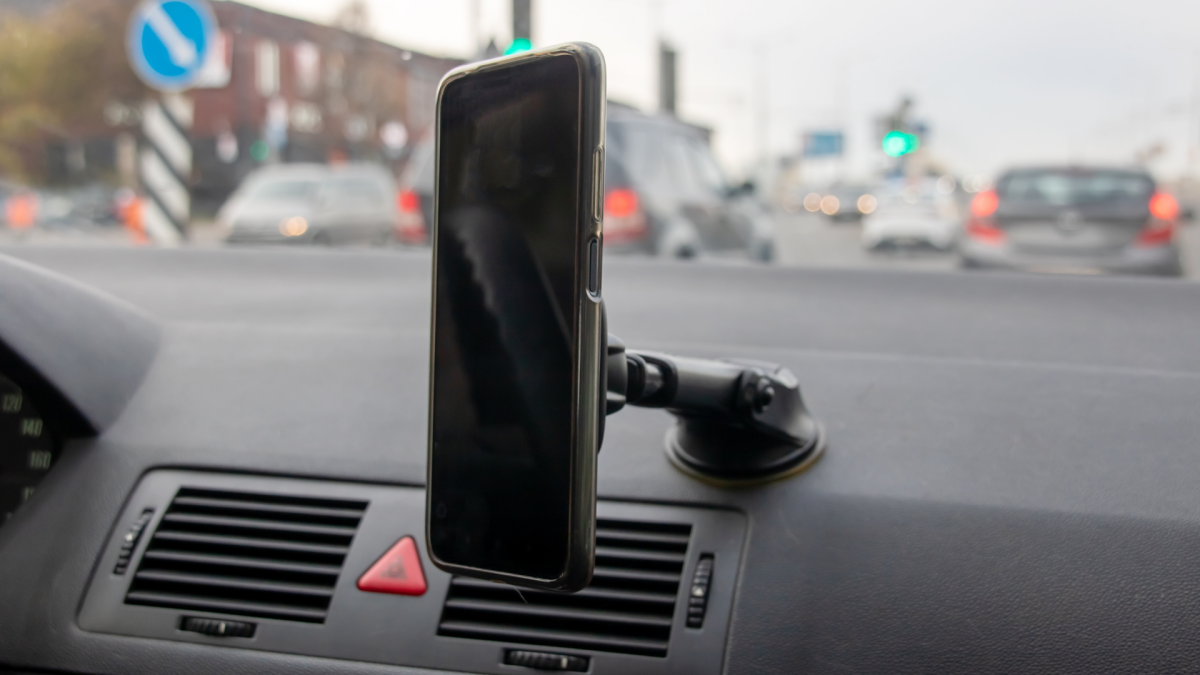
If you’re an Android Auto user, you may already know that setting up phone notifications while you’re driving isn’t as straightforward as it could be—though Google has recently made a settings tweak that should simplify things. On the one hand, you don’t want to miss important messages or calls, but on the other you definitely don’t want to put yourself and other road users at risk by getting distracted while driving. A careful balance is needed, and it’s important to know what options are available on your phone.

If you’re a Pixel user, Do Not Disturb is handled by Modes, which you can find by tapping Modes in Settings. Pick Driving, and if you enable the While driving toggle switch, this mode is automatically enabled when you’re in your car.

You can mute some or all of your phone’s notifications when driving.
Credit: Lifehacker

Tap the While driving text (not the toggle switch), and you can tell Android how it should determine whether or not you’re driving. This is the setting that Google recently tweaked: You can now choose Use Bluetooth (so the mode is enabled when a car dashboard is detected), or Use motion and Bluetooth (which also takes readings from your phone’s accelerometer into consideration). Previously, you had to rely solely on motion, which led to problems with automatic activation for both drivers and passengers—the addition of Bluetooth should mean a more reliable experience.

It’s slightly different on Samsung Galaxy phones: You need to tap Modes and Routines from Settings, then you can access the Driving mode. Here, you can specifically set a connection to an Android Auto dashboard as the trigger for enabling the mode, rather than just any Bluetooth device—something Google should really add to standard Android.

On both Pixel and Galaxy phones, you can tweak the driving mode to allow notifications from certain apps or from certain people, but again be wary of making your vehicle too distracting with pop-ups and pings.

Other Android Auto notification settings

As well as setting which apps and contacts can trigger phone notifications while you’re driving, you can customize these modes further. From the Driving mode screen on a Pixel, tap Display settings to control whether or not the phone lights up when you get a notification. You can also dim the wallpaper, and switch to a grayscale look.

When you’re editing your Driving mode on a Galaxy phone, you’ll see you can tap either Lock screen or Home screen to change the wallpaper and color palette specifically for this mode. Again, the idea is that your phone is a little less distracting visually.

There are more notification options on the main Android Auto settings page: From Android Settings, tap Connected devices > Connection preferences > Android Auto (Pixel) or Connected devices > Android Auto (Galaxy).


What do you think so far?

Under the Messaging header, you can turn off alerts for group conversations, or for messaging apps entirely. There’s also a toggle switch here for showing or hiding the first line of the incoming message—you probably want to disable this if you want to spend more time with your eyes on the road.

Android Auto

You can control how messages appear on your dashboard.
Credit: Lifehacker

Finally, there’s the option for having your incoming messages read out loud to you, which is another way you can reduce the temptation to stare at your vehicle’s dashboard for an extended period of time, or to pick up and unlock your phone.

It’s worth reviewing all the other Android Auto settings here as well, to make sure your driving experience is set up exactly the way you want: You can reduce the number of apps available in Android Auto, for example, and enable taskbar widgets for easier app control, which can also make a difference to how distracted you are on the road.

You should end up with an Android Auto notification system that’s not going to overwhelm you with alerts while you’re driving, but which also won’t hide important messages from you by automatically enabling notification filters without you being aware.




Editorial Team

Editorial Team

Related Posts

10 Hacks Every PS5 Gamer Should Know
Protection

10 Hacks Every PS5 Gamer Should Know

February 23, 2026
10 Hacks Every WhatsApp User Should Know
Protection

10 Hacks Every WhatsApp User Should Know

February 23, 2026
These 'Job Applications' Are Actually Scams
Protection

These ‘Job Applications’ Are Actually Scams

February 23, 2026
The Newest Amazon Fire TV Soundbar Is $150 Off Right Now
Protection

The Newest Amazon Fire TV Soundbar Is $150 Off Right Now

February 23, 2026
These Collapsible Tools Are Perfect for Homes With Limited Storage
Protection

These Collapsible Tools Are Perfect for Homes With Limited Storage

February 23, 2026
AI Could Make Your Next TV More Expensive
Protection

AI Could Make Your Next TV More Expensive

February 21, 2026
Load More
Next Post
Condé Nast Traveler

Thousands of Flights Canceled as Blizzard Blankets Northeast in Snow—Here's What to Know

Popular News

  • Josh Garber

    How to Contact Hilton Customer Service

    0 shares
    Share 0 Tweet 0
  • The 10 best banks for college students in 2025

    0 shares
    Share 0 Tweet 0
  • TAP Airline Portugal Partners: What to Know

    0 shares
    Share 0 Tweet 0
  • Here are the five companies that $9 trillion of funds agree on right now

    0 shares
    Share 0 Tweet 0
  • A secretary turned $180 into $7.2 million by holding her employer’s stock for 75 years

    0 shares
    Share 0 Tweet 0

Latest News

Jansen Teng: AI agents will become autonomous economic actors, teleoperation can cut costs by 60%, and tokenization is key for robotics innovation

Jansen Teng: AI agents will become autonomous economic actors, teleoperation can cut costs by 60%, and tokenization is key for robotics innovation

February 23, 2026
0

Autonomous AI agents are set to transform economic systems and redefine labor in the coming years. Key Takeaways AI agents...

Strategy shows no fear — it keeps adding to a losing bitcoin position as prices drop

Strategy shows no fear — it keeps adding to a losing bitcoin position as prices drop

February 23, 2026
0

The company sold more common shares to buy $40 million worth of bitcoin, even as its total holdings are more...

10 Hacks Every PS5 Gamer Should Know

10 Hacks Every PS5 Gamer Should Know

February 23, 2026
0

We may earn a commission from links on this page. Sony’s PlayStation 5 is a powerful machine, but if you...

Shiba Inu Team Issues Urgent Scam Alert Following ‘SOU’ Recovery System Launch

Shiba Inu Team Issues Alert For ‘SOU’ Recovery System Launch

February 23, 2026
0

The Shiba Inu development team has issued a scam alert regarding a wave of fraudulent activities targeting the newly launched...

Global Finances Daily

Welcome to Global Finances Daily, your go-to source for all things finance. Our mission is to provide our readers with valuable information and insights to help them achieve their financial goals and secure their financial future.

Subscribe

  • About Us
  • Contact
  • Privacy Policy
  • Terms of Use
  • Editorial Process

© 2025 All Rights Reserved - Global Finances Daily.

No Result
View All Result
  • Alternative Investments
  • Crypto
  • Financial Markets
  • Investments
  • Lifestyle
  • Protection
  • Retirement
  • Savings
  • Work & Careers

© 2025 All Rights Reserved - Global Finances Daily.

Welcome Back!

Login to your account below

Forgotten Password?

Retrieve your password

Please enter your username or email address to reset your password.

Log In
This website uses cookies. By continuing to use this website you are giving consent to cookies being used. Visit our Privacy and Cookie Policy.