No Result
View All Result
Global Finances Daily
  • Alternative Investments
  • Crypto
  • Financial Markets
  • Investments
  • Lifestyle
  • Protection
  • Retirement
  • Savings
  • Work & Careers
No Result
View All Result
  • Alternative Investments
  • Crypto
  • Financial Markets
  • Investments
  • Lifestyle
  • Protection
  • Retirement
  • Savings
  • Work & Careers
  • Login
Global Finances Daily
No Result
View All Result
Home Protection

How the FBI Extracted Deleted Signal Messages From a Defendant’s iPhone

April 9, 2026
in Protection
0
How the FBI Extracted Deleted Signal Messages From a Defendant's iPhone


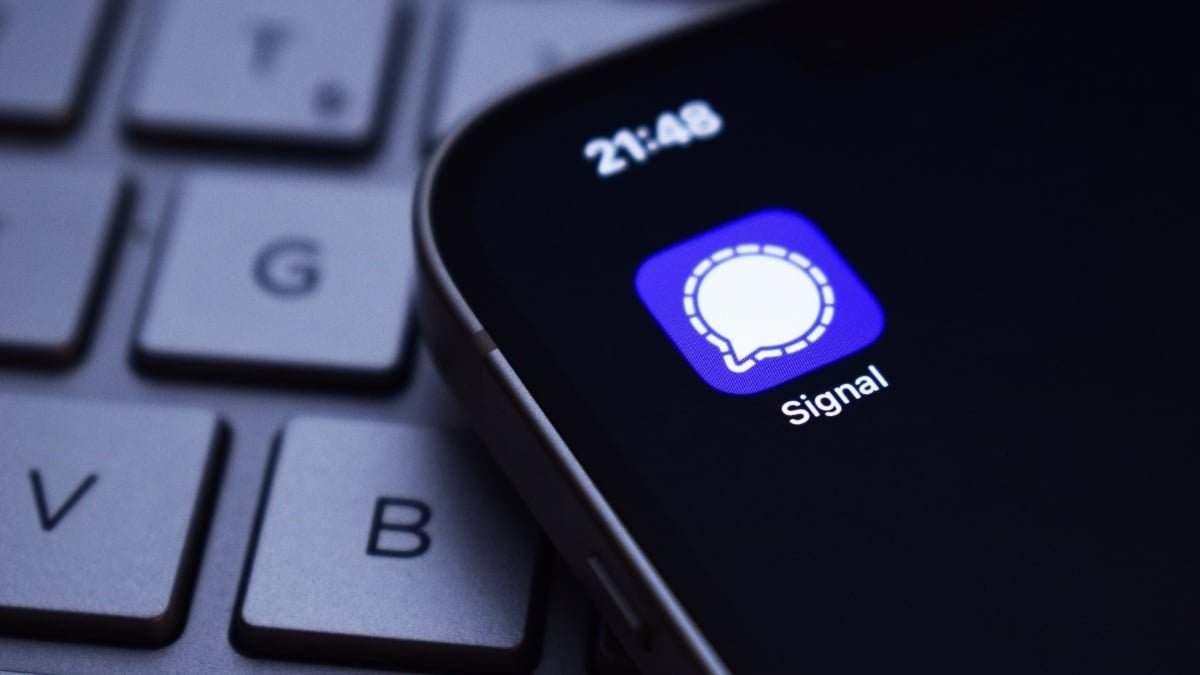
You might have heard about Signal, the encrypted chat app the U.S. government infamously used to discuss war plans last year. (Yikes.) But while the app is no alternative to a dedicated SCIF, it is a good option for the rest of us to communicate more securely. Signal uses end-to-end encryption (E2EE), which, very simply, means that messages are “scrambled” in transit, and can only be “unscrambled” by the sender and the recipient or recipients. If you’re in a Signal chat, you’ll be able to read incoming messages just like you would any other chat app—if you’re an attacker, and intercept that message, all you’ll find is a jumble of code.

E2EE makes it difficult for anyone without your unlocked device (or your unlocked Signal app) to read your Signal message—difficult, not impossible. That’s part of the reason the chat app is no option for government officials (though no third-party chat app could be). But it’s also a good reminder that no matter who you are, your secure chats are not impervious to outside forces. If someone wants to break into your chats, they might find a way to do so.

The FBI recently recovered deleted Signal messages from an iPhone

Case in point: As reported by 404 Media, the FBI recently extracted incoming Signal messages from a defendant’s iPhone. The user had even deleted the app off their device, which only added another hurdle into the investigators’ goals. You would think by deleting the app itself, your encrypted messages would be protected. As it turns out, however, the FBI didn’t need to access the Signal app at all. While they weren’t able to retrieve the defendant’s outgoing messages, they were able to scrape incoming messages from the iPhone’s push notification database. (I’ve been covering iPhones for nearly a decade, and I wasn’t aware that iOS even had a push notification database—though I suppose it makes sense, given that alerts exist in Notification Center until you manually open or dismiss them.)

This revelation comes from a case involving a group allegedly vandalizing property and setting off fireworks at the ICE Prairieland Detention Facility. One officer involved in the altercation was shot in the neck. According to a supporter of the defendants in this case who took notes during the trial, the court learned that any app that has permission to show previews and alerts on the Lock Screen will save those previews to the internal memory of the user’s iPhone. As such, the FBI was able to obtain messages the defendant had received, even though those messages were set to disappear in the app, and the app had been cleared from the device.

Again, this is not a security hole exclusive to Signal: Any app that displays an alert on your Lock Screen has this vulnerability. The FBI probably had plenty of other notifications to sift through as well, from any app the defendant had running on their iPhone. Think about the alerts you might have sitting in Notification Center right now: texts, reminders, news bulletins, purchases, DMs, etc. All of that could be fodder for anyone with the surveillance tech to root through your iPhone—locked or not.


What do you think so far?

How to stop this from happening to you

If you use Signal, you actually have an advantage here, now that you know about this vulnerability. Signal has a setting that blocks the content of messages from appearing in their notifications. That way, even if someone accesses your alerts, all they’ll see is you received a Signal message—not who sent it or what it contains.

To turn it on, open Signal, tap your profile in the top-left corner, then hit “Settings.” Under Notification Content, choose “No Name or Content” to block all data to the alert. You can compromise here and choose “Name Only” if you want to know who a message is from before you open it—just remember, an intruder may also see you received a message from that person if they scrape your iPhone’s notifications.




Editorial Team

Editorial Team

Related Posts

The Google Pixel 9 Pro XL Is $400 Off Right Now
Protection

The Google Pixel 9 Pro XL Is $400 Off Right Now

April 9, 2026
Set Up This 'Mosquito Death Bucket' Now
Protection

Set Up This ‘Mosquito Death Bucket’ Now

April 9, 2026
The Best Deals in Home Depot's 'Spring Black Friday' Sale
Protection

The Best Deals in Home Depot’s ‘Spring Black Friday’ Sale

April 9, 2026
I Used This DIY Kit to Screen In My Deck, and It Was a Brilliant Decision
Protection

I Used This DIY Kit to Screen In My Deck, and It Was a Brilliant Decision

April 9, 2026
How Brick Finally Helped Me Reduce My Screen Time
Protection

How Brick Finally Helped Me Reduce My Screen Time

April 9, 2026
Google Gemini's 'Notebooks' Let You Focus Your Chats on a Specific Subject
Protection

Google Gemini’s ‘Notebooks’ Let You Focus Your Chats on a Specific Subject

April 9, 2026
Load More
Next Post
Has the cease-fire rally pushed stocks too high, too quickly?

Has the cease-fire rally pushed stocks too high, too quickly?

Popular News

  • Shannon Bradley

    What Is a Captive Auto Lender?

    0 shares
    Share 0 Tweet 0
  • Ethereum Unveils Post-Quantum Security Roadmap

    0 shares
    Share 0 Tweet 0
  • Five ways to dodge rip-off parking fees at Britain’s top attractions: We reveal the worst offenders from Silverstone to Glasto and how YOU can avoid being held hostage

    0 shares
    Share 0 Tweet 0
  • Coinbase breach fallout spreads, arrest made in India

    0 shares
    Share 0 Tweet 0
  • Jefferies claims Western Alliance lawsuit has ‘no merit’

    0 shares
    Share 0 Tweet 0

Latest News

Career Services Associate Director - Career Services

Career Services Associate Director – Career Services

April 10, 2026
0

Current Employees: If you are currently employed at any of the Universities of Wisconsin, log in to Workday to apply...

The Google Pixel 9 Pro XL Is $400 Off Right Now

The Google Pixel 9 Pro XL Is $400 Off Right Now

April 9, 2026
0

We may earn a commission from links on this page. Deal pricing and availability subject to change after time of...

Binance

Rivalry Reignites: $1 Billion Showdown Unfolds Between Binance And OKX Founders

April 9, 2026
0

Trusted Editorial content, reviewed by leading industry experts and seasoned editors. Ad Disclosure A familiar feud in crypto’s upper ranks...

Ex-SEC, Coinbase Staffer Becomes Securitize President

Ex-SEC, Coinbase Staffer Becomes Securitize President

April 9, 2026
0

Newly appointed company president Brett Redfearn briefly worked as Coinbase’s head of capital markets and served for more than three...

Global Finances Daily

Welcome to Global Finances Daily, your go-to source for all things finance. Our mission is to provide our readers with valuable information and insights to help them achieve their financial goals and secure their financial future.

Subscribe

  • About Us
  • Contact
  • Privacy Policy
  • Terms of Use
  • Editorial Process

© 2025 All Rights Reserved - Global Finances Daily.

No Result
View All Result
  • Alternative Investments
  • Crypto
  • Financial Markets
  • Investments
  • Lifestyle
  • Protection
  • Retirement
  • Savings
  • Work & Careers

© 2025 All Rights Reserved - Global Finances Daily.

Welcome Back!

Login to your account below

Forgotten Password?

Retrieve your password

Please enter your username or email address to reset your password.

Log In
This website uses cookies. By continuing to use this website you are giving consent to cookies being used. Visit our Privacy and Cookie Policy.