No Result
View All Result
Global Finances Daily
  • Alternative Investments
  • Crypto
  • Financial Markets
  • Investments
  • Lifestyle
  • Protection
  • Retirement
  • Savings
  • Work & Careers
No Result
View All Result
  • Alternative Investments
  • Crypto
  • Financial Markets
  • Investments
  • Lifestyle
  • Protection
  • Retirement
  • Savings
  • Work & Careers
  • Login
Global Finances Daily
No Result
View All Result
Home Protection

How to Fix Your iPhone’s Keyboard

February 19, 2026
in Protection
0
How to Fix Your iPhone's Keyboard


You don’t need to do much digging online to find complaints about the iPhone keyboard: From typos and spelling mistakes to lag and missed keystrokes, there are multiple issues being reported by users, across multiple versions of iOS. While the root causes of these problems tend to vary, there are some broad fixes you can try that should go some way to giving you an iPhone keyboard experience you can rely on—besides waiting for the next bug-squashing iOS update from Apple.

Reset the keyboard dictionary on your iPhone

Resetting the keyboard on iOS.
Credit: Lifehacker

Over time, the iOS keyboard tries to build up smarter autocorrect suggestions for you, but these aren’t always helpful: The further away these suggestions get from the defaults, the worse they can get, which risks turning your sentences into gibberish. To clean the slate and go back to the beginning, open up Settings, then tap General > Transfer or Reset iPhone > Reset > Reset Keyboard Dictionary. Type in your handset’s unlock code, then choose Reset Dictionary.

Add custom words and shortcuts to your iPhone’s dictionary

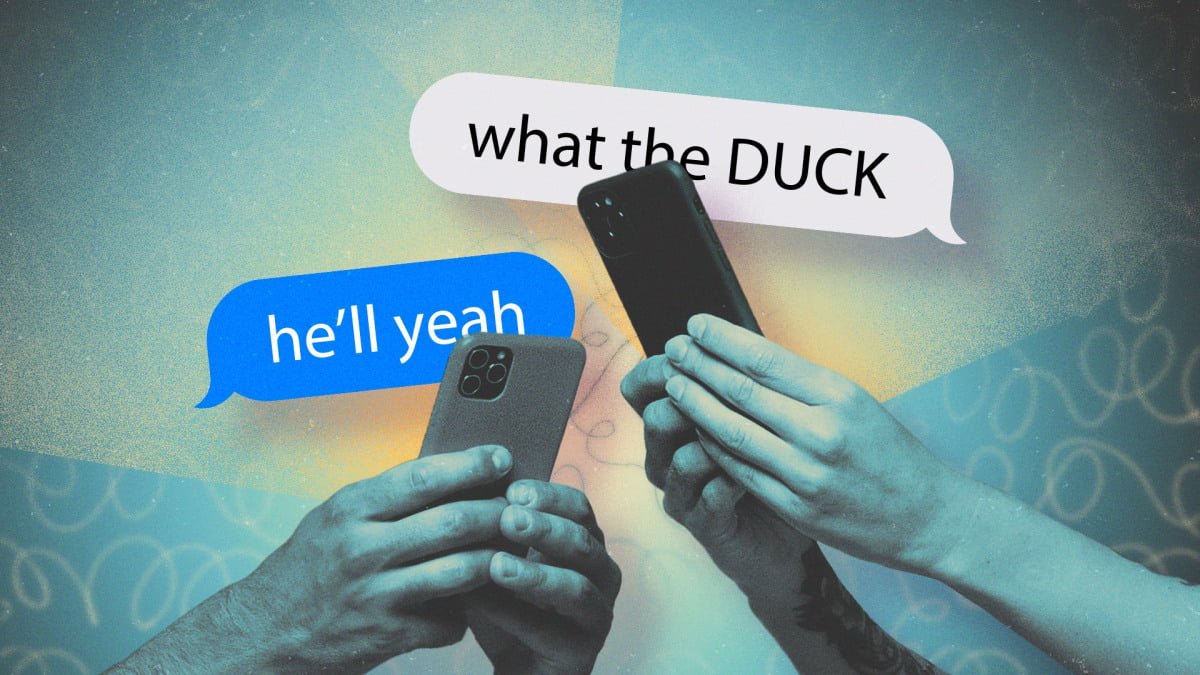
This may seem to contradict the previous tip, but by explicitly teaching your iPhone the words it often gets wrong, you can reduce the likelihood of those frustrating moments where iOS suddenly replaces the word you were typing with something else (e.g. “he’ll yeah” or “what the duck”). From Settings, tap General > Keyboard > Text Replacement. Tap on the + (plus) button in the top right corner, then enter your word or phrase—you can add a shortcut for it too to help you type it more quickly, but it’s optional. Tap Save to confirm.

Adjust other iPhone keyboard settings

iOS keyboard settings

If a keyboard setting isn’t helping, turn it off.
Credit: Lifehacker

There are more keyboard settings that are worth taking a look at under General > Keyboard in iOS Settings. You can turn Auto-Correction off completely, for example, and disable Slide to Type if your fingers have a tendency to slip across the keyboard. There are additional tweaks you can make through the Accessibility menu in Settings: Under Touch > Touch Accommodations, you can change the sensitivity of double-taps and press-and-holds, among other settings, which may help improve typing accuracy.

Change your iPhone’s keyboard layout

There’s not a lot you can do with the iPhone keyboard layout to improve your typing experience and eliminate bugs, but there is a one-handed mode you can try in order to minimize glitches and ensure your keypresses match up with what’s on screen. To switch to the one-handed layout, tap and hold on the globe icon in the lower left corner of the keyboard, then tap one of the icons at the bottom of the pop-up menu: You can move the keyboard to the left, or the right, or put it back to normal.


What do you think so far?

Switch to a different keyboard on the iPhone

iOS keyboard options

You’ve got several options for iOS keyboards.
Credit: Lifehacker

If you’re still struggling with the vagaries of the keyboard on iOS, you can always opt to install a third-party alternative: We’ve covered a bunch here, including Gboard and SwiftKey, and they typically offer more customization options than the Apple default. Once you’ve installed an alternative keyboard or two, you can manage them from iOS Settings by choosing General > Keyboard > Keyboards. To actually switch between keyboards when typing, press and hold on the globe icon (lower left).

Or avoid a keyboard altogether

There are also some more extreme measures you can take that maybe haven’t crossed your mind. The first is to use a Bluetooth keyboard (via Bluetooth in Settings), which will give you a more convenient (if less portable) way of typing text into your iPhone. The second is to ensure dictation is enabled in General > Keyboard in Settings, then tap the mic icon in the lower right corner of the keyboard, and speak out your text. You can handle emojis, line breaks, text editing, and more, using your voice.



Editorial Team

Editorial Team

Related Posts

Apple's Emergency SOS Feature Can Save Your Life in an Emergency
Protection

Apple’s Emergency SOS Feature Can Save Your Life in an Emergency

February 19, 2026
The Samsung Galaxy Watch Ultra Is $150 Off Right Now
Protection

The Samsung Galaxy Watch Ultra Is $150 Off Right Now

February 19, 2026
The Best Movies on Hulu Right Now
Protection

The Best Movies on Hulu Right Now

February 19, 2026
This Massive Samsung Smart TV Is $500 Off Right Now
Protection

This Massive Samsung Smart TV Is $500 Off Right Now

February 19, 2026
Shows Like 'The Beast in Me' You Should Watch Next
Protection

Shows Like ‘The Beast in Me’ You Should Watch Next

February 19, 2026
The Eufy FamiLock S3 Max Is Over $100 Off Right Now
Protection

The Eufy FamiLock S3 Max Is Over $100 Off Right Now

February 19, 2026
Load More
Next Post
A $10K credit to be voluntarily bumped from your cruise? Passengers are scoring lucrative deals as trips get overbooked.

A $10K credit to be voluntarily bumped from your cruise? Passengers are scoring lucrative deals as trips get overbooked.

Popular News

  • The 10 best banks for college students in 2025

    The 10 best banks for college students in 2025

    0 shares
    Share 0 Tweet 0
  • How to Contact Hilton Customer Service

    0 shares
    Share 0 Tweet 0
  • I Used Monarch Money for 30 Days: Here’s What Happened

    0 shares
    Share 0 Tweet 0
  • What is Covenant Strength? Investing Explained

    0 shares
    Share 0 Tweet 0
  • 5 Things to Know About the Yendo Credit Card

    0 shares
    Share 0 Tweet 0

Latest News

XRP

XRP On Coinbase Crashes 90%, Binance Hits Lowest Reserves, What’s Going On?

February 19, 2026
0

Trusted Editorial content, reviewed by leading industry experts and seasoned editors. Ad Disclosure On-chain data has sparked intense discussion and...

Condé Nast Traveler

The Best Places to Live in Florida for Beach Bums, Nature Lovers, and History Buffs

February 19, 2026
0

Just off the coast of Pensacola, there's the U.S.S. Oriskany, the largest vessel ever sunk as an artificial reef. GettyPensacola...

Apple's Emergency SOS Feature Can Save Your Life in an Emergency

Apple’s Emergency SOS Feature Can Save Your Life in an Emergency

February 19, 2026
0

This week, an avalanche killed eight people who were on a backcountry skiing expedition on Lake Tahoe. One person is...

Bitcoin Holders Defend Range As $55K Floor Looms: Glassnode

Bitcoin Holders Defend Range As $55K Floor Looms: Glassnode

February 19, 2026
0

Bitcoin’s (BTC) market structure shifted into a corrective phase after losing a key onchain valuation level in late January. Glassnode...

Global Finances Daily

Welcome to Global Finances Daily, your go-to source for all things finance. Our mission is to provide our readers with valuable information and insights to help them achieve their financial goals and secure their financial future.

Subscribe

  • About Us
  • Contact
  • Privacy Policy
  • Terms of Use
  • Editorial Process

© 2025 All Rights Reserved - Global Finances Daily.

No Result
View All Result
  • Alternative Investments
  • Crypto
  • Financial Markets
  • Investments
  • Lifestyle
  • Protection
  • Retirement
  • Savings
  • Work & Careers

© 2025 All Rights Reserved - Global Finances Daily.

Welcome Back!

Login to your account below

Forgotten Password?

Retrieve your password

Please enter your username or email address to reset your password.

Log In
This website uses cookies. By continuing to use this website you are giving consent to cookies being used. Visit our Privacy and Cookie Policy.