Built-in lyrics are one of my favorite features of modern music streaming services. Back in ancient times, I had to google the lyrics to the songs I was listening to—which was fine if I was near a computer, but impossible when I was on the go with my iPod. This is probably why there are so many songs I think I know the words to, only to discover, once I read the actual lyrics, that I am sorely mistaken. Built-in lyrics are thus a feature that is equal parts useful and humbling.
As it happens, Spotify’s existing lyrics features are getting some upgrades to kick off February. The company announced three key updates on Wednesday—two that impact free users, and one exclusive to Premium subscribers. Spotify might not offer Apple Music’s dynamic lyrics, but these updates should still be welcomed by anyone who likes reading along to their music.
Spotify now supports offline lyrics
The biggest announcement of the day—in my opinion, anyway—is offline support for lyrics. This is always something that frustrates me whenever I’m using my phone without cellular service. Say I download some albums to listen to on a flight: When I try to listen to them in airplane mode, lyrics are unavailable. Being able to download the lyrics when you grab a song or album is a small but actually meaningful upgrade.
Unfortunately, offline lyrics are not available free of charge: At this time, the feature is only available to Premium subscribers, which makes sense, given that free users can’t download music for offline listening anyway—only podcasts.
Lyrics are moving to a new location in the Spotify app
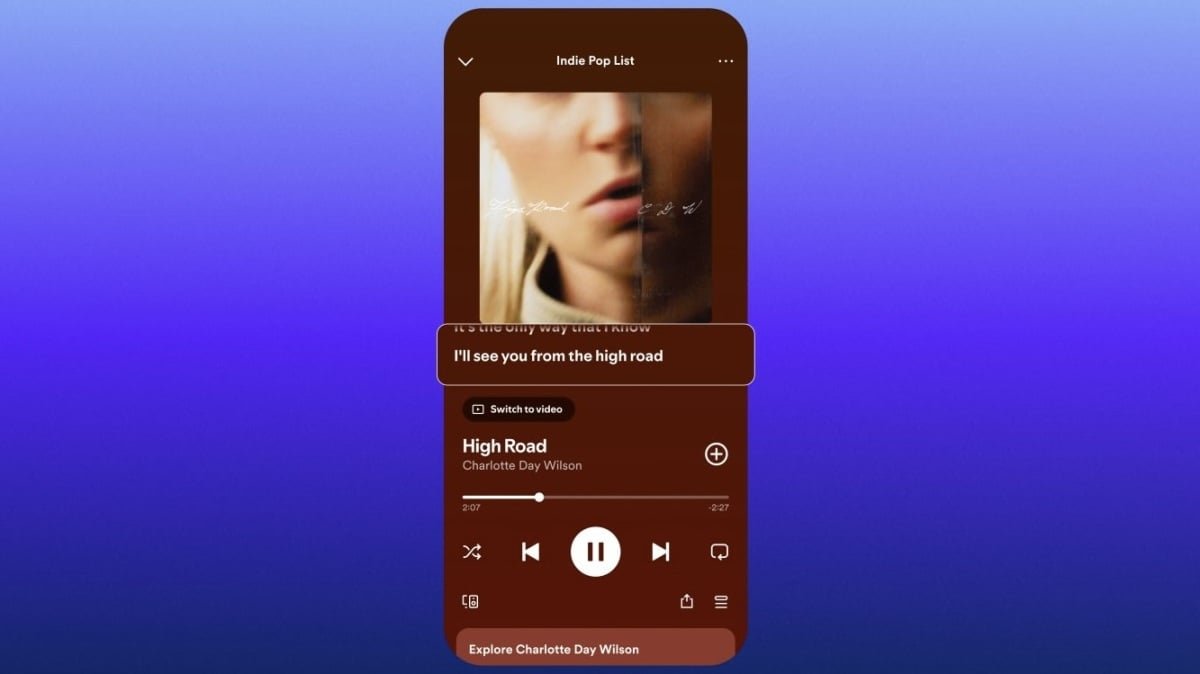
Traditionally, lyrics have appeared at the bottom of the player window in the Spotify app. To view them, you need to scroll down, then tap on the lyrics window to fully expand it. It seems Spotify wasn’t content with this UI. The company says that in its testing, it finds that placing the lyrics directly below the album art, rather than below the player, makes them easier to interact with. And so that’s where the lyrics are moving.
The company calls these “lyrics previews,” as you see just a snippet of the lyrics at one time. This change is rolling out to both free and Premium users on iOS and Android. If you’d rather not see the lyrics at all, you can tap the three-dot menu and choose “Lyrics Off.”
What do you think so far?
Spotify is adamant that this new placement won’t change lyric sharing. You’ll still be able to send specific lyrics to friends and social media platforms. You’ll just need to do so from the new lyrics window.
Spotify now support lyrics translations worldwide
Spotify’s lyrics translation feature makes it easy to figure out what artists are singing about when you don’t speak their particular language. When you listen to a song that doesn’t match your device’s system language, you’ll find a translate button in the lyrics window. Tap that, and Spotify will include translations beneath each line of the song, so you can follow along.
According to Spotify, this feature was available in more than 25 markets as of the end of last year, but now, the company is rolling out the feature worldwide.