No Result
View All Result
Global Finances Daily
  • Alternative Investments
  • Crypto
  • Financial Markets
  • Investments
  • Lifestyle
  • Protection
  • Retirement
  • Savings
  • Work & Careers
No Result
View All Result
  • Alternative Investments
  • Crypto
  • Financial Markets
  • Investments
  • Lifestyle
  • Protection
  • Retirement
  • Savings
  • Work & Careers
  • Login
Global Finances Daily
No Result
View All Result
Home Protection

This Is the Easiest Way to Filter Junk Out of Your Gmail Inbox

December 25, 2025
in Protection
0
This Is the Easiest Way to Filter Junk Out of Your Gmail Inbox


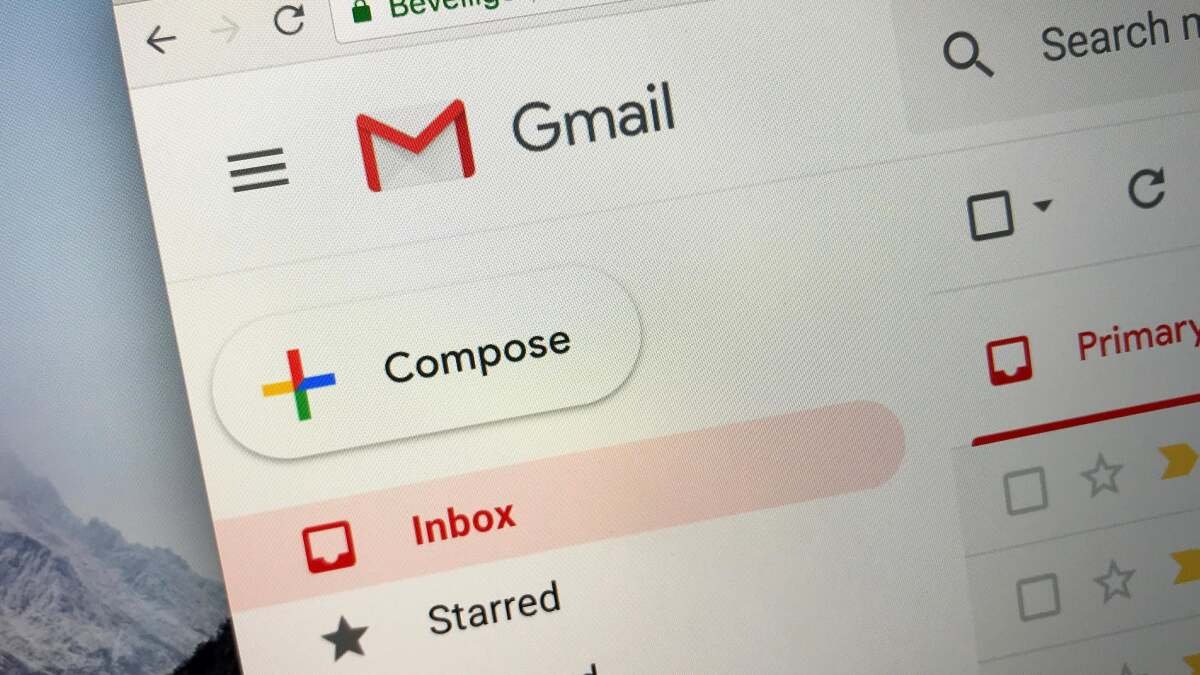
No matter how dedicated you are to responding to and archiving all your emails, there will always be one thing preventing you from hitting true inbox zero: all of those mailing lists you’re subscribed to. These horrors will visit you at all hours of the day, making it harder to spot the truly important messages in your inbox—and it gets worse once you’ve gotten fed up enough to disable push notifications and they start to really pile up.

It’s time to banish these buggers. And, if you’re using Gmail, there’s an easy way to do it.

Use filters to manage mailing list emails in Gmail

You can use a third-party add-on to go through your mailing lists and unsubscribe, saying goodbye to newsletters and e-blasts. But you know what’s easier and less expensive? Setting a filter in Gmail.

Open up one of your mailing list emails and click the three dots in the menu bar. You’ll see “Mark as unread,” “Mark as important,” and a few other options, but the one you want is “Filter messages like these.”


Credit: Gmail

From there, you’ll see a dialog box asking how you want to filter your messages. You can filter by sender, recipients, and subjects, but also by anything that “has the words…” In the “has the words” row, type “unsubscribe.”


What do you think so far?

Now, any email containing the word “unsubscribe”—which reputable email blasts almost always do—can be filtered out of your inbox without you having to do anything. Once you type “unsubscribe” there, hit the “create filter” button. The following dialog box will ask how you want these filtered. You can choose to have them archived, marked as read, starred, forwarded, or immediately deleted.

Things to consider when creating Gmail filters

I recommend archiving over deleting in case you ever want to find them again, but if you are sure you’ll never want to open another mailing list, newsletter, or sales blast, feel free to check the box next to “delete.” Note that if you choose to archive but later want to delete them, you’ll have to do so manually. Personally, I am happy to pay for extra Google storage to keep a record of messages instead of inadvertently lose something I need, but I know that’s needlessly neurotic.

If you do end up archiving those, the next step needs to be actually unsubscribing from the messages you truly don’t want to receive. Gmail has recently made this a lot easier: You can usually click an unsubscribe button up at the top of the offending email. The Google-run email service also rolled out a Manage Subscriptions service this past summer, so once you take a gander at the archive full of junk and notice what you’re not exactly needing or opening up, you can head over there and nuke your subscriptions quickly and easily.




Editorial Team

Editorial Team

Related Posts

The 27-inch Asus ROG Strix Gaming Monitor Is 25% Off Right Now
Protection

The 27-inch Asus ROG Strix Gaming Monitor Is 25% Off Right Now

February 13, 2026
The SwitchBot Smart Lock Pro Bundle Is $93 During This Early Presidents Day Sale
Protection

The SwitchBot Smart Lock Pro Bundle Is $93 During This Early Presidents Day Sale

February 13, 2026
Apple's Big AI Siri Plans Are Once Again Delayed
Protection

Apple’s Big AI Siri Plans Are Once Again Delayed

February 13, 2026
Apple and Google Just Made It Easier to Switch Between iPhone and Android
Protection

Apple and Google Just Made It Easier to Switch Between iPhone and Android

February 13, 2026
This Ultra-Wide Samsung Gaming Monitor Is $800 Off During an Early Presidents Day Sale
Protection

This Ultra-Wide Samsung Gaming Monitor Is $800 Off During an Early Presidents Day Sale

February 13, 2026
Samsung Will Give You Up to $900 If You Trade Your Phone in for a Galaxy S26
Protection

Samsung Will Give You Up to $900 If You Trade Your Phone in for a Galaxy S26

February 12, 2026
Load More
Next Post
Condé Nast Traveler

Where Was 'Stranger Things' Filmed? Behind the Scenes of All 5 Seasons

Popular News

  • Josh Garber

    How to Contact Hilton Customer Service

    0 shares
    Share 0 Tweet 0
  • The 10 best banks for college students in 2025

    0 shares
    Share 0 Tweet 0
  • Senior AI staffers keep quitting — and are issuing warnings about what’s going on at their companies

    0 shares
    Share 0 Tweet 0
  • Brite Advisors Owner Assumes Control of Mondial Dubai

    0 shares
    Share 0 Tweet 0
  • UK impact investing platform Ethex acquires Energise Africa

    0 shares
    Share 0 Tweet 0

Latest News

Key themes from AI adoption to protein demand are suddenly lining up for European stocks

Key themes from AI adoption to protein demand are suddenly lining up for European stocks

February 13, 2026
0

Morgan Stanley identifies energy, AI dispersion, societal changes and multipolarity as four key themes all of which may accelerate investment...

HSBC

HSBC To Power Pilot Issuance Of UK Digital Bonds

February 13, 2026
0

Trusted Editorial content, reviewed by leading industry experts and seasoned editors. Ad Disclosure The UK government has tapped HSBC’s blockchain...

Secondary market transaction volumes surpass $200bn in 2025

Secondary market deal volumes surpass $200bn in 2025

February 13, 2026
0

Transaction volume in the secondary market reached a record $225bn (£165bn) in 2025, surpassing $200bn for the first time, as...

PGI CEO Gets 20 Years Over $200M Crypto Investment Scheme

PGI CEO Gets 20 Years Over $200M Crypto Investment Scheme

February 13, 2026
0

A US federal judge in Virginia sentenced the chief executive of Praetorian Group International to 20 years in prison for...

Global Finances Daily

Welcome to Global Finances Daily, your go-to source for all things finance. Our mission is to provide our readers with valuable information and insights to help them achieve their financial goals and secure their financial future.

Subscribe

  • About Us
  • Contact
  • Privacy Policy
  • Terms of Use
  • Editorial Process

© 2025 All Rights Reserved - Global Finances Daily.

No Result
View All Result
  • Alternative Investments
  • Crypto
  • Financial Markets
  • Investments
  • Lifestyle
  • Protection
  • Retirement
  • Savings
  • Work & Careers

© 2025 All Rights Reserved - Global Finances Daily.

Welcome Back!

Login to your account below

Forgotten Password?

Retrieve your password

Please enter your username or email address to reset your password.

Log In
This website uses cookies. By continuing to use this website you are giving consent to cookies being used. Visit our Privacy and Cookie Policy.