If you have an old Android device lying around your house gathering dust, there are multiple ways to repurpose it—including turning it into a webcam or a dedicated smart home controller. One option that’s perhaps less obvious, however, is saving your house from wifi dead zones. Those of you who have spots in your home where wifi struggles to reach will know the frustration here: Once you leave the wifi’s range, you’re suddenly cut off from messages, media, and the news, but an old Android phone can help.
Android phones can access wifi networks of course, but they can also act as hotspots for these same networks. With some careful positioning, it’s possible to turn an old phone into a wifi extender (or wifi repeater), a device that re-broadcasts a wifi signal to extend its range. Repeaters can’t improve the speed of the signal they receive, but they can extend it, which can get you connected to the internet in rooms your wifi previously didn’t reach. While buying a dedicated device for the job may yield better results, if you already have a spare Android device in your home, give this trick a try first before spending any money.
Turning your old Android device into a wifi extender
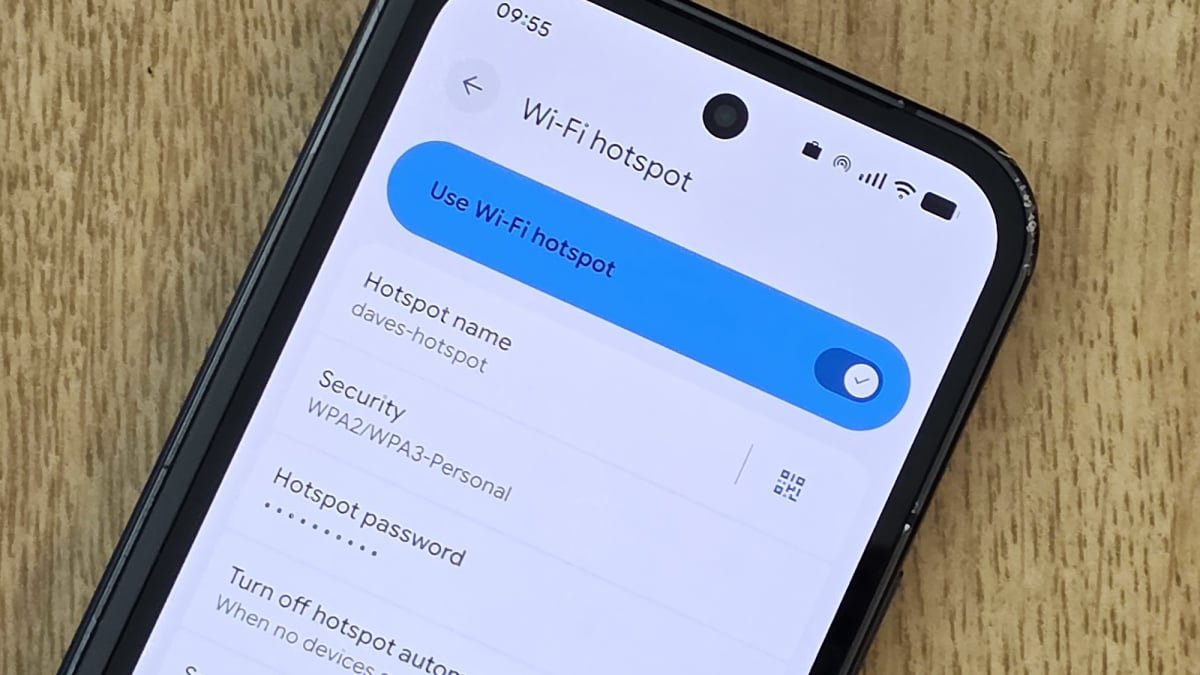
Wifi hotspot settings on a Google Pixel.
Credit: Lifehacker
Android being Android, the exact method for this depends on the make and model of your phone, but generally speaking, you need to locate the wifi hotspot feature in the Settings menu for your device. On a Pixel phone, for example, you’ll find it under Network and internet and Hotspot and tethering. From here, enable Wi-Fi hotspot, which generates a new wifi network off the back of your main one. If you tap the Wi-Fi hotspot menu entry, you can configure the name and password for this new network. The only downside here is you’ll need to give the boosted wifi in your dead zone a different name and password to your regular wifi.
There are some other options to be aware of here too: Make sure Turn off hotspot automatically is disabled so the hotspot always stays active; under Speed and compatibility, you should enable 2.4GHz or 5GHz (or both) in most cases, to minimize the chances of complications with whatever device you’re connecting to. You’ll probably want to keep this device plugged in too, to save on battery life. It’ll defeat the purpose if your new wifi repeater can’t actually power on.
If this is an old device, it might not have cellular data access anyway, but to make sure this is a wifi-to-wifi hotspot, you can take out the SIM card or turn data access off. (On Pixel, you’ll find the option under Settings > Network and internet > SIMs.) Otherwise, you might find your repeater is actually running off a cellular connection. On most other Android phones, you should find a similar set of settings: When it comes to Samsung Galaxy devices, open Settings and tap Connections > Mobile Hotspot and Tethering. You then get a Mobile Hotspot toggle switch, and you can tap Mobile Hotspot to access the network options.
What do you think so far?
I turned a Galaxy S25 Ultra into a wifi repeater

Wifi hotspot settings on a Samsung Galaxy.
Credit: Lifehacker
I gave this a try using a Galaxy S25 Ultra, and it worked exactly as advertised. Given the power of the components inside a smartphone, this is never going to rival something like a mesh network, but for small-scale access where upload and download speeds aren’t of paramount importance, it can be useful—and, of course, free, if you already have a redundant Android device you’re not otherwise using.
I did have to experiment a bit to get the phone in the right spot between my router and the laptop I was trying to get online with, but you should be able to figure it out with a bit of trial and error. In the case of a Galaxy S25 Ultra at least, the phone doesn’t have to be in the same room as the connecting device, but it helps. My broadband connection at home averages around the 300 Mbps mark, and I put the Galaxy S25 Ultra in an upstairs room to act as a hotspot. With my laptop in the same room, connected to the phone, I was getting download speeds of 60 Mbps or so—much reduced, but still fine for streaming high-resolution video.
When moving the laptop further away, I could still tether to the Galaxy S25 Ultra, but speeds dropped to 12 Mbps or so. That’s a big reduction from the maximum possible speed, but the connection was still absolutely usable for checking emails, browsing the web, and writing up this article in Google Docs. Your mileage will vary depending on the phone you’re using, your internet speed, and the layout of your home, but you should be able to get this working with many Android devices. Bear in mind that phones of a certain age may not support this, however: According to the Reddit hive mind, this is a trick that works on most recent Pixel devices, but not the Google Pixel 7a for example.