No Result
View All Result
Global Finances Daily
  • Alternative Investments
  • Crypto
  • Financial Markets
  • Investments
  • Lifestyle
  • Protection
  • Retirement
  • Savings
  • Work & Careers
No Result
View All Result
  • Alternative Investments
  • Crypto
  • Financial Markets
  • Investments
  • Lifestyle
  • Protection
  • Retirement
  • Savings
  • Work & Careers
  • Login
Global Finances Daily
No Result
View All Result
Home Protection

You Don’t Have to Update to iOS 26 to Protect Your iPhone From DarkSword Malware

April 2, 2026
in Protection
0
You Don’t Have to Update to iOS 26 to Protect Your iPhone From DarkSword Malware


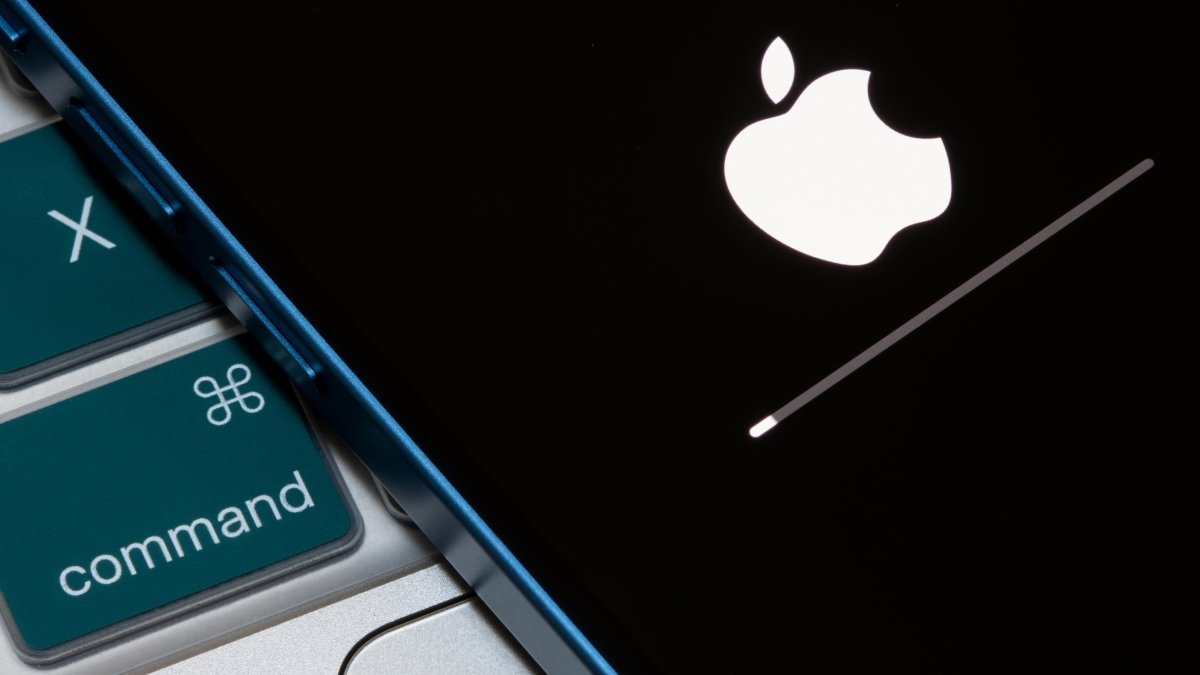
Last month, news broke about “DarkSword,” a malware kit that makes it easy for hackers to scrape passwords, emails, crypto wallets, and more from your iPhone. You don’t have to do much to put yourself in harms way, either: Visiting a malicious website is all it takes for DarkSword to get to work, which makes it particularly dangerous.

It’s not totally clear what DarkSword’s risk is to the average user. Google Threat Intelligence Group (GTIG) says it identified “multiple commercial surveillance vendors and suspected state-sponsored actors” using the malware against targets in Saudi Arabia, Turkey, Malaysia, and Ukraine, appearing as if the victims were highly-specific. That said, the malware kit leaked onto the internet last week, which, theoretically, makes it much more accessible to your everyday hacker. While DarkSword hackers were previously highly organized, and, in some cases, funded by state governments, perhaps now the type of hacker who would go after the average user would be intrigued—especially considering the pool of users who could be targeted.

DarkSword affects more iPhones than you might think

That’s the other major issue with DarkSword: so many iPhones are potentially vulnerable. According to GTIG, all iPhones running iOS 26 prior to version 26.3, and all iPhones running iOS 18 prior to version 18.7.3 are vulnerable. If you’re the sort who keeps their iPhone updated to the latest OS at all times, you’re set. But there are plenty of users out there who don’t, which poses multiple issues. For one, those users might not update their iPhones frequently, so they may be running an outdated, vulnerable version without realizing it. But there are also the people who are deliberately avoiding Apple’s controversial iOS 26 update, even if their iPhones support it. Whether they’re unhappy about Liquid Glass, or they’re concerned about performance issues, many users have opted to stay on iOS 18.

This doesn’t jive with Apple’s security philosophy. Typically, if you’re running an older version of iOS on a device that can update, Apple will cut you off from security updates until you update to the latest version. An iPhone 16 running iOS 18, for example, received iOS 18.7.3—but not iOS 18.7.7. That means that, shy of updating to the latest version of iOS 26, that iPhone 16 is vulnerable to any and all new vulnerabilities that emerge—including potential DarkSword exploits. An iPhone XS running iOS 18 can update to 18.7.7, but that’s because it can’t update to iOS 26. That iPhone 16, however? Update, or bust.

All iPhones can now update to protect against DarkSword

Now, the company is changing its tune. Apple told Wired that it will issue a new security patch for all devices running iOS 18 on Wednesday—regardless of whether or not they can update to iOS 26. The move shows how serious the situation really is: Not only is DarkSword a threat to iPhone users, it shows that there are enough users sticking with iOS 18 that Apple feels the need to issue them patches. It isn’t in a position to make these users choose between a specific OS and the latest security updates.


What do you think so far?

Interestingly, it’s the second time in a month Apple has had to issue this type of expansion security program. In early March, the company issued patches for older iPhones to protect against the “Coruna” exploit kit.

Apple typically releases updates around 10 a.m. PT (1 p.m. ET), so expect this update sometime around then. If you have auto-updates enabled, you won’t have to do anything to update, but if you want to install it as soon as possible, you’ll need to head to Settings > General > Software Updates to manually download the update.



Editorial Team

Editorial Team

Related Posts

You Can Play This 'Hidden' Game in Your TikTok DMs
Protection

You Can Play This ‘Hidden’ Game in Your TikTok DMs

April 1, 2026
After a Few Months, I'm Loving My Hisense QLED CanvasTV, and It's 40% Off Right Now
Protection

After a Few Months, I’m Loving My Hisense QLED CanvasTV, and It’s 40% Off Right Now

April 1, 2026
The Natural Cycles Fertility App Can Now Access Temperature Data From Your Garmin Watch
Protection

The Natural Cycles Fertility App Can Now Access Temperature Data From Your Garmin Watch

April 1, 2026
Amazon Prime Members Can Get Two of These E-Books Free in April 2026
Protection

Amazon Prime Members Can Get Two of These E-Books Free in April 2026

April 1, 2026
iOS26.5 Includes One Very Annoying New iPhone Change
Protection

iOS26.5 Includes One Very Annoying New iPhone Change

April 1, 2026
Today Is the Last Day to Save up to $150 on the PS5 Before Prices Spike
Protection

Today Is the Last Day to Save up to $150 on the PS5 Before Prices Spike

April 1, 2026
Load More

Popular News

  • Josh Garber

    How to Contact Hilton Customer Service

    0 shares
    Share 0 Tweet 0
  • The 10 best banks for college students in 2025

    0 shares
    Share 0 Tweet 0
  • 9 Best Brokers for Short Selling in 2023 • Benzinga

    0 shares
    Share 0 Tweet 0
  • Is it OK to wear pajamas on your next flight? A viral post sparks debate.

    0 shares
    Share 0 Tweet 0
  • Australian politician and ex-Commonwealth Bank exec launch private credit fund

    0 shares
    Share 0 Tweet 0

Latest News

You Don’t Have to Update to iOS 26 to Protect Your iPhone From DarkSword Malware

You Don’t Have to Update to iOS 26 to Protect Your iPhone From DarkSword Malware

April 2, 2026
0

Last month, news broke about "DarkSword," a malware kit that makes it easy for hackers to scrape passwords, emails, crypto...

eToro wins New York BitLicense, expands crypto access to 48 US states

eToro wins New York BitLicense, expands crypto access to 48 US states

April 2, 2026
0

eToro has secured a New York BitLicense and money transmission license, reopening crypto trading to New Yorkers and extending its...

Could cruise passengers soon be hit with a fuel surcharge?

Could cruise passengers soon be hit with a fuel surcharge?

April 2, 2026
0

At least one Asian cruise line is already tacking on the fee for future bookings.

US and Iran clash over nuclear talks before trump’s address

US and Iran clash over nuclear talks before trump’s address

April 2, 2026
0

The US and Iran are at odds over nuclear negotiations just before Trump’s address. Odds for a US-Iran ceasefire by...

Global Finances Daily

Welcome to Global Finances Daily, your go-to source for all things finance. Our mission is to provide our readers with valuable information and insights to help them achieve their financial goals and secure their financial future.

Subscribe

  • About Us
  • Contact
  • Privacy Policy
  • Terms of Use
  • Editorial Process

© 2025 All Rights Reserved - Global Finances Daily.

No Result
View All Result
  • Alternative Investments
  • Crypto
  • Financial Markets
  • Investments
  • Lifestyle
  • Protection
  • Retirement
  • Savings
  • Work & Careers

© 2025 All Rights Reserved - Global Finances Daily.

Welcome Back!

Login to your account below

Forgotten Password?

Retrieve your password

Please enter your username or email address to reset your password.

Log In
This website uses cookies. By continuing to use this website you are giving consent to cookies being used. Visit our Privacy and Cookie Policy.