No Result
View All Result
Global Finances Daily
  • Alternative Investments
  • Crypto
  • Financial Markets
  • Investments
  • Lifestyle
  • Protection
  • Retirement
  • Savings
  • Work & Careers
No Result
View All Result
  • Alternative Investments
  • Crypto
  • Financial Markets
  • Investments
  • Lifestyle
  • Protection
  • Retirement
  • Savings
  • Work & Careers
  • Login
Global Finances Daily
No Result
View All Result
Home Protection

How to Save Your Samsung Messages Conversations Before the App Shuts Down

May 4, 2026
in Protection
0
How to Save Your Samsung Messages Conversations Before the App Shuts Down


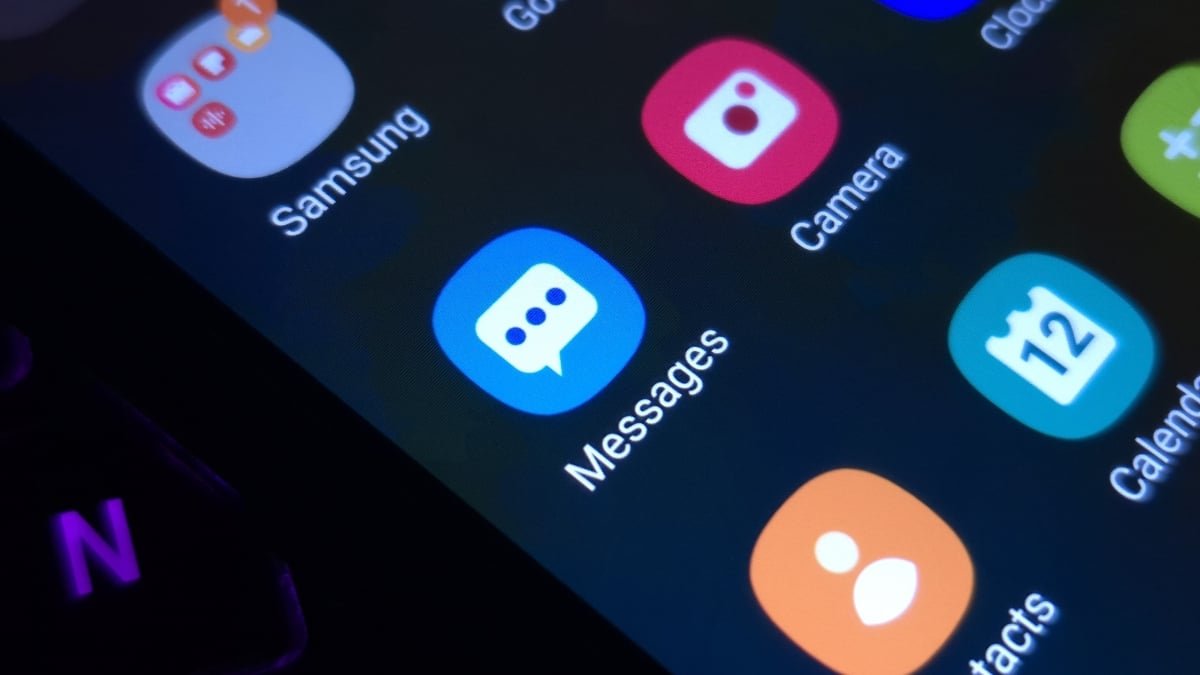
If you’re a long-time Samsung Galaxy user, your messaging app of choice might be Samsung Messages. Despite the company removing the app as a default several years ago, many still rely on it—though not for long. Samsung is shuttering the app in July, marking the end of an era for the Galaxy ecosystem. The app won’t be completely useless after this date, as Samsung says that you’ll still be able to contact both emergency services and emergency contacts. But aside from these limited scenarios, Samsung Messages will essentially be defunct.

As such, all Samsung Messages users need to plan for how they want to continue messaging on their Galaxy. While Samsung hasn’t told us which day the app will shut down, we do know it will happen sometime in July. That gives Samsung Messages users just over two months to find other arrangements—including how to move existing texts from Samsung Messages over to a new home.

Samsung recommends moving to Google Messages

In the company’s original announcement, Samsung strongly suggested that Samsung Messages users move to Google Messages instead. The company even took the opportunity to tout the advantages of Google Messages over Samsung Messages, including RCS support, AI features, cross-device functionality, and enhanced security features. It is a bit odd to see Samsung pushing a different company’s product like this, but it makes sense: For one, Google develops Android, but Samsung has already distanced itself from its messaging app. If it had to plug one app, it might as well be Google’s default.

Perhaps the biggest perk of choosing Google Messages, however, is that your existing Samsung Messages chats come along with the move. If you care about preserving your message history, this might be the simplest path forward—though it means going all-in on yet another Google product. If you tend to avoid Google apps and services, you have other options, but they might not be as convenient—especially if you’re looking to move your messages.

How to move from Samsung Messages to Google Messages

According to Samsung, the move is relatively straightforward. First, make sure you have Google Messages installed on your Galaxy. When you open it, the app will ask you to make it your default messaging app. To do so, hit “Set default SMS app,” choose “Google Messages,” then tap “Set as default.”


What do you think so far?

Now that the app is your default choice, your Galaxy should automatically begin moving texts from Samsung Messages to Google Messages. Samsung warns that this process can take some time, especially if you have a long message history saved on your device, so don’t be alarmed if your messages don’t transfer all at once.

Google Messages alternatives exist, but may not be as convenient

Google Messages is far from the only messaging app on Android. You can find any number of simple or feature-filled options on the Play Store, including, of course, Signal, Telegram, and WhatsApp. For basic SMS messaging, however, a few names frequently pop up: Textra, Chomp SMS, and Handcent SMS. These apps should offer a similar basic messaging experience to Samsung Messages, without having to jump to another Google app. Setting any of these as your default messaging app is as simple as the steps for Google Messages above.

However, it’s not clear if doing so will transfer your message history in the same way. While Google Messages supports an easy transfer, you might not have the same experience setting Textra or Handcent as your default app. As such, you may need to look into third-party backup and transfer services if you want your message history to move apps for certain. By far, SMS Backup & Restore is the app I see most recommended amongst Android users here. While Phone Arena’s Aman Kumar found it helped when transferring messages on his Android device, the focus was on a scenario where Google Messages didn’t migrate the messages on its own. It should be possible to back up your Samsung Messages with this app and import them to another messaging app, but it isn’t as obvious as it should be.



Editorial Team

Editorial Team

Related Posts

The Top Ten Movies Streaming Now
Protection

The Top Ten Movies Streaming Now

May 4, 2026
You Can Already Save $80 on the New M4 iPad Air
Protection

You Can Already Save $80 on the New M4 iPad Air

May 4, 2026
The New AirPods Max 2 Are $40 Off Right Now
Protection

The New AirPods Max 2 Are $40 Off Right Now

May 4, 2026
Five of the Best Apps to Track Your Flights
Protection

Five of the Best Apps to Track Your Flights

May 4, 2026
More Than 200 Classic Atari Games Are Packed Into This $120 Handheld Device
Protection

More Than 200 Classic Atari Games Are Packed Into This $120 Handheld Device

May 4, 2026
I Let Alexa+ and Gemini Power My Smart Home, and They Were Both Great
Protection

I Let Alexa+ and Gemini Power My Smart Home, and They Were Both Great

May 4, 2026
Load More
Next Post
Strait of Hormuz traffic disrupted until September, Kalshi traders say

Strait of Hormuz traffic disrupted until September, Kalshi traders say

Popular News

  • Ripple

    Ripple Confirms 13,000 Banks And $12.5 Trillion in Payments, One Analyst Says It Points To $625 XRP

    0 shares
    Share 0 Tweet 0
  • I Used Monarch Money for 30 Days: Here’s What Happened

    0 shares
    Share 0 Tweet 0
  • AI drives 1.5% of US GDP growth in Q1 2026, boosting economic outlook

    0 shares
    Share 0 Tweet 0
  • How to Contact Hilton Customer Service

    0 shares
    Share 0 Tweet 0
  • Blue Owl grows AUM and earnings despite wealth jitters

    0 shares
    Share 0 Tweet 0

Latest News

AMD’s stock has surged ahead of earnings, but this analyst sees a problem ahead

AMD’s stock has surged ahead of earnings, but this analyst sees a problem ahead

May 4, 2026
0

AMD may not be able to sufficiently capture CPU upside because it doesn’t manufacture its own chips, an analyst says.

The Top Ten Movies Streaming Now

The Top Ten Movies Streaming Now

May 4, 2026
0

We may earn a commission from links on this page. April's 10 most-streamed movies offer a diverse collection of styles...

Crypto payment security and trust in infrastructure providers - 1

Crypto payment security and trust in infrastructure providers

May 4, 2026
0

Disclosure: This article does not represent investment advice. The content and materials featured on this page are for educational purposes...

Israel ready to resume military operations against Iran, awaits US approval

Israel ready to resume military operations against Iran, awaits US approval

May 4, 2026
0

## Market Snapshot The “Fall of the Iranian Regime” market is currently priced at 3.1% YES, a slight increase from...

Global Finances Daily

Welcome to Global Finances Daily, your go-to source for all things finance. Our mission is to provide our readers with valuable information and insights to help them achieve their financial goals and secure their financial future.

Subscribe

  • About Us
  • Contact
  • Privacy Policy
  • Terms of Use
  • Editorial Process

© 2025 All Rights Reserved - Global Finances Daily.

No Result
View All Result
  • Alternative Investments
  • Crypto
  • Financial Markets
  • Investments
  • Lifestyle
  • Protection
  • Retirement
  • Savings
  • Work & Careers

© 2025 All Rights Reserved - Global Finances Daily.

Welcome Back!

Login to your account below

Forgotten Password?

Retrieve your password

Please enter your username or email address to reset your password.

Log In
This website uses cookies. By continuing to use this website you are giving consent to cookies being used. Visit our Privacy and Cookie Policy.