We may earn a commission from links on this page.
While it’s true that hand-writing helps you retain more of what you’re studying, it’s also true that the convenience of a phone or computer just can’t be beaten. Taking your study materials with you wherever you are and having digital access to them can be a major benefit, whether you’re preparing for a test in school or memorizing points before a big work presentation. Here are my favorite study apps to help do exactly that.
For flashcards: Anki
Credit: Anki
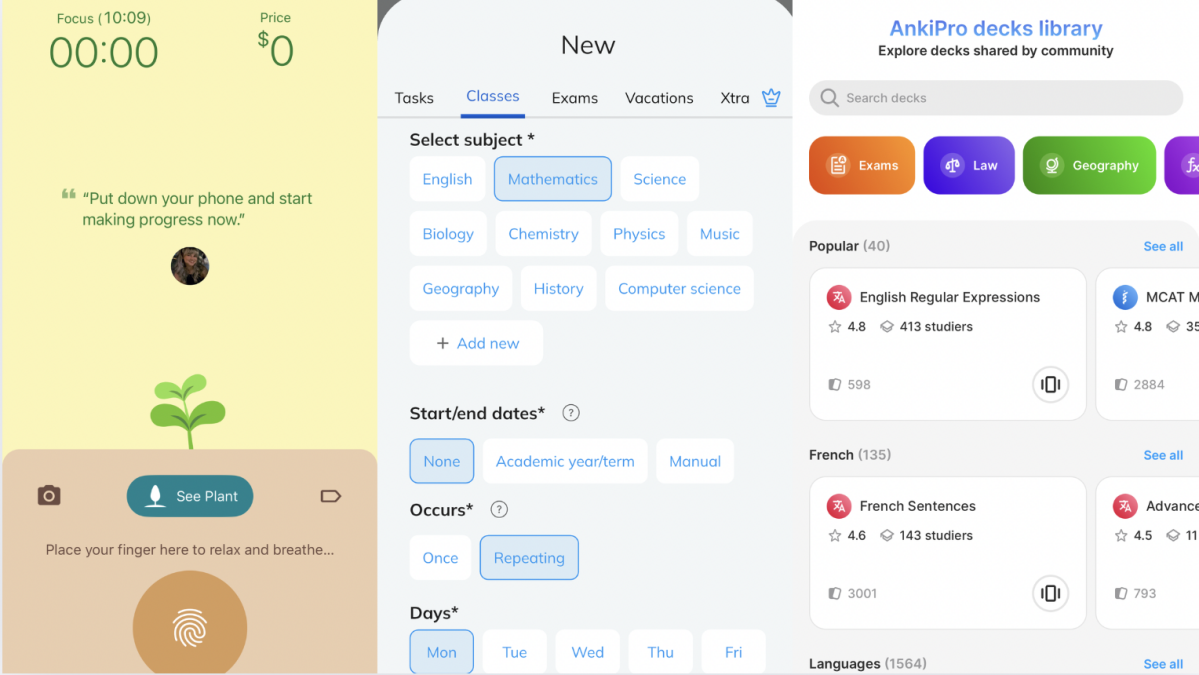
Anki, which can be downloaded and accessed across all kinds of devices from MacBooks to Android phones, is my top pick for for a flashcard app—it actually hews close to the Leitner system, the best way to use real-life flashcards.
Unlike other apps, this one doesn’t always show you every card in your deck. Rather, it shows you the ones you get wrong more often, so you go over those more and deal with the material you’re more familiar with less. You can put audio, video, and picture files on your cards, too, so you can use them for a wide variety of tasks, like learning a language or memorizing people’s names. You answer a few questions about yourself—like whether you’re a student, parent, or trivia enthusiast and what times of day you prefer to study, as well as how long you plan to study each day—and the app creates a plan for you.
To use features like customized cards and the Leitner system, as well as flip unlimited cards per day, you’ll pay $4.99 per month or $29.99 per year after a free three-day trial. You can add your own cards, of course, but there are plenty of pre-made decks to choose from.
For mind maps: Xmind

Credit: Xmind
Oh, you like studying with mind maps more than flashcards? No problem. Download Xmind, which is free on the iOS App Store, but will cost you $99 per year after your two-week trial. You can make a blank mind map to organize your notes—it also comes with a ton of templates for mind maps that focus on problem-solving, business plan creation, project management, or whatever else. They’re color-coded, easy to create and edit, and can be accessed by multiple accounts, so you can work on them in tandem with others on your team. (Perfect for group projects!)
To minimize distractions: Flora

Credit: Flora
Flora, available on iOS and Android or via Chrome extension, isn’t actually a study app so much as a focus app—but when you’re studying, that matters a lot. It’s similar to some other apps on the market in that you grow “trees” in a virtual forest, but they only grow as long as you don’t interrupt them by using your phone.
What I like about this one, though, is that it’s free to download and use. You have the option to donate if you want to plant real-life trees based on your own forest and the option to bet actual money on the fact that you won’t kill your tree, which will only happen if you abandon your focus during the preset time you scheduled the app for focusing. For instance, I grew a tree successfully by telling the app I wanted to work for 10 minutes straight, then take a five-minute break. You can pick the kinds of trees you grow, how long you spend working, how long your breaks are, and whether your app keeps data on your focus times and/or resets after a week or a month. It’s easy to use and very relaxing.
To stay organized: MyStudyLife

Credit: MyStudyLife
I like MyStudyLife as a planner because it’s specially designed for school, while apps like iCal and Google Calendar aren’t (although you can import your iCal data on here, too).
Available on iOS and Android, this tool is free but extremely customizable: You can enter in assignments, tests, and course details right down to the room the class is in and the name of the professor who teaches it. The app will remind you whenever you have something coming up and keeps it all organized in a very simple calendar. It’s got a bare-bones interface that is super easy to use and navigate and, for $4.99 per month or $29.99 per year (after a free one-week trial), you can access additional features like grade tracking, widgets, and dark mode. It works absolutely fine on the free version, though, which is why it’s the best planner on the market right now.
For note-taking: Evernote

Credit: Evernote
Evernote basically always wins in a battle of note-taking apps, but that’s because it really is excellent. You get a planner, docs that you can access from anywhere, and a load of note-taking tools so you can jot down everything important, which the app will then help you organize.
With excellence, however, comes a price: The “Best of Evernote” package is $4.99 per week or $169.99 per year while the “Essentials” package is $3.99 per week or $129.99 per year. The free version, though, still lets you create 50 notes, upload up to 250 MB of media and attachments per month, search images and documents, and use features like Tasks, Calendar, and Web Clipper, which lets you save online content to your account.
A feature I love is the ability to take a photo of text and have the app transcribe it so it’s editable. It’s easy to use and fits into way more elements of daily life than just studying and note-taking, so it’s ideal to have around. Go to class, take notes, and head to the grocery store with a to-buy list, then make it home in time for your scheduled phone call at 7 p.m., all without leaving the app. (You can leave, though; Evernote will send you push notifications about what’s coming up.)