No Result
View All Result
Global Finances Daily
  • Alternative Investments
  • Crypto
  • Financial Markets
  • Investments
  • Lifestyle
  • Protection
  • Retirement
  • Savings
  • Work & Careers
No Result
View All Result
  • Alternative Investments
  • Crypto
  • Financial Markets
  • Investments
  • Lifestyle
  • Protection
  • Retirement
  • Savings
  • Work & Careers
  • Login
Global Finances Daily
No Result
View All Result
Home Protection

Turn on This Setting to Protect Your Privacy When Letting Someone Else Use Your iPhone

January 5, 2026
in Protection
0
Turn on This Setting to Protect Your Privacy When Letting Someone Else Use Your iPhone


Your phone is a one-stop shop for a lot of your personal information, from day-to-day activities logged in your calendar and email to financial data accessed via banking apps. If you let someone else use your device—whether you’re showing a friend a collection of photos or allowing a stranger to make an emergency call—there’s a lot you don’t want them to be able to see.

If you’re an iPhone user, there are several features you can enable to prevent others from snooping around your device.

Use Guided Access

If you don’t want someone using your device to see anything else on it, you can turn on Guided Access, which limits them to a single app (such as Phone or Photos). This essentially locks down your screen and prevents navigation outside of the specific features you make available.

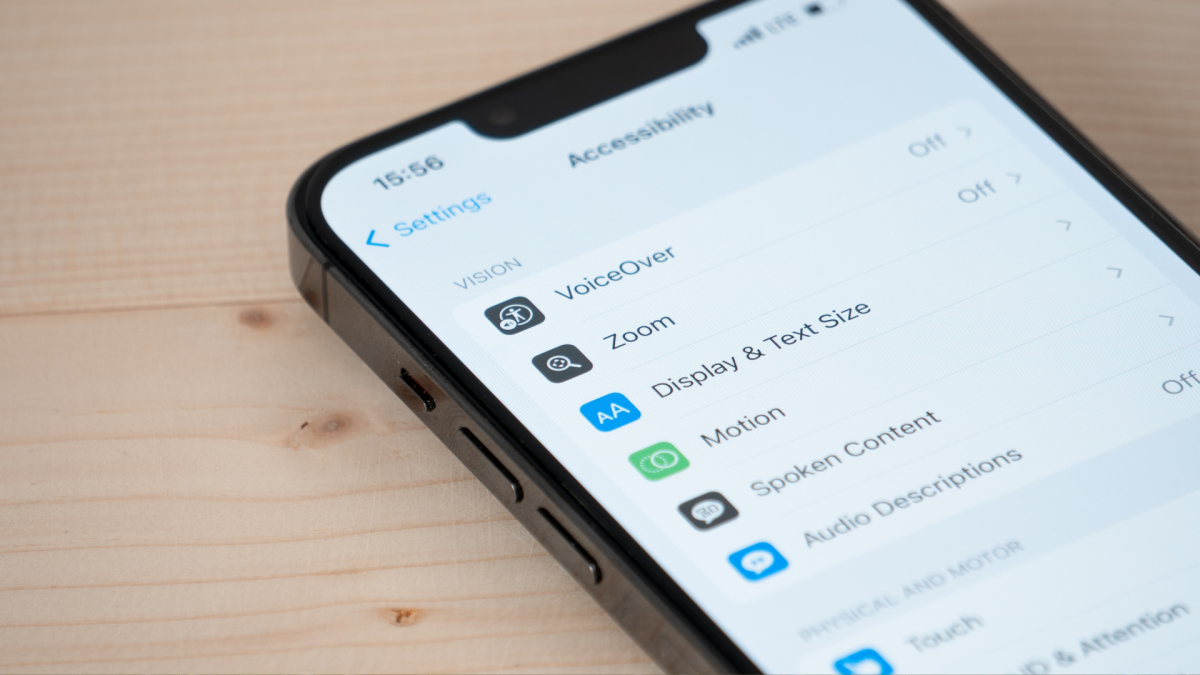
First, go to Settings > Accessibility > Guided Access and toggle the feature on. Tap Passcode Settings to set up a specific passcode or flip the Face ID toggle to use biometrics to end Guided Access sessions.

To start a Guided Access session before handing over your phone, open the app and triple click the side button. You can circle specific areas of the screen you don’t want to respond to touch (such as swipes through Photos). Tap Session Settings at the bottom to set a time limit, disable the keyboard, and manage button press options. Then tap Start.

To end a Guided Access session, triple-click the side button and enter your passcode or double-click and authenticate with Face ID.


What do you think so far?

You can also lock or hide specific apps

Some mobile apps, like financial apps and password managers, already require you to log in or authenticate with your username and password combo or device biometrics every time you open them. You can also lock down other individual apps on iPhone so Face ID, Touch ID, or a passcode is required for access. To lock an app from your home screen, touch and hold the icon until the quick actions menu appears, then tap Require Face ID.

Alternatively, you can hide apps so others cannot see them on your device (let alone open them) unless you authenticate using Face ID, Touch ID or a passcode. To hide an app, tap and hold the icon on the home screen and tap Require Face ID in the quick actions menu. Tap Hide and Require Face ID > Hide App. If you need to open a hidden app, swipe left on your home screen to reach your App Library, locate the Hidden folder at the bottom, and tap and authenticate to unlock the folder followed by the app.

(Note that some native iOS apps, including Calculator, Camera, Clock, Contacts, Find My, Maps, Shortcuts, and Settings, cannot be locked, and system apps that come preinstalled cannot be hidden.)




Editorial Team

Editorial Team

Related Posts

The 27-inch Asus ROG Strix Gaming Monitor Is 25% Off Right Now
Protection

The 27-inch Asus ROG Strix Gaming Monitor Is 25% Off Right Now

February 13, 2026
The SwitchBot Smart Lock Pro Bundle Is $93 During This Early Presidents Day Sale
Protection

The SwitchBot Smart Lock Pro Bundle Is $93 During This Early Presidents Day Sale

February 13, 2026
Apple's Big AI Siri Plans Are Once Again Delayed
Protection

Apple’s Big AI Siri Plans Are Once Again Delayed

February 13, 2026
Apple and Google Just Made It Easier to Switch Between iPhone and Android
Protection

Apple and Google Just Made It Easier to Switch Between iPhone and Android

February 13, 2026
This Ultra-Wide Samsung Gaming Monitor Is $800 Off During an Early Presidents Day Sale
Protection

This Ultra-Wide Samsung Gaming Monitor Is $800 Off During an Early Presidents Day Sale

February 13, 2026
Samsung Will Give You Up to $900 If You Trade Your Phone in for a Galaxy S26
Protection

Samsung Will Give You Up to $900 If You Trade Your Phone in for a Galaxy S26

February 12, 2026
Load More
Next Post
This hedge-fund billionaire bet on a Venezuela-linked oil refiner at just the right time

This hedge-fund billionaire bet on a Venezuela-linked oil refiner at just the right time

Popular News

  • Josh Garber

    How to Contact Hilton Customer Service

    0 shares
    Share 0 Tweet 0
  • The 10 best banks for college students in 2025

    0 shares
    Share 0 Tweet 0
  • Senior AI staffers keep quitting — and are issuing warnings about what’s going on at their companies

    0 shares
    Share 0 Tweet 0
  • Brite Advisors Owner Assumes Control of Mondial Dubai

    0 shares
    Share 0 Tweet 0
  • I Used Monarch Money for 30 Days: Here’s What Happened

    0 shares
    Share 0 Tweet 0

Latest News

Jim Bianco: AI will surpass the internet in impact, SaaS pricing models are under pressure, and older generations may struggle with AI-driven business models

Jim Bianco: AI will surpass the internet in impact, SaaS pricing models are under pressure, and older generations may struggle with AI-driven business models

February 13, 2026
0

AI's rapid evolution is reshaping tech markets, pressuring software pricing and sparking volatility in traditional assets. Key takeaways AI is...

Analysis-Sanofi’s new CEO needs to fix drug pipeline and navigate Trump

Analysis-Sanofi’s new CEO needs to fix drug pipeline and navigate Trump

February 13, 2026
0

Analysis-Sanofi’s new CEO needs to fix drug pipeline and navigate Trump

Crypto

SEC Chair Confirms Crypto Taxonomy Guidance In Line With CLARITY Act Framework

February 13, 2026
0

Trusted Editorial content, reviewed by leading industry experts and seasoned editors. Ad Disclosure Speaking before the House Financial Services Committee...

DraftKings’ stock sinks as investors balk at the high cost of a push into prediction markets

DraftKings’ stock sinks as investors balk at the high cost of a push into prediction markets

February 13, 2026
0

The sports-betting company sees “a massive, incremental opportunity” in the hot world of prediction markets.

Global Finances Daily

Welcome to Global Finances Daily, your go-to source for all things finance. Our mission is to provide our readers with valuable information and insights to help them achieve their financial goals and secure their financial future.

Subscribe

  • About Us
  • Contact
  • Privacy Policy
  • Terms of Use
  • Editorial Process

© 2025 All Rights Reserved - Global Finances Daily.

No Result
View All Result
  • Alternative Investments
  • Crypto
  • Financial Markets
  • Investments
  • Lifestyle
  • Protection
  • Retirement
  • Savings
  • Work & Careers

© 2025 All Rights Reserved - Global Finances Daily.

Welcome Back!

Login to your account below

Forgotten Password?

Retrieve your password

Please enter your username or email address to reset your password.

Log In
This website uses cookies. By continuing to use this website you are giving consent to cookies being used. Visit our Privacy and Cookie Policy.