No Result
View All Result
Global Finances Daily
  • Alternative Investments
  • Crypto
  • Financial Markets
  • Investments
  • Lifestyle
  • Protection
  • Retirement
  • Savings
  • Work & Careers
No Result
View All Result
  • Alternative Investments
  • Crypto
  • Financial Markets
  • Investments
  • Lifestyle
  • Protection
  • Retirement
  • Savings
  • Work & Careers
  • Login
Global Finances Daily
No Result
View All Result
Home Protection

Turn on This Setting to Protect Your Privacy When Letting Someone Else Use Your iPhone

January 5, 2026
in Protection
0
Turn on This Setting to Protect Your Privacy When Letting Someone Else Use Your iPhone


Your phone is a one-stop shop for a lot of your personal information, from day-to-day activities logged in your calendar and email to financial data accessed via banking apps. If you let someone else use your device—whether you’re showing a friend a collection of photos or allowing a stranger to make an emergency call—there’s a lot you don’t want them to be able to see.

If you’re an iPhone user, there are several features you can enable to prevent others from snooping around your device.

Use Guided Access

If you don’t want someone using your device to see anything else on it, you can turn on Guided Access, which limits them to a single app (such as Phone or Photos). This essentially locks down your screen and prevents navigation outside of the specific features you make available.

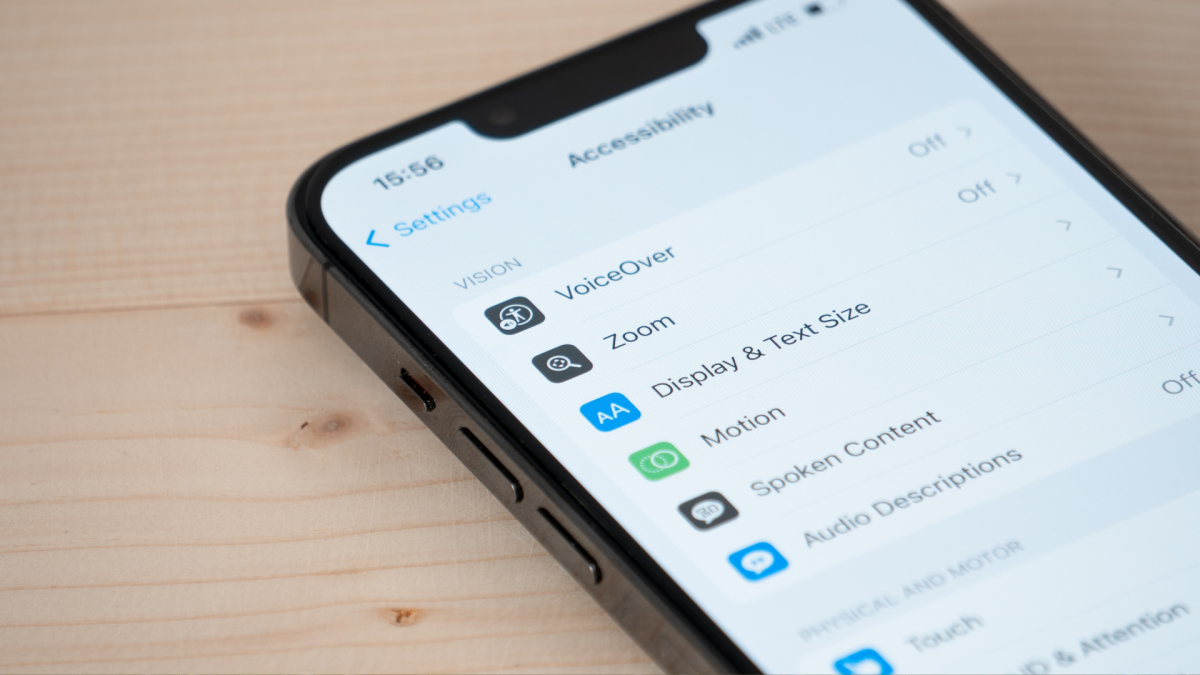
First, go to Settings > Accessibility > Guided Access and toggle the feature on. Tap Passcode Settings to set up a specific passcode or flip the Face ID toggle to use biometrics to end Guided Access sessions.

To start a Guided Access session before handing over your phone, open the app and triple click the side button. You can circle specific areas of the screen you don’t want to respond to touch (such as swipes through Photos). Tap Session Settings at the bottom to set a time limit, disable the keyboard, and manage button press options. Then tap Start.

To end a Guided Access session, triple-click the side button and enter your passcode or double-click and authenticate with Face ID.


What do you think so far?

You can also lock or hide specific apps

Some mobile apps, like financial apps and password managers, already require you to log in or authenticate with your username and password combo or device biometrics every time you open them. You can also lock down other individual apps on iPhone so Face ID, Touch ID, or a passcode is required for access. To lock an app from your home screen, touch and hold the icon until the quick actions menu appears, then tap Require Face ID.

Alternatively, you can hide apps so others cannot see them on your device (let alone open them) unless you authenticate using Face ID, Touch ID or a passcode. To hide an app, tap and hold the icon on the home screen and tap Require Face ID in the quick actions menu. Tap Hide and Require Face ID > Hide App. If you need to open a hidden app, swipe left on your home screen to reach your App Library, locate the Hidden folder at the bottom, and tap and authenticate to unlock the folder followed by the app.

(Note that some native iOS apps, including Calculator, Camera, Clock, Contacts, Find My, Maps, Shortcuts, and Settings, cannot be locked, and system apps that come preinstalled cannot be hidden.)

Editorial Team

Editorial Team

Related Posts

The Eufy SoloCam S340 Is 40% Off Right Now
Protection

The Eufy SoloCam S340 Is 40% Off Right Now

April 29, 2026
I Tried Claude's New App Integrations, With Mixed Results
Protection

I Tried Claude’s New App Integrations, With Mixed Results

April 29, 2026
Apple's New Subscription Payment Option Isn't Coming to the US
Protection

Apple’s New Subscription Payment Option Isn’t Coming to the US

April 29, 2026
These Are the Cheap Running Watches Worn by the London Marathon Winners
Protection

These Are the Cheap Running Watches Worn by the London Marathon Winners

April 29, 2026
You Can Now Talk to YouTube’s AI About What Kinds of Videos You Want to Watch
Protection

You Can Now Talk to YouTube’s AI About What Kinds of Videos You Want to Watch

April 29, 2026
T-Mobile Will Give You $200 to Switch From Another Carrier
Protection

T-Mobile Will Give You $200 to Switch From Another Carrier

April 29, 2026
Load More
Next Post
This hedge-fund billionaire bet on a Venezuela-linked oil refiner at just the right time

This hedge-fund billionaire bet on a Venezuela-linked oil refiner at just the right time

Popular News

  • Alisha McDarris

    Southwest A-List Preferred: What to Know

    0 shares
    Share 0 Tweet 0
  • Air Canada Wi-Fi: What to Know Before You Fly

    0 shares
    Share 0 Tweet 0
  • The key global oil contract tops $115 as Strait of Hormuz impasse continues

    0 shares
    Share 0 Tweet 0
  • Trump says he had ’very productive’ call with Putin ahead of Zelenskiy meeting

    0 shares
    Share 0 Tweet 0
  • Google Meet Is Now Available in CarPlay

    0 shares
    Share 0 Tweet 0

Latest News

Ethereum ICO-Era Whale Moves $23 Million in ETH After a Decade of Dormancy

Ethereum ICO-Era Whale Moves $23 Million in ETH After a Decade of Dormancy

April 29, 2026
0

A wallet linked to Ethereum’s 2014 ICO moved approximately $23 million in ETH last week after roughly a decade of...

The Eufy SoloCam S340 Is 40% Off Right Now

The Eufy SoloCam S340 Is 40% Off Right Now

April 29, 2026
0

We may earn a commission from links on this page. Deal pricing and availability subject to change after time of...

Litecoin’s MWEB Bug Let An Attacker Create 85,034 LTC

Litecoin’s MWEB Bug Let An Attacker Create 85,034 LTC

April 29, 2026
0

Trusted Editorial content, reviewed by leading industry experts and seasoned editors. Ad Disclosure Litecoin developers have disclosed that a critical...

French asset manager Amundi disclosed it received over €3bn (£2.6bn) of private assets net inflows in the first quarter of this year.

Amundi records positive private assets inflows in Q1

April 29, 2026
0

French asset manager Amundi disclosed it received over €3bn (£2.6bn) of private assets net inflows in the first quarter of...

Global Finances Daily

Welcome to Global Finances Daily, your go-to source for all things finance. Our mission is to provide our readers with valuable information and insights to help them achieve their financial goals and secure their financial future.

Subscribe

  • About Us
  • Contact
  • Privacy Policy
  • Terms of Use
  • Editorial Process

© 2025 All Rights Reserved - Global Finances Daily.

No Result
View All Result
  • Alternative Investments
  • Crypto
  • Financial Markets
  • Investments
  • Lifestyle
  • Protection
  • Retirement
  • Savings
  • Work & Careers

© 2025 All Rights Reserved - Global Finances Daily.

Welcome Back!

Login to your account below

Forgotten Password?

Retrieve your password

Please enter your username or email address to reset your password.

Log In
This website uses cookies. By continuing to use this website you are giving consent to cookies being used. Visit our Privacy and Cookie Policy.