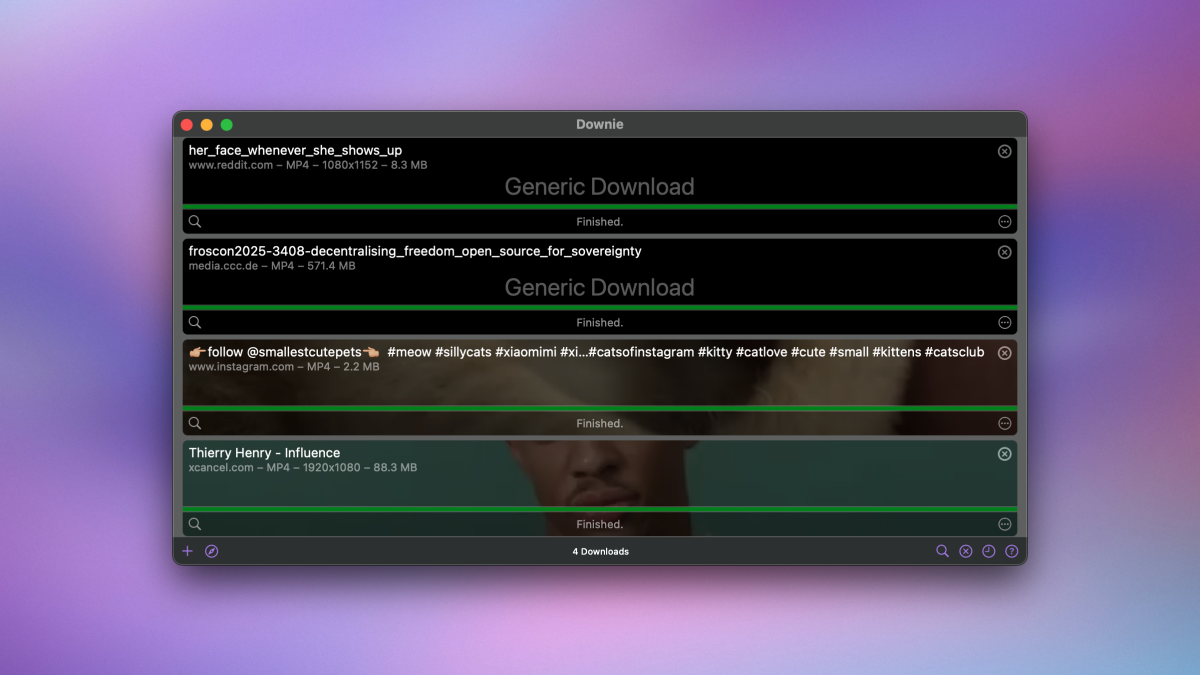
It’s hard to find a good, reliable app to download videos off the internet. It seems that whenever I find one of these tools that I enjoy, there’s a good chance that, soon, it’ll either stop working, be abandoned by its developers, or get sold to a shady new owner. One app that’s never faced these issues is Downie for Mac. Downie is a one-click video downloader for hundreds of websites, including YouTube, Instagram, Reddit, Facebook, Vimeo, and many more. It has been regularly updated for many years, and comes with a simple business model—a one-time payment of $20. It’s easily the best, most reliable option I can reccomend, assuming you have a Mac.
How to use Downie to download videos
Credit: Pranay Parab
Once you install Downie on your Mac, the simplest way to use it is to install its browser extension in whatever browser you use. There are options for Chrome, Firefox, Safari, and Opera.
After that, just open any webpage that has a video, press the Downie button in your browser’s toolbar, and the app will handle the rest. It really is as simple as that. The only issue you might run into is if there are multiple videos on a page. For example, if you open your Instagram feed in a browser, and press the Downie button, the app can’t just download every video from your feed. The trick is to open the specific post you want to download in a new tab first, before pressing the Downie button.
If you have the URL of the video you want to download, you could also just copy and paste it in Downie directly, which lets you skip installing any browser extensions. For sites that Downie doesn’t support, there’s also a user-guided extraction mode to help you download videos, although it’s not foolproof. I haven’t come across any site where I’ve needed to use it yet, but if you need to, you can check out the developer’s guide to using the feature. Just don’t expect to get past copy protection with it.
In my testing, Downie was able to download most of the videos I needed to save. I tried Downie on a bunch of other social media sites and video platforms, and it worked quite well, even on tricky ones like Instagram Reels. The most notable exception was Instagram Stories, which it couldn’t download with any degree of reliability, but you can use other websites to download those.
Configuring Downie’s settings

Credit: Pranay Parab
While Downie seems simple on the surface, it’s extremely configurable, so it’s worth going through its settings to customize it to you. While Downie is open, click the Downie button in the menu bar and select Settings. Now, go through each of the available tabs to see what the app has to offer. In the General tab, you can select download quality options, which is helpful if you don’t want to fill up your Mac’s storage by downloading 4K videos.
The Destination tab lets you configure where you want your downloaded videos stored, and the format you want for video files. It also lets you save video thumbnails as images. You can also extract audio from video files, which means that if you want to convert a YouTube video to an MP3 file, Downie can do that for you. You can configure this feature in the Postprocessing tab in Downie’s settings, where it lets you choose if you want to download audio as MP3, M4A, or in the original format.
What do you think so far?
The Subtitles & Audio settings section is also helpful, especially if you’re hard of hearing. It has a neat option that lets you download all available subtitles, even across multiple languages. The Proxy Server tab lets you enable a feature where you can download videos blocked in your region, too. Finally, there’s the Supported Sites tab, where you can configure individual download settings for each site that Downie supports. There are a few more settings pages that you can go through if you want even finer control, but you should be fine with just these basics.
Getting Downie at a lower price

Credit: Pranay Parab
Downie’s $20 price tag may seem a bit steep for some, but maintaining an app like Downie is a lot of work. Websites keep changing their code all the time, which means that Downie has to stay ahead of the game to ensure that you can download videos from them. I’ve seen plenty of instances where apps that don’t get updated wind up useless, and that’s why I value having a trustworthy app where the business model is clear.
Having said that, Downie is available as a part of Setapp, which lets you access over 200 Mac apps for $10/month. My colleague Justin Pot has given Setapp his own endorsement, and I have to agree that it’s a good deal. If you plan to use more than just Downie, it could be a good way to save money overall.