We may earn a commission from links on this page.
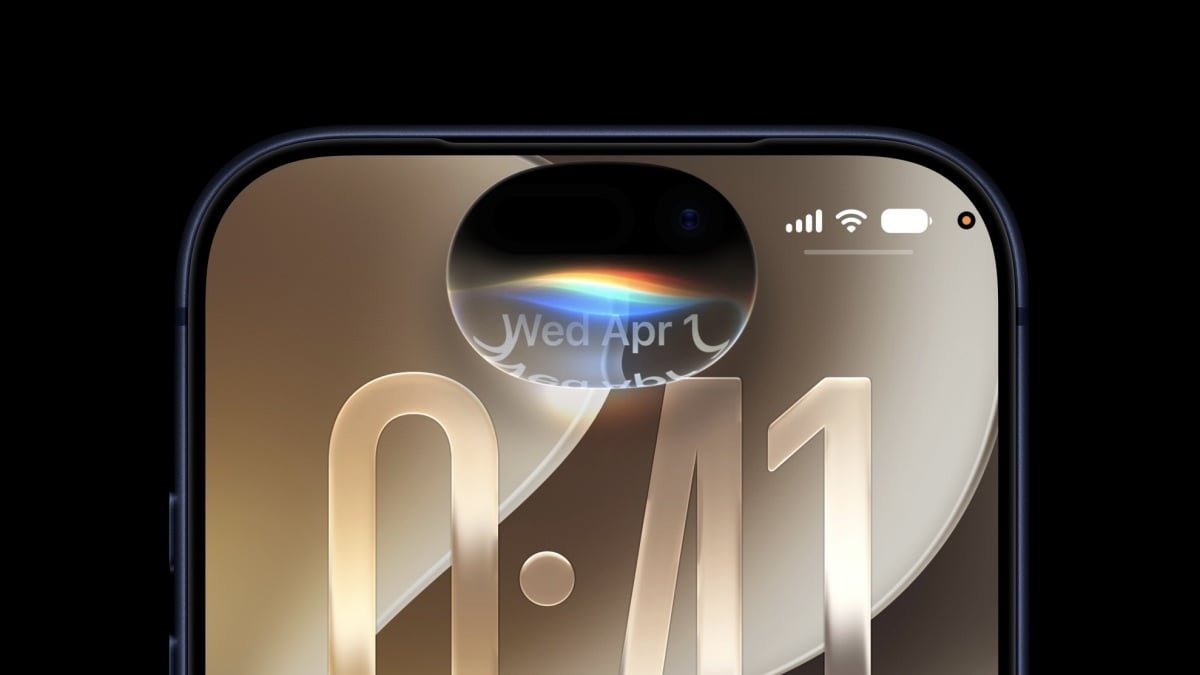
Apple’s big WWDC keynote is officially over. After months of rumors and speculation, we now know what iOS 27 is all about: Apple Intelligence, a new AI-powered Siri, and more ways to customize Liquid Glass. (Apple finally added a slider, people.) Apple is also focused on performance updates this year: That means iOS 27 should run faster on your iPhone, and experience fewer bugs and glitches.
While iOS 27—and the rest of Apple’s new updates—won’t be out until the fall (likely September), you can try them out right now. That’s because Apple is rolling out the first betas for each software update today. As long as you have a compatible iPhone, you can try iOS 27 right now, but here’s the thing: You probably shouldn’t.
Why you shouldn’t install the iOS 27 developer beta
If you’ve dabbled in beta software before, you probably already know my spiel: Betas are designed for software testers to trial upcoming updates and root out as many issues as possible before that software rolls out to the general public. As such, by installing beta software on your iPhone, you’re opening yourself up to possible bugs and glitches Apple hasn’t had a chance to patch. While the official build of iOS 27 won’t be perfect either, with a beta, you might run into something that genuinely makes your device difficult to use, or that breaks it altogether. It’s the risk of running a beta on a personal device.
While that’s the case for virtually all betas, this beta is especially risky for the average iOS user. This is the first developer beta, which means two things: one, Apple has not tested iOS 27 with an outside pool of users yet, so the risk for bugs will never be higher than it is now; moreover, this beta is designed for developers to test iOS 27 with their apps and services, and as such, Apple isn’t thinking much about how the update might run on your personal iPhone.
If something goes terribly wrong with the beta, like your iPhone suddenly stops responding, or you simply can’t live with how buggy it is, you can uninstall it—but it’s not easy to do, especially without losing any data. Unless you made a proper backup ahead of time, you’ll have to wipe your iPhone and start from scratch with the latest official version of iOS. The risk for data loss is huge, and should not be ignored if you’re thinking about installing the beta.
For the adventurous Apple users out there, I strongly recommend waiting until Apple releases the iOS 27 public beta next month. While no beta is risk free, that one is at least meant for general users, since Apple will have already gone through multiple rounds of testing with developers before then. The public beta likely won’t have many of the bugs or glitches the developer beta will have, and certainly not as many as this first developer beta. Apple certainly won’t stop you from installing iOS 27 developer beta 1 on your iPhone, but you shouldn’t do so unless you consider the risks, and plan ahead.
Back up your iPhone to a local drive before you install the iOS 27 beta
If you’re going ahead with the beta installation, make sure to back up your iPhone to your Mac or PC. It isn’t enough to have an iCloud backup: If your iPhone backs up to iCloud while running the beta, it will overwrite your backup from the current version of iOS. As such, the safer bet is to back up your iPhone to a computer. If you need to downgrade, you can restore your iPhone from this backup and recover your data—minus anything generated after the backup was created. For more information, see Lifehacker’s guide here.
Note that this backup is only good for as long as Apple signs (or supports) that version of iOS. Once Apple releases a new official version of iOS and stops signing the version your backup was made to, you won’t be able to restore it. (This is me, once again, advising you not to install the developer beta.)
What do you think so far?
Which iPhones are compatible with iOS 27?
If you are going to install iOS 27 on your iPhone, you’ll need one that’s compatible with the update. Luckily, all iOS 26 devices can run iOS 27. They include:
Note that only iPhone 15 Pro and newer can run Apple Intelligence features (including Siri AI), while only the iPhone 17 line (including the Air) can access Apple’s best on-device models.
How to install the iOS 27 developer beta
In years past, installing a developer beta on your personal Apple device wasn’t all that easy. Unless you paid the $99 fee to become an Apple developer, you needed to download an IPSW file from the internet—not the safest practice. As much as Apple probably doesn’t want the average iPhone user installing developer betas, they also don’t want these users infecting their devices with malware. As such, it’s much more straightforward for anyone to get on the developer beta.
To start, head to this page on the Apple Developer Program website, then scroll down and click “Create your account” under “Become an Apple developer.” (Don’t choose “Enroll now” under “Join the Apple Developer Program,” as this still costs $99). From here, log into your Apple Account and follow the on-screen instructions to become a developer.
Next, on your iPhone, head to Settings > General> Software Update > Beta Updates. Assuming your iPhone is connected to your Apple Account, you should see “iOS 27 Developer Beta” towards the top of the beta list. Tap this, then tap the back arrow in the top left. Once iOS loads “iOS 27 Beta, tap “Update Now.”