We may earn a commission from links on this page.
If you’ve been eyeing the Garmin Forerunner 970, you may be drawn to two of its buzz-worthy features: running economy and step speed loss. But there’s a catch: You can’t access either metric without purchasing a compatible Garmin accessory like the HRM-600 heart rate monitor, which will run you $170.
Is this extra training insight worth the additional investment? To find out, I’ve been wearing one on my runs for the past several weeks, including a half-marathon race in early May. Here’s what I’ve learned about myself, and what you need to know before buying an accessory to get the most out of your running data.

What is “running economy,” and how does Garmin calculate it?
Running economy technically refers to how much oxygen you consume at a given pace. But when runners talk about it, we’re referring to a basic principle that says the more efficient you are, the less energy you’ll burn to run at the same speed. Garmin translates this into a practical score by analyzing your heart rate, speed, and running dynamics. The key input in their calculation (which requires the heart rate monitor) is something called “step speed loss.”
To provide your score, Garmin says it needs data from at least 5–7 runs. After that, you can find your Running Economy score in the Garmin Connect app by tapping More (bottom right) > Performance Stats > Running Economy.
What is “step speed loss,” and how does Garmin calculate it?
Simply put, “step speed loss” (SSL) is a measure of braking. Garmin defines it as the difference between your forward speed at the moment your foot first contacts the ground and your minimum forward speed during that step’s stance phase. Picture the brief window when your foot is planted and your body is passing over it. It’s measured at the chest via a heart rate monitor, and expressed in centimeters per second. You want that number to be as low as possible.
To understand why SSL matters, it helps to think about what’s happening physically with each stride. A high SSL means your body is somehow hitting the brakes when your foot hits the ground, and you have to do a lot more work just to get back to where you were. A lower SSL means your foot is spending less time dragging against the ground and your stride is closer to a smooth, continuous wheel (rather than going brake-accelerate-brake-accelerate on a loop).
Several things can drive you SSL up: low cadence, overstriding (landing with your foot too far in front of your hips), or anything that creates a heavy, stomping contact. You can try to bring your SSL down by running with a lighter, shorter stride, with your foot landing right beneath the body (rather than reaching ahead or dragging behind).
One thing I discovered while digging into all of this: some gait metrics, like cadence and ground contact time, seem to improve on their own when you run faster, because speed itself encourages better mechanics. It’s a bit of a “chicken before the egg” scenario, but for proper running form and speed.
What Garmin’s running dynamics taught me
I’ll spare you all my typical face-saving disclaimers about how I’m an extremely average runner—almost always in the 50th percentile of every race I run, in fact. Let’s take a look at the numbers. In these graphs, each dot represents a percentile band compared to other runners. Purple sits at the top (95th percentile and above), blue covers 70–95%, green is the middle range at 30–69%, orange drops to 5–29%, and red represents the bottom fifth percentile. Garmin says the green, blue, or purple zones are typical for more experienced runners, which tracks for me.

Average step speed loss for my half-marathon race.
Credit: Meredith Dietz

Average step speed loss percent for my half-marathon race.
Credit: Meredith Dietz
If graphs aren’t your thing, here are the stats from the run listed out in my Garmin Connect app.

Credit: Meredith Dietz
My average step speed loss for the race was 8.2 cm/s, translating to an average SSL percentage of 2.85%. That means at any given step, I was losing roughly 2.85% of my forward speed during ground contact.
A bright spot for me is that there’s no obvious upward creep in the second half of the race, which is exactly where I’d expect to see my form break down due to fatigue. I checked out the green spikes around the 0:49-1:15 mark, and it turns out they correspond to a downhill portion of the race. It makes sense that I was subconsciously breaking my stride instead of blowing out my quads and charging down those hills.
What do you think so far?

My SSL shot up when elevation shot down.
Credit: Meredith Dietz
The other numbers that catch my eye are cadence and vertical ratio. My cadence averaged 181 steps per minute, which tickles me, as180 spm has to be by far the most common “optimal running cadence” all runners know. Unfortunately, my vertical ratio isn’t as pretty a picture: Vertical ratio also measures running efficiency, but by dividing vertical oscillation by stride length. At 8.5%, I’m below average in this metric. Instead of digging into that right now, let’s turn the other measure of efficiency I care about today: running economy.
How useful is Garmin’s running economy score?

Credit: Meredith Dietz
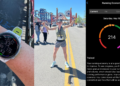
The Running Economy screen (dated from the race on Saturday, May 16) shows a score of 214, placing me in the “Trained” category. Garmin’s own description of the score is that my running economy is at a good level with room to improve, and meaningful gains will likely require gradual increases in both intensity and volume. Progress at this level may come more slowly, it tells me, but it’s achievable.
For now, I’ll take that at face value. As I’ve previously covered, there are tangible ways to improve this metric, but a lot of it comes down to genetics. What this number does is give me something concrete to track. If the score nudges into green, blue, or purple territory over the coming months, that’s a signal my training is translating into measurable efficiency gains. If it stagnates while volume and intensity go up, that’s worth investigating. Running Economy scores are only as meaningful as the underlying data, so I plan to log more runs with the HRM-600 to build a better picture.
Do you actually need the HRM-600?
Personally, the running economy score is an interesting metric to have, particularly with my newfound understanding of how SSL works. Beyond the single-race snapshot, I think there’s real value in simply wearing the HRM-600 consistently and tracking my personal SSL range over time.
For most runners, I don’t think SSL is something to obsess over. Percentile comparisons can be fun, but there comes a point where it’s better to tune them out. What matters more is whether your SSL is trending in a useful direction.
Whether or not paying $170 for the HRM-600 is worth it depends on how deep you want to go. Even without obsessing over the number, SSL is a helpful form-check tool for me. When it creeps up on a run, it’s a useful nudge to perform a mental audit to figure out what’s happening: Am I over-striding? Is my foot landing ahead of my hips instead of underneath them? How’s my cadence doing? A few cues I keep coming back to: shorten the stride, let the foot land beneath the body, and think “light and quick” rather than “push and drive.”
If you’re a data-oriented runner who’s already squeezing value out of your Forerunner 970 and looking for the next layer of insight, running economy and step speed loss are natural next steps. If you’re still working on nailing the basics, you’ll get more return from simply running more consistently. Save that money for race registration fees instead.