No Result
View All Result
Global Finances Daily
  • Alternative Investments
  • Crypto
  • Financial Markets
  • Investments
  • Lifestyle
  • Protection
  • Retirement
  • Savings
  • Work & Careers
No Result
View All Result
  • Alternative Investments
  • Crypto
  • Financial Markets
  • Investments
  • Lifestyle
  • Protection
  • Retirement
  • Savings
  • Work & Careers
  • Login
Global Finances Daily
No Result
View All Result
Home Protection

Microsoft Is Testing a Way to Delay Windows Updates Indefinitely

April 28, 2026
in Protection
0
Microsoft Is Testing a Way to Delay Windows Updates Indefinitely


Windows users contend with a lot of updates. There’s a new update every month on the stable channel, and every week on the Windows Insider channel. But not all updates are created equal. Some are mission-critical, with important security patches you won’t want to miss. On the other hand, some can create issues themselves, introducing bugs or new features you don’t want.

Until now, there wasn’t much you could do when an update showed up. You could try to delay, but you’d be forced to install it a week later, sometimes in the middle of important work. With the latest Insider update, however, Microsoft is trying to fix that. Now, the company is testing a roundabout way to delay updates forever (though from a security standpoint, you shouldn’t), as well as a process for installing updates that won’t disrupt your workflow.

How to delay Windows updates forever

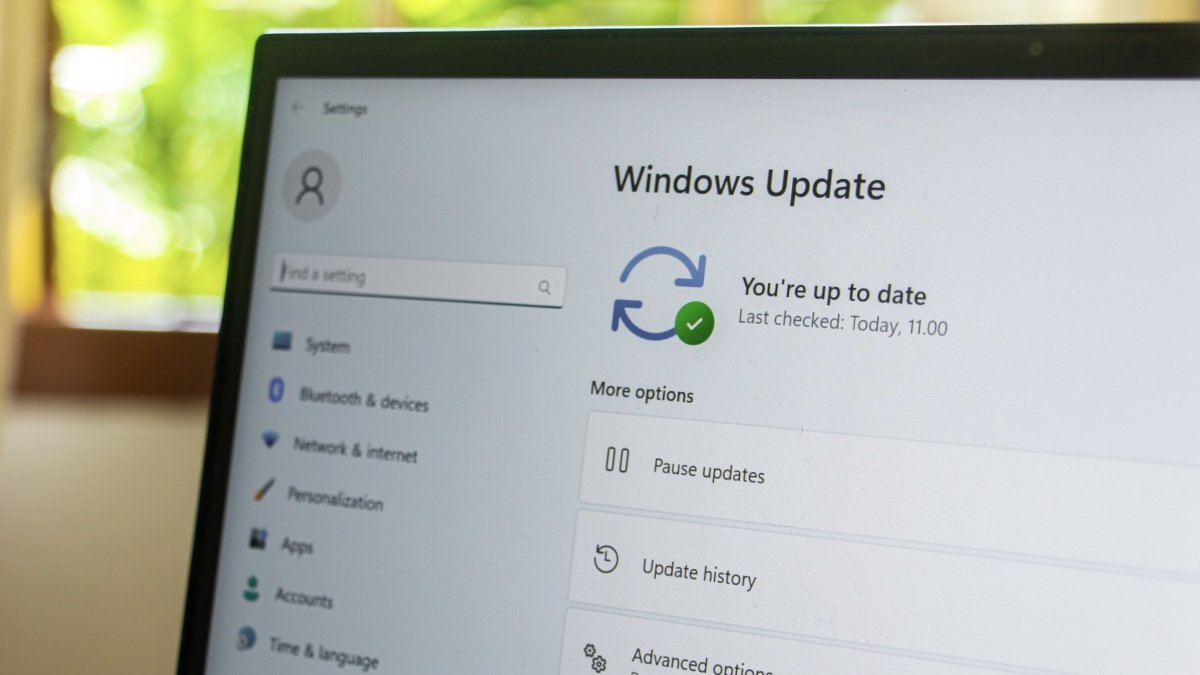
In the Windows Insider update rolling out this week, you can pause updates for up to 35 days at a time. That doesn’t mean you have to update your PC once those 35 days are up, however. You can keep doing this manually indefinitely. There are no limits. When you have the option on your end, go to Settings > Windows Update > Pause Updates. You’ll see a new date picker here to extend the update. Here, you can choose a date you want Windows to install that update—perhaps after the deadline for an important project, so you can be sure that the update won’t interrupt your work.

You’ll need to enroll your PC in the Windows Insider program if you want to try this new feature out, however. Microsoft has not officially rolled it out in a public Windows update, so unless you want to join Microsoft’s beta program, you’ll need to wait and see if the company decides to release this feature in the near future.


Credit: Microsoft

Why you shouldn’t delay updates forever

There are some caveats here. First, you’ll have to do this manually each time to extend the pause period. Second, there’s no option to cherry-pick which updates get delayed. It’s just one option to pause updates, which can include multiple pending updates on your PC, even for drivers or security updates. When you pause updates, you lose out on all of it.


What do you think so far?

The monthly Windows update isn’t just about new features you may or may not want: It also includes critical security updates that patch vulnerabilities and help protect your computer from attacks. In addition, it fixes longstanding bugs and issues, and introduces updates at the firmware and driver level that help improve the performance of your GPUs, memory, and peripherals. You can use this new “Pause Updates” feature to decide when exactly to install a monthly update (perhaps after waiting for a week or two), but from a security standpoint, it’s not a good idea to delay updates indefinitely, just because you can.

Other changes to updates on Windows 11

You’ll also be able to skip new updates when you’re first setting up your Windows PC. During setup, you’ll see a new Update Later button, which should get you to your desktop faster. When you do eventually install the update, the experience should be better than before. To reduce update fatigue, Microsoft is now trying to coordinate security, driver, and feature updates so they all appear together once a month. You’ll also get a detailed view of all available updates in the Windows Update section. In addition, “Shutdown” and “Restart” will soon be available at all times—even when there is a pending update. You won’t be forced into the “Update and restart” cycle just because you’ve delayed updates before.

Shutdown and Restart options even when a update is pending.


Credit: Microsoft


Editorial Team

Editorial Team

Related Posts

10 Hacks Every Microsoft Edge User Should Know
Protection

10 Hacks Every Microsoft Edge User Should Know

April 28, 2026
These Bose QuietComfort Ultra Headphones Are $50 Off Right Now
Protection

These Bose QuietComfort Ultra Headphones Are $50 Off Right Now

April 28, 2026
The Eufy E15 Robot Lawnmower E15 is 59% Off Right Now
Protection

The Eufy E15 Robot Lawnmower E15 is 59% Off Right Now

April 28, 2026
Spotify Now Has Peloton Workout Videos
Protection

Spotify Now Has Peloton Workout Videos

April 28, 2026
DirecTV Just Released an App for Meta Quest Headsets
Protection

DirecTV Just Released an App for Meta Quest Headsets

April 27, 2026
Here's How Microsoft's New Windows Insider Channels Work
Protection

Here’s How Microsoft’s New Windows Insider Channels Work

April 27, 2026
Load More
Next Post
I Never Leave Japan Without Stocking Up On These Skincare Products

I Never Leave Japan Without Stocking Up On These Skincare Products

Popular News

  • Young workers most worried about AI affecting jobs, Randstad survey shows

    Young workers most worried about AI affecting jobs, Randstad survey shows

    0 shares
    Share 0 Tweet 0
  • Apple will soon deliver billions more in cash to investors. Here’s how it stacks up to the rest of Big Tech.

    0 shares
    Share 0 Tweet 0
  • Institutions Will Push Ethereum to Decentralization

    0 shares
    Share 0 Tweet 0
  • OVIX Protocol Falls Victim To $2 Million Oracle Exploit

    0 shares
    Share 0 Tweet 0
  • Custody giant State Street debuts Digital Asset Platform to support tokenized assets

    0 shares
    Share 0 Tweet 0

Latest News

Northeast Bank Q3 FY26 slides: record earnings, 5.15% NIM expansion

Northeast Bank Q3 FY26 slides: record earnings, 5.15% NIM expansion

April 28, 2026
0

Northeast Bank Q3 FY26 slides: record earnings, 5.15% NIM expansion

Cointelegraph

Crypto Projects Shut Down as Token Models Fail Under Pressure

April 28, 2026
0

A wave of crypto shutdowns is unfolding across the industry this year, hitting projects from trading platforms to analytics tools.April...

Program and Career Advising Coordinator

Program and Career Advising Coordinator

April 28, 2026
0

Job Type: Full timeJob Number: 2026-09723Location: SLU Saint Louis, MOWho is Saint Louis University? Founded in 1818,...

I Never Leave Japan Without Stocking Up On These Skincare Products

I Never Leave Japan Without Stocking Up On These Skincare Products

April 28, 2026
0

I’ve just come back from two weeks in Japan with an extra suitcase almost entirely dedicated to skincare (and Gachapon...

Global Finances Daily

Welcome to Global Finances Daily, your go-to source for all things finance. Our mission is to provide our readers with valuable information and insights to help them achieve their financial goals and secure their financial future.

Subscribe

  • About Us
  • Contact
  • Privacy Policy
  • Terms of Use
  • Editorial Process

© 2025 All Rights Reserved - Global Finances Daily.

No Result
View All Result
  • Alternative Investments
  • Crypto
  • Financial Markets
  • Investments
  • Lifestyle
  • Protection
  • Retirement
  • Savings
  • Work & Careers

© 2025 All Rights Reserved - Global Finances Daily.

Welcome Back!

Login to your account below

Forgotten Password?

Retrieve your password

Please enter your username or email address to reset your password.

Log In
This website uses cookies. By continuing to use this website you are giving consent to cookies being used. Visit our Privacy and Cookie Policy.