No Result
View All Result
Global Finances Daily
  • Alternative Investments
  • Crypto
  • Financial Markets
  • Investments
  • Lifestyle
  • Protection
  • Retirement
  • Savings
  • Work & Careers
No Result
View All Result
  • Alternative Investments
  • Crypto
  • Financial Markets
  • Investments
  • Lifestyle
  • Protection
  • Retirement
  • Savings
  • Work & Careers
  • Login
Global Finances Daily
No Result
View All Result
Home Protection

Windows 11 Will Finally Let Users Move and Resize the Taskbar

May 20, 2026
in Protection
0
Windows 11 Will Finally Let Users Move and Resize the Taskbar


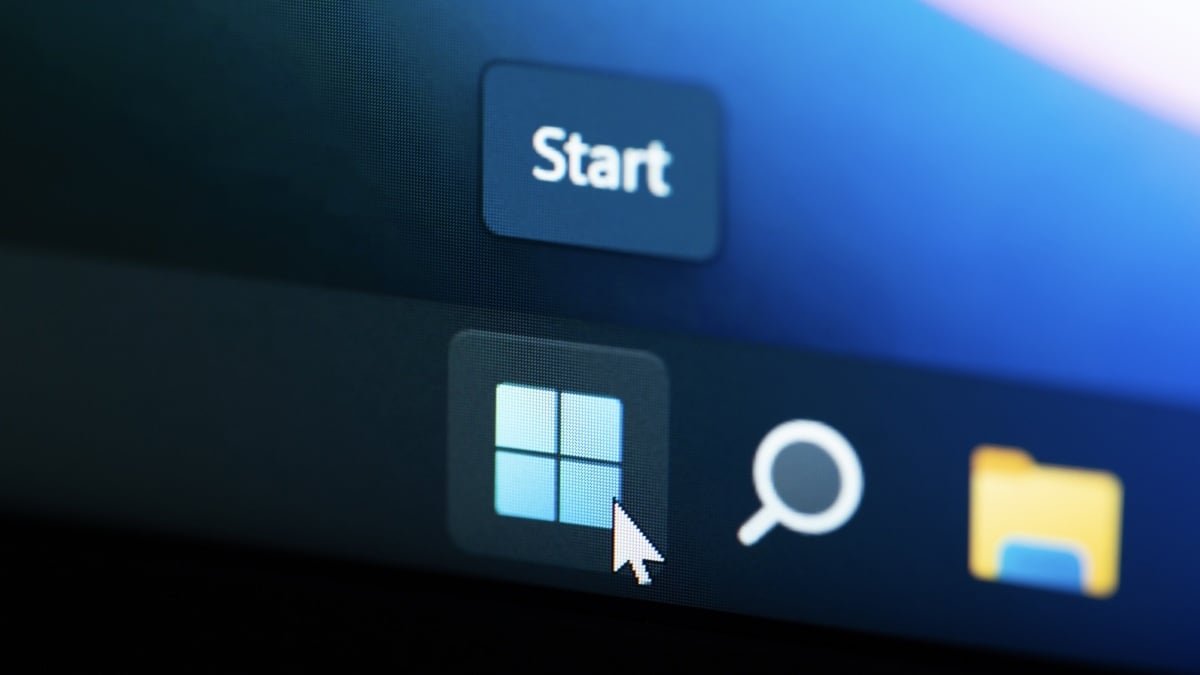
After some harsh feedback about the quality of Windows 11, Microsoft is on a sort of apology tour. The company is promising to improve the operating system, addressing critical issues and features that annoy longtime Windows users. It started off with a way to delay Windows updates for longer than a week. Now, Microsoft is testing new settings that let users customize the placement and size of the taskbar alongside the start menu.

The fact that you couldn’t move the taskbar to the top or side of the screen has bothered Windows 11 users ever since launch. As with many frustrating aspects of Windows, there are multiple workarounds to customize the taskbar and its placement using third-party apps and registry hacks. But now, Windows users will finally have a native, reliable option for customizing the taskbar. These changes are currently rolling out over the next couple of weeks to Windows Insider members in the Experimental channel. Hopefully, they make it to a public build in the near future.

Move the taskbar anywhere you want


Credit: Microsoft

The biggest news, of course, is that the taskbar is finally detached from the bottom of the screen—at least, if you want it to be. You can now move it to the top, or to the left or right edge of the screen. When you do, the taskbar content will adapt automatically. You can also choose where you’d like to align the icons. You can place them on top or in the center when the taskbar is on the sides, or on the left or center when it is on the top or the bottom.

If you dock the taskbar to the side, there’s a new option to “Never combine” taskbar buttons and to show full labels for all windows separately. This will basically show you a vertical list of all open windows, even if they’re from the same app. Windows Insiders who already have this feature can go to Settings > Personalization > Taskbar > Taskbar behaviors to customize the taskbar position and icon alignment.

Personalization Settings for Taskbar.


Credit: Microsoft

If you’re using a Windows tablet, or a laptop with a small screen, there’s now an option to make the Windows taskbar smaller (icons will also scale down automatically). Go to Settings > Personalization > Taskbar > Taskbar behaviors > Show smaller taskbar buttons and set it to Always.


What do you think so far?

Only showing Pinned apps in Start menu.


Credit: Microsoft

The Start menu in Windows 11 has expanded to include not just apps, but also recommendations, shortcuts, and even updates from your connected smartphone. If all you really want is a quick way to launch apps, this can seem like too much. Microsoft is now consolidating settings for customizing the Start menu, making it easier to get to the minimal Start menu experience.

Start menu customization options.


Credit: Microsoft

There are many other changes planned for the taskbar in the near future. Over the next couple of weeks, Microsoft will start adding Start menu customization features to independently show or hide sections like Pinned, Recommended, and All. There will be a separate toggle to disable the Recommended section only in the Start menu (decoupling it from the Recent Files section in the File Explorer), as well as a new size setting for the Start menu, letting you choose between a Small or Large size. Currently, the Start menu automatically adapts to your display, which can be inconsistent if you use multiple displays along with your laptop. Lastly, Microsoft is adding an option to hide your name and profile picture from the Start menu for added privacy. With all these features combined, you can create a Start menu that’s smaller, devoid of profile pictures, and only showing apps that you have pinned yourself.


Editorial Team

Editorial Team

Related Posts

Google Just Announced a Bunch of Workspace Features at I/O 2026
Protection

Google Just Announced a Bunch of Workspace Features at I/O 2026

May 20, 2026
Google's 'Universal Cart' Is Your New AI Shopping Assistant
Protection

Google’s ‘Universal Cart’ Is Your New AI Shopping Assistant

May 20, 2026
Gemini 'Omni' Will Generate Media From Any Input, Starting With Video
Protection

Gemini ‘Omni’ Will Generate Media From Any Input, Starting With Video

May 20, 2026
Gemini Is Getting a UI Overhaul and Embracing Its Agentic Side
Protection

Gemini Is Getting a UI Overhaul and Embracing Its Agentic Side

May 20, 2026
Google Releases Gemini 3.5 Flash Frontier Model Focused On Agentic AI
Protection

Google Releases Gemini 3.5 Flash Frontier Model Focused On Agentic AI

May 20, 2026
Google's AI Mode Is Getting Gemini's Latest Model
Protection

Google’s AI Mode Is Getting Gemini’s Latest Model

May 20, 2026
Load More
Next Post
Cointelegraph

GitHub Internal Repositories Breached via VS Code Extension

Popular News

  • Current Trends Explained: 'Devil Couldn't Reach Me,' Gloving, and Katseye

    Current Trends Explained: ‘Devil Couldn’t Reach Me,’ Gloving, and Katseye

    0 shares
    Share 0 Tweet 0
  • The 10 best banks for college students in 2025

    0 shares
    Share 0 Tweet 0
  • ResidentShield Renters Insurance Review 2024: Pros and Cons

    0 shares
    Share 0 Tweet 0
  • Best Beer Stocks Right Now • Updated Daily • Benzinga

    0 shares
    Share 0 Tweet 0
  • Used Car Insurance – NerdWallet

    0 shares
    Share 0 Tweet 0

Latest News

Cointelegraph

GitHub Internal Repositories Breached via VS Code Extension

May 20, 2026
0

GitHub said on Wednesday it is investigating unauthorized access to its internal repositories following the compromise of an employee's device. “While...

Windows 11 Will Finally Let Users Move and Resize the Taskbar

Windows 11 Will Finally Let Users Move and Resize the Taskbar

May 20, 2026
0

After some harsh feedback about the quality of Windows 11, Microsoft is on a sort of apology tour. The company...

Hyperliquid Sends $254K Donation to ZachXBT

Hyperliquid’s HYPE could still be mispriced, Bitwise says

May 20, 2026
0

Bitwise Chief Investment Officer Matt Hougan says Hyperliquid’s HYPE token remains undervalued, even after becoming one of 2026’s strongest large-cap...

China’s Chery hopes to enter US market at ’suitable’ time

China’s Chery hopes to enter US market at ’suitable’ time

May 20, 2026
0

China’s Chery hopes to enter US market at ’suitable’ time

Global Finances Daily

Welcome to Global Finances Daily, your go-to source for all things finance. Our mission is to provide our readers with valuable information and insights to help them achieve their financial goals and secure their financial future.

Subscribe

  • About Us
  • Contact
  • Privacy Policy
  • Terms of Use
  • Editorial Process

© 2025 All Rights Reserved - Global Finances Daily.

No Result
View All Result
  • Alternative Investments
  • Crypto
  • Financial Markets
  • Investments
  • Lifestyle
  • Protection
  • Retirement
  • Savings
  • Work & Careers

© 2025 All Rights Reserved - Global Finances Daily.

Welcome Back!

Login to your account below

Forgotten Password?

Retrieve your password

Please enter your username or email address to reset your password.

Log In
This website uses cookies. By continuing to use this website you are giving consent to cookies being used. Visit our Privacy and Cookie Policy.