No Result
View All Result
Global Finances Daily
  • Alternative Investments
  • Crypto
  • Financial Markets
  • Investments
  • Lifestyle
  • Protection
  • Retirement
  • Savings
  • Work & Careers
No Result
View All Result
  • Alternative Investments
  • Crypto
  • Financial Markets
  • Investments
  • Lifestyle
  • Protection
  • Retirement
  • Savings
  • Work & Careers
  • Login
Global Finances Daily
No Result
View All Result
Home Protection

Google Chrome Now Has Split View (and Two More New Productivity Features)

February 20, 2026
in Protection
0
Google Chrome Now Has Split View (and Two More New Productivity Features)


While I generally consider Chrome to be a mature, feature complete browser, it’s great to see that Google is still making meaningful additions to it. With its latest update, Google Chrome for desktop now has three new productivity features: Split View, PDF annotations, and the ability to save downloads directly to Google Drive. These features are targeted at both regular and enterprise users, the company says, so you don’t need to worry about Workspace exclusivity. Let’s take a look at each new feature and how you can best use it.

Split View lets you boost your productivity


Credit: Google

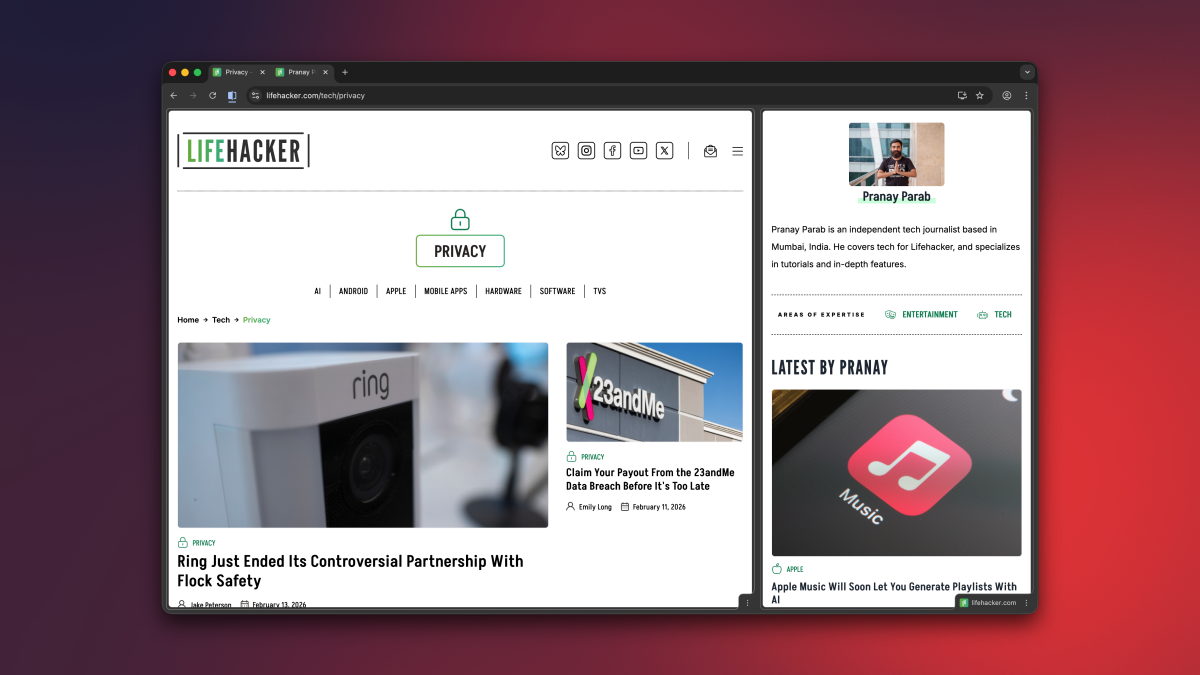
Over the years, the internet browser has become a super app of sorts, since it has access to so many useful sites and web apps. In Chrome, I often find myself taking notes while attending meetings online, or keeping a second tab open for research while I write articles. For many people, a single Chrome tab or window is no longer enough, and with that in mind, Google’s added Split View to the desktop version of its browser.

Split View merges two tabs and displays them in the same window. You can think of it like the split-screen view in old school video games. You can use Split View by right-clicking any tab and selecting Add Tab to New Split View. For now, Chrome allows you to have a maximum of two tabs side by side in Split View, although I hope you’ll eventually be able to add more in the future. In its current form, the feature is great for using Google Docs while watching an educational video, or similar two-tab use cases. Finally, no more opening single tabs in separate windows and then resizing them into your own, makeshift split view.

You can easily drag the slider in between the two tabs to give one tab more screen space than the other. Or for more control, you can click the Split View button to the left of the address bar and select the Arrange Split View menu (this is also available if you right click the merged tabs in your tab bar). This is an easy way to quickly reverse the order of the two tabs, separate them, or close just one of the tabs.


What do you think so far?

Annotate PDFs in Chrome

Chrome's PDF annotations feature, shown via a digital signature in a PDF.


Credit: Google

Let’s be honest: Chrome is probably the PDF viewer that most people use. No matter how many fancy PDF editing apps I or my colleagues recommend, for the most part, you’re going to search for and open PDFs in your browser. Luckily, now you no longer have to use a different app for basic annotations. Chrome’s desktop PDF Viewer now has tools for highlighting text, adding notes, and even making digital signatures. You’re still going to need a different app for advanced PDF edits, but Chrome is now capable enough to handle the basics.

Save PDF files directly to Google Drive

Chrome's PDF download to Google Drive feature.


Credit: Google

Whenever you download a PDF file using Google Chrome, it defaults to saving them to the Downloads folder on your computer, or to another location on your hard drive. On desktop, Google now lets you save these files directly to your Google Drive account. This can be very useful if you want to keep your local storage clear. When you open a PDF file in Chrome, you’ll see a Google Drive icon in the toolbar, next to the download button. Clicking the Google Drive icon will automatically save it to the cloud storage service, in a new folder called “Saved from Chrome.”



Editorial Team

Editorial Team

Related Posts

How to Paint Your Deck With a Push Broom
Protection

How to Paint Your Deck With a Push Broom

April 20, 2026
This Bright and Powerful Blink Floodlight Camera Is Over Half Off Right Now
Protection

This Bright and Powerful Blink Floodlight Camera Is Over Half Off Right Now

April 20, 2026
The 'Gun God' Controller Turns One Plus' New Smartphone Into a Sleek Handheld Gaming Console
Protection

The ‘Gun God’ Controller Turns One Plus’ New Smartphone Into a Sleek Handheld Gaming Console

April 20, 2026
You Can Get a Google Pixel 10 for $250 Off Right Now
Protection

You Can Get a Google Pixel 10 for $250 Off Right Now

April 20, 2026
What 'Running Economy' Actually Means (and How to Improve Yours)
Protection

What ‘Running Economy’ Actually Means (and How to Improve Yours)

April 20, 2026
Apple's Touchscreen MacBook Might Be Delayed
Protection

Apple’s Touchscreen MacBook Might Be Delayed

April 20, 2026
Load More
Next Post
Prediction-market ETFs may open the door to all sorts of Wall Street tomfoolery

Prediction-market ETFs may open the door to all sorts of Wall Street tomfoolery

Popular News

  • Government to respond to AJ Bell’s petition after 10,000 signatures

    Government to respond to AJ Bell’s petition after 10,000 signatures

    0 shares
    Share 0 Tweet 0
  • 5 Things to Know About the Pomelo Card

    0 shares
    Share 0 Tweet 0
  • Hedge funds’ record Treasury bets risk sending ‘shockwaves’ through the global bond market, Apollo says

    0 shares
    Share 0 Tweet 0
  • Global finance leaders flag serious concerns about Mythos AI model

    0 shares
    Share 0 Tweet 0
  • Fed’s Waller turns cautious on rate cuts and worries about a ‘lasting increase in inflation’

    0 shares
    Share 0 Tweet 0

Latest News

XRP price holds support with a bullish fractal forming.

Ripple’s Schwartz explains RLUSD use case and control features

April 21, 2026
0

Ripple CTO Emeritus David Schwartz said RLUSD can work as a bridge asset in some payment flows, but he said...

Stocks making the biggest moves premarket: AMZN, AAPL, GE, UNH

Stocks making the biggest moves premarket: AMZN, AAPL, GE, UNH

April 21, 2026
0

Check out the companies making headlines before the bell: UnitedHealth — Shares popped more than 6% after UnitedHealth reported first-quarter...

King Street shakes up leadership structure to focus on 'core' credit strategies

King Street shakes up leadership structure to focus on ‘core’ credit strategies

April 21, 2026
0

King Street Capital Management has instigated a new leadership structure as it shifts to focus resources on its core credit...

Volkswagen announces voice AI in its Chinese cars from later this year

Volkswagen announces voice AI in its Chinese cars from later this year

April 21, 2026
0

Volkswagen shows off a prototype of its ID.Aura T6 in Beijing, China, in April 2026.Picture Alliance | Picture Alliance |...

Global Finances Daily

Welcome to Global Finances Daily, your go-to source for all things finance. Our mission is to provide our readers with valuable information and insights to help them achieve their financial goals and secure their financial future.

Subscribe

  • About Us
  • Contact
  • Privacy Policy
  • Terms of Use
  • Editorial Process

© 2025 All Rights Reserved - Global Finances Daily.

No Result
View All Result
  • Alternative Investments
  • Crypto
  • Financial Markets
  • Investments
  • Lifestyle
  • Protection
  • Retirement
  • Savings
  • Work & Careers

© 2025 All Rights Reserved - Global Finances Daily.

Welcome Back!

Login to your account below

Forgotten Password?

Retrieve your password

Please enter your username or email address to reset your password.

Log In
This website uses cookies. By continuing to use this website you are giving consent to cookies being used. Visit our Privacy and Cookie Policy.