No Result
View All Result
Global Finances Daily
  • Alternative Investments
  • Crypto
  • Financial Markets
  • Investments
  • Lifestyle
  • Protection
  • Retirement
  • Savings
  • Work & Careers
No Result
View All Result
  • Alternative Investments
  • Crypto
  • Financial Markets
  • Investments
  • Lifestyle
  • Protection
  • Retirement
  • Savings
  • Work & Careers
  • Login
Global Finances Daily
No Result
View All Result
Home Protection

How to Install the New macOS 27 Beta

July 13, 2026
in Protection
0
How to Install the New macOS 27 Beta


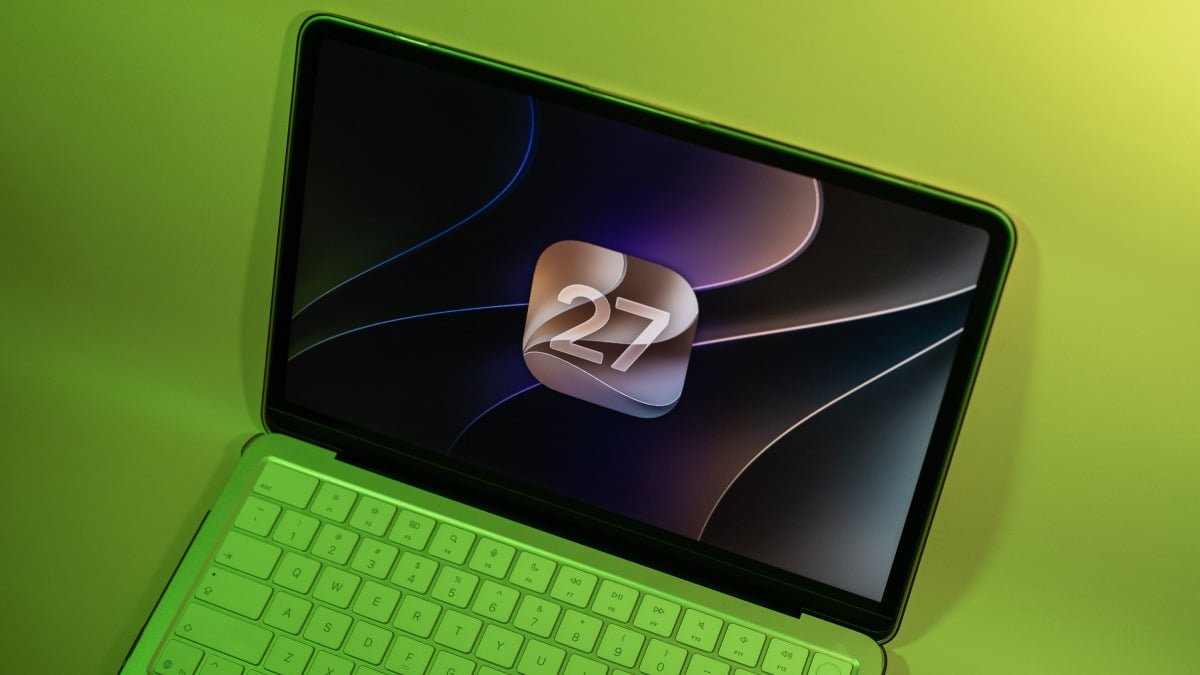
Apple’s “27” era is nearly here, including macOS 27. The upcoming update might not offer as many new features as some past macOS revisions, but it has one really big one: Alongside a number of quality-of-life upgrades, macOS Golden Gate includes a few major Apple Intelligence updates, including Siri AI. But if the only benefit I get from updating to macOS 27 is that my M1 iMac runs a bit smoother, I’ll be happy.

Apple’s new updates, including macOS 27, aren’t officially here yet. They’ll likely drop sometime in the fall for all compatible devices. That said, your compatible Mac can run macOS Golden Gate right now: Since June’s WWDC conference, Apple has been beta testing its new updates with registered developers. That means if you’re okay taking on the risks, you can try out macOS 27 right now.

Don’t install the macOS 27 beta before understanding the risks

It’s tempting to try out fresh features before the general public, especially when they’re as high-profile as Siri AI. But before you install a beta of macOS 27 on your machine, you should be aware of the risks. Betas are not finished software, which means they can ship with bugs and glitches that wouldn’t normally make it to an official update. You might install the macOS 27 beta on your Mac and find it works perfectly well, or you may encounter a bug that prevents you from using your computer as you normally would. It’s a bit of a gamble.

The caveat is that the developer beta is currently safer than it was at launch. Apple has spent about a month beta testing its updates with developers before releasing them to a larger pool of users. As such, many of the more overt or critical glitches have likely been identified and patched. That doesn’t mean the macOS 27 developer beta is entirely free of glitches, of course. You should make sure to back up any important data before installing the beta. Make sure all photos, documents, messages, etc. are saved somewhere secure, and not just included in an iCloud backup, in the event you lose data through the beta process.

Still, I recommend that most users wait for at least the public beta before testing out macOS 27. Apple said its public betas will be out sometime in July, so there shouldn’t be much more of a wait. Apple will continue to release developer beta updates first before releasing the public beta equivalent, which offers some extra protection for users who want to lessen the risk of major bugs or glitches.


What do you think so far?

Which Macs are compatible with macOS 27?

While every iPhone that supports iOS 26 also supports iOS 27, the same isn’t the case for macOS. Even if your Mac runs macOS 26, there’s no guarantee it’s compatible with macOS 27. In fact, this year marks Apple’s official departure from Intel, as none of its Intel-based Macs support macOS 27. Here’s the official list:

  • MacBook Neo

  • MacBook Air with Apple silicon

  • MacBook Pro with Apple silicon

  • iMac with Apple silicon

  • Mac mini with Apple silicon

  • Mac Studio

  • Mac Pro with Apple silicon

Essentially, if your Mac’s chip has an “M” in its name (e.g., M1, M5), it’s compatible with macOS 27.

How to install the macOS 27 developer beta

If you’re okay with the risks of installing a developer beta, you’ll first need to enroll your Apple Account in the developer program. There used to be a $99 paywall here, but there is now a free option for anyone who just wants to try the developer beta. Once enrolled, head to System Settings > General > Software Update, then click the (i) next to “Beta Updates.” Click “Off” next to “Beta Updates,” then choose “macOS 27 Golden Gate Developer Beta.” From here, hit “Done,” then follow the on-screen instructions to download and install the update.



Editorial Team

Editorial Team

Related Posts

Here's How Clear Whey Powder Compares to the Regular Kind
Protection

Here’s How Clear Whey Powder Compares to the Regular Kind

July 13, 2026
Your iPhone Is Hiding a Powerful Document Scanner
Protection

Your iPhone Is Hiding a Powerful Document Scanner

July 13, 2026
These Five New Waze Features Are Rolling Out Right Now
Protection

These Five New Waze Features Are Rolling Out Right Now

July 13, 2026
This M1 iPad Pro Is Still One of the Best Tablets for Creators on a Budget
Protection

This M1 iPad Pro Is Still One of the Best Tablets for Creators on a Budget

July 13, 2026
This Self-Emptying Shark Robot Vacuum With LiDAR Mapping Is on Sale for Just $135 Right Now
Protection

This Self-Emptying Shark Robot Vacuum With LiDAR Mapping Is on Sale for Just $135 Right Now

July 13, 2026
How to Keep Android Backups From Filling Up Your Google Drive Storage
Protection

How to Keep Android Backups From Filling Up Your Google Drive Storage

July 13, 2026
Load More

Popular News

  • Current Trends Explained: Alysa Liu and 'Goonbait'

    Current Trends Explained: Alysa Liu and ‘Goonbait’

    0 shares
    Share 0 Tweet 0
  • How Good Are Sacheu’s Viral Peel-Off Lip Liners? 5 Editors Find Out

    0 shares
    Share 0 Tweet 0
  • Béis Travel Discount Codes: 20% Off Sets | Condé Nast Traveler

    0 shares
    Share 0 Tweet 0
  • How I Used My Platinum Perks on an NCL Cruise

    0 shares
    Share 0 Tweet 0
  • Three Things I Already Love About the New Ultrahuman Ring Pro

    0 shares
    Share 0 Tweet 0

Latest News

How to Install the New macOS 27 Beta

How to Install the New macOS 27 Beta

July 13, 2026
0

Apple's "27" era is nearly here, including macOS 27. The upcoming update might not offer as many new features as...

Meta and Amazon are leading a trillion-dollar Big Tech spending spree

Meta and Amazon are leading a trillion-dollar Big Tech spending spree

July 13, 2026
0

As the cost of AI infrastructure continues to increase, Morgan Stanley says Big Tech capital expenditures are on track to...

Cointelegraph

Hyundai Tests Tether USDT for Cross-border Treasury Transfers

July 13, 2026
0

Hyundai Motor's US and Mexican units completed a pilot cross-border treasury transfer using Tether's USDT stablecoin, settling a $20,000 payment...

Meta expands Louisiana data center to 5 gigawatts, investment crosses $50 billion

Meta expands Louisiana data center to 5 gigawatts, investment crosses $50 billion

July 13, 2026
0

Meta expands Louisiana data center to 5 gigawatts, investment crosses $50 billion

Global Finances Daily

Welcome to Global Finances Daily, your go-to source for all things finance. Our mission is to provide our readers with valuable information and insights to help them achieve their financial goals and secure their financial future.

Subscribe

  • About Us
  • Contact
  • Privacy Policy
  • Terms of Use
  • Editorial Process

© 2025 All Rights Reserved - Global Finances Daily.

No Result
View All Result
  • Alternative Investments
  • Crypto
  • Financial Markets
  • Investments
  • Lifestyle
  • Protection
  • Retirement
  • Savings
  • Work & Careers

© 2025 All Rights Reserved - Global Finances Daily.

Welcome Back!

Login to your account below

Forgotten Password?

Retrieve your password

Please enter your username or email address to reset your password.

Log In
This website uses cookies. By continuing to use this website you are giving consent to cookies being used. Visit our Privacy and Cookie Policy.