No Result
View All Result
Global Finances Daily
  • Alternative Investments
  • Crypto
  • Financial Markets
  • Investments
  • Lifestyle
  • Protection
  • Retirement
  • Savings
  • Work & Careers
No Result
View All Result
  • Alternative Investments
  • Crypto
  • Financial Markets
  • Investments
  • Lifestyle
  • Protection
  • Retirement
  • Savings
  • Work & Careers
  • Login
Global Finances Daily
No Result
View All Result
Home Protection

YouTube TV’s Multiview Is Now (Almost) Fully Customizable

April 24, 2026
in Protection
0
YouTube TV's Multiview Is Now (Almost) Fully Customizable


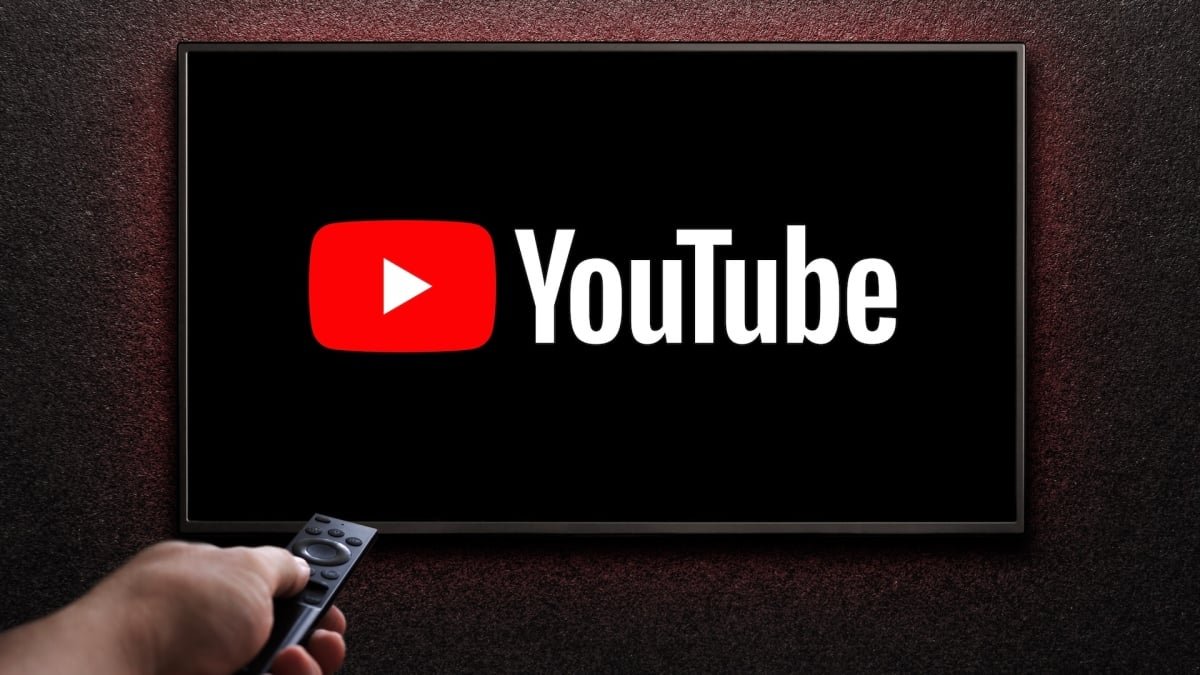
For the past several years, multiview has been one of YouTube TV’s best features, especially for sports fans like myself. Multiview allows you to watch up to four livestreams at once and toggle between them (and their audio) when something exciting happens. At its initial launch for March Madness in 2023, multiview was restricted to certain preselected channel combinations, but YouTube confirmed in January of this year that a fully customizable multiview was on the way. It’s now available to some subscribers—myself included.

Trying out YouTube TV’s multiview

With customizable multiview, you can select up to four channels across content categories, so you’re not limited to just sports, news, or a preset view. As Reddit users have pointed out, this update allows you to mix sports networks that previously couldn’t be watched side-by-side or weren’t available in all combinations—something I’m particularly excited about. Plus, because you can choose anywhere from two to four streams, you don’t have to keep additional channels included in preset views for things you don’t want to watch or after programming ends (like when a sports broadcast transitions to local news).

I tried it out and was able to create a variety of random views. First, I combined ESPN with CNN, NFL Live, and TNT; then, the Golf Channel plus AMC, Fox Sports, and the SEC Network. The only snag I hit was with a local news channel: When I tried to add it to my multiview, I got a “video unavailable” error, even though it was available for selection. I’m still most likely to use custom multiview for sports, especially during seasons like college basketball and college football when lots of games are being played at once and often across channels owned by different networks and to select just the two or three things I want to see rather than a full four-stream view.

How to use YouTube TV’s multiview

To build a custom multiview, open a livestream in full screen, then press the down button on your remote—on mobile, tap the player—and select Multiview. If your account has the option, tap Your multiview to choose up to four live programs from different content categories, including sports, news, movies, shows, and “other.” YouTube TV will also show you recommended streams. To remove and/or replace channels, press the down button again and tap Change multiview > Your multiview. The current streams will be at the top of the Recommended section. From here, you can click to remove them.


What do you think so far?

As Android Authority reports, this feature may not be available to all YouTube TV users yet. Make sure your app is up to date, but know that the rollout could take time.




Editorial Team

Editorial Team

Related Posts

These Third-Generation Apple AirPods Are $50 Off Right Now
Protection

These Third-Generation Apple AirPods Are $50 Off Right Now

April 24, 2026
The Google Pixel Watch 4 LTE Is Over $100 Off Right Now
Protection

The Google Pixel Watch 4 LTE Is Over $100 Off Right Now

April 24, 2026
Why I Won't Be Doing 'Women's Pushups'
Protection

Why I Won’t Be Doing ‘Women’s Pushups’

April 24, 2026
Google Meet Can Now Take Notes During In-Person Meetings Too
Protection

Google Meet Can Now Take Notes During In-Person Meetings Too

April 23, 2026
'Runfluencers' Want you to Breathe Through Your Nose, but Here's What the Science Says
Protection

‘Runfluencers’ Want you to Breathe Through Your Nose, but Here’s What the Science Says

April 23, 2026
10 Productivity Hacks Every Apple Reminders User Should Know
Protection

10 Productivity Hacks Every Apple Reminders User Should Know

April 23, 2026
Load More

Popular News

  • Cointelegraph

    Shariah-Compliant PUSD Stablecoin Integrates with ADI Chain

    0 shares
    Share 0 Tweet 0
  • Ex-Brite employees start a new advisory firm linked to their former CEO.

    0 shares
    Share 0 Tweet 0
  • How to Contact Hilton Customer Service

    0 shares
    Share 0 Tweet 0
  • Trust Wallet Hack, Uniswap Fees, Coinbase

    0 shares
    Share 0 Tweet 0
  • The Small Towns to Hit on a Western Scotland Road Trip

    0 shares
    Share 0 Tweet 0

Latest News

YouTube TV's Multiview Is Now (Almost) Fully Customizable

YouTube TV’s Multiview Is Now (Almost) Fully Customizable

April 24, 2026
0

For the past several years, multiview has been one of YouTube TV's best features, especially for sports fans like myself....

Crypto

Visca Crypto! Top Exchange, FC Barcelona Sign 5-Year Deal

April 24, 2026
0

Trusted Editorial content, reviewed by leading industry experts and seasoned editors. Ad Disclosure European crypto exchange WhiteBIT has unveiled a...

Program Administrator II, Internships (532)

Program Administrator II, Internships (532)

April 24, 2026
0

Job DescriptionThe Newcomb-Tulane College Career Service's vision is to meet and engage with each student where they are on their...

I Tried Medicube’s Hair Line & I'm Pleasantly Surprised

I Tried Medicube’s Hair Line & I’m Pleasantly Surprised

April 24, 2026
0

Let’s start with the PDRN of it all. Short for polydeoxyribonucleotide, PDRN is a skincare ingredient derived from ultra-purified salmon...

Global Finances Daily

Welcome to Global Finances Daily, your go-to source for all things finance. Our mission is to provide our readers with valuable information and insights to help them achieve their financial goals and secure their financial future.

Subscribe

  • About Us
  • Contact
  • Privacy Policy
  • Terms of Use
  • Editorial Process

© 2025 All Rights Reserved - Global Finances Daily.

No Result
View All Result
  • Alternative Investments
  • Crypto
  • Financial Markets
  • Investments
  • Lifestyle
  • Protection
  • Retirement
  • Savings
  • Work & Careers

© 2025 All Rights Reserved - Global Finances Daily.

Welcome Back!

Login to your account below

Forgotten Password?

Retrieve your password

Please enter your username or email address to reset your password.

Log In
This website uses cookies. By continuing to use this website you are giving consent to cookies being used. Visit our Privacy and Cookie Policy.